Why a Slow WordPress Site Kills Your Enquiries
A slow WordPress website can quietly push visitors away before they ever contact you. When pages take too long to load, trust drops, users leave, and enquiries disappear. This blog explains why it happens and how to fix it.

Guruparshad
WordPress Developer
Jan 27, 2026 | 6 min. read

A slow WordPress site doesn’t just feel frustrating. It quietly pushes potential customers away before they ever get a chance to contact you.
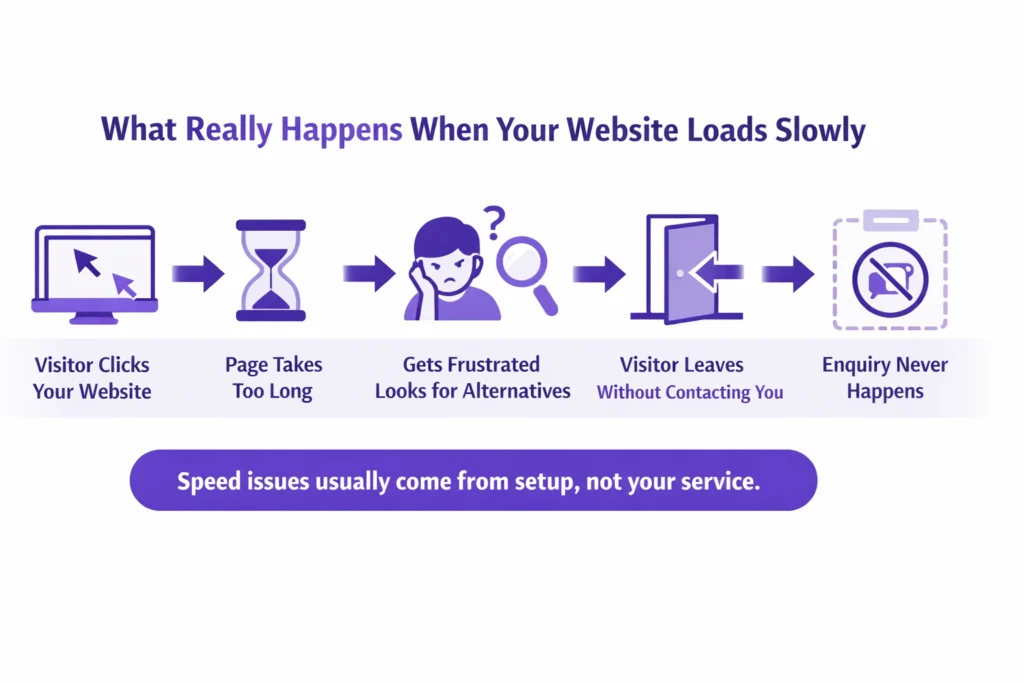
When a website takes too long to load, most people don’t wait. They click back, open another option, and move on. That’s how a slow website ends up hurting leads without you even realising it.
When I review business websites, I often see impressive design, strong CTA placement, and solid authority signals, but the speed on both mobile and desktop is slow. This is where WordPress Speed Optimization Services become essential. Traffic may come in, but it doesn’t stay on the website. As a result, the bounce rate increases, which is not good for SEO.
I hear this question a lot: “Is your slow WordPress website costing you leads?”
Usually, the answer is yes. Not because the business is bad, but because visitors are leaving quickly when pages don’t open fast enough.
The link between page speed and enquiries is very real. The good news is this isn’t unusual, and it’s usually fixable once you understand what’s causing the delay.
Why a WordPress Website Loads Slow (Root Causes)
One of the most common questions I hear is, “why is my WordPress site so slow?”
In most cases, it’s not one big problem. It’s a few small setup issues adding up and affecting the website loading time.
WordPress itself isn’t bad or slow by default. A WordPress website loading slow usually comes down to how it’s been built and maintained over time.
Here are the main reasons I see again and again:
Too many plugins
Plugins are helpful, but every extra one adds weight. Some are poorly built, others overlap, and together they slow the site down without you noticing.
It is true that plugins help in designing and make tasks easier for developers, but too many plugins add extra code (CSS/JavaScript) that takes time to load.
Weak or overcrowded hosting
If your hosting struggles, your website struggles. This is one of the biggest causes of WordPress performance issues, especially on shared plans. Before buying a hosting plan, I recommend checking the best options. It may be a bit costly, but it provides a better experience for visitors.
Large images and heavy page builders
Big images and complex layouts look nice, but they take longer to load. Visitors feel that delay straight away. When a website loads, images consume most of the loading time. Images with smaller file sizes load faster and more easily.
Slow mobile performance
Many sites seem “fine” on desktop but load very slowly on phones. That’s where most visitors leave. You know that most users use phones because they are reliable and easy for accessing websites. But slow mobile speed frustrates them, and they move away from the website.
No regular checks
When no one keeps an eye on speed, small issues quietly turn into bigger website speed problems. I see this problem on many websites. When my clients update content on their websites, they forget to check the speed on mobile and desktop. This hurts the performance of the website.
This is why people ask if WordPress sites are slow. They aren’t by nature — but the setup matters more than most business owners realise.
Once you understand what’s causing the slowdown, fixing it becomes much more straightforward.
53% of mobile users leave a page that takes more than 3 seconds to load.
This means more than half of your visitors give up before they even see your offer — especially on phones where most people browse.
Source: WeAreTenet website speed data (2026)
Why it matters:
It directly connects slow loading to visitor drop off, so readers instantly see how a slow WordPress site leads to fewer enquiries.
Common Mistakes That Make WordPress Sites Slow
When someone tells me, “my website is slow WordPress”, it’s usually because of a few everyday decisions that felt harmless at the time.
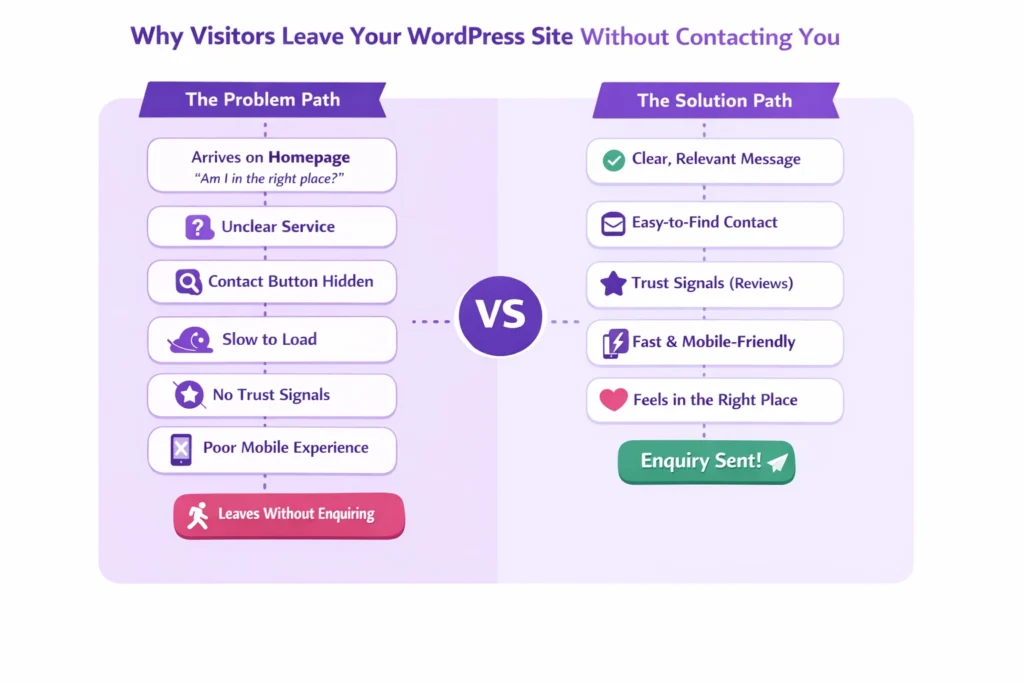
These are the most common ones I see, and they explain why website visitors leave quickly without enquiring.
Choosing cheap hosting and never upgrading
It works in the beginning, but as your site grows, the cracks show. Many WordPress hosting issues come from plans that simply can’t handle real traffic. So before buying hosting, you must check the best hosting plans in your area. I see that different countries have different hosting providers that work well.
Recently, I faced an issue with a USA client’s website. For some reason, the website crashed. The client had a Bluehost hosting plan, and their customer support was very good. Within two hours, I recovered the client’s website. That’s why reliable hosting with proper website backup options is important.
Installing plugins for every small feature
This is a big one. When I review sites, I see that some plugins are used for small features. By adding some CSS code, we can replace them and make the website faster. Yes, WordPress plugins do slow down websites when too many are active or poorly built. Each plugin adds load, even if it’s rarely used.
Ignoring mobile speed completely
A slow mobile website is often the biggest leak. If pages crawl on phones, people don’t wait — they leave. I see that many business owners don’t know about mobile responsiveness when designing their websites. When we design a website, there is an option to preview the design on mobile and adjust the settings and layout accordingly. Headings, text, and font sizes can be adjusted so they fit easily on the mobile screen and look good without distracting users.
Thinking speed is only a technical issue
Speed isn’t just about code. It affects how long people stay, how much they trust the site, and whether they take action. When I audit websites, I see that this issue is common. Clients often ask me how much time is needed to fix it. It depends on the size and structure of the website. If your website is small, with up to 5–10 pages, I can resolve it in 2–3 days with full client satisfaction.
Believing traffic matters more than performance
More visitors won’t help if the site can’t load quickly enough to keep them. Most clients focus on organic traffic. Yes, traffic can improve by creating new pages, publishing blogs, building case studies, and optimizing content. But in the end, they face the same problem—enquiries. Traffic increases, but sales do not. This happens when users come to the website but do not stay or explore other options.
What I see with most small business websites is that the design looks good, but it represents the business more than the client’s problems. A website doesn’t just need good content; it needs solution-based, trustworthy, and value-driven content that emotionally connects with visitors’ problems. That’s why user engagement is so important.
Most business owners don’t realise they’re making these choices. But once you spot them, it becomes clear why enquiries slow down — even when the business itself is solid.
What Actually Works to Fix a Slow WordPress Site
When clients ask me, “How do I speed up my WordPress site?”, they’re usually expecting something complicated. In reality, the fixes that matter most are practical and focused on how real people use the site.
Here’s what actually makes a difference for a slow WordPress site:
Start with reliable hosting
Good hosting isn’t about fancy features. It’s about stability and speed. If the server struggles, no amount of tweaking will fix the website loading time. The website data and files are stored on the server-side hosting. A fast CPU and SSD storage help the site load faster, especially on mobile.
Today, internet speeds like 4G and 5G are quite good, but slow hosting can still frustrate visitors. Choosing the right hosting will definitely improve website performance on both mobile and desktop.
Remove plugins that aren’t pulling their weight
If you haven’t used a plugin in months, it’s probably hurting more than helping. Cleaning these up is one of the simplest WordPress speed fixes.
When we add a plugin to a website, it installs with all its features, including extra code, CSS, and JavaScript files, even if many of those features are not used. When the website loads on mobile, the browser has to download these extra files, which creates more HTTP requests. That is one reason why the website becomes slow.
This is why it is important to audit your plugins and check which ones are truly useful. Some plugins are minor and can be replaced with a small custom CSS or JavaScript code instead.
Reduce image and page size
Large images slow pages down, especially on mobile. Simply shrinking them can noticeably improve how fast a page opens.
When I audit a site, I often see developers using PNG or JPEG images with very large file sizes in MB to keep the images clear. But these large files take more server space, and when the page loads, the browser needs more time to download them. That is why mobile speed becomes slow.
Compress your images or replace PNG and JPEG files with WebP. This can reduce image size from MB to KB and is more reliable for website performance.
Fix mobile loading first
Always check how the site behaves on a phone. A slow mobile experience is usually where enquiries are lost. Simply search for “Google Speed Insight” on Google, open the site, and enter your website URL to check performance on both mobile and desktop.
This Google tool also gives suggestions that help improve mobile speed and overall website performance.
Focus on issues visitors actually feel
Not every technical warning matters. The real concern is whether pages load smoothly for users, not whether a tool shows a perfect score.
Think like a visitor. Analyze your website design section by section and ask how you can provide real value so users stay longer. Do not focus only on selling your services. Your content should be written around your clients’ pain points and offer clear, trustworthy solutions, with proper mobile responsiveness. This helps reduce bounce rate, improve conversion rate, and build more authority for your website.
Yes, WordPress speed does affect SEO. But more importantly, it affects whether people stay long enough to contact you. If you’re unsure where to start, the first step is simply to check website speed and see where the delay really is.
Once these basics are handled, everything else becomes easier to improve.
Sites that load in one second can have conversion rates up to 3× higher than sites that take five seconds.
Visitors are far more likely to take action when pages open fast, and each extra second of delay can reduce conversions significantly.
Source: TechKV web design and conversion stats (2025)
Why it matters:
This ties site speed directly to lead generation performance, not just bounce rates — helping business owners understand the real cost of slow pages.
How Speed Impacts Leads & Enquiries
Let me give you a simple, real-world scenario I see often.
A local service business was getting steady traffic. Before mobile speed optimization, people were landing on the site, reading a bit, and clicking around. But enquiries were almost zero. On the surface, everything looked fine.
The real issue was that the client’s WordPress site took too long to load. Pages felt sluggish, especially when moving toward the contact page. Before the form even appeared, visitors were leaving.
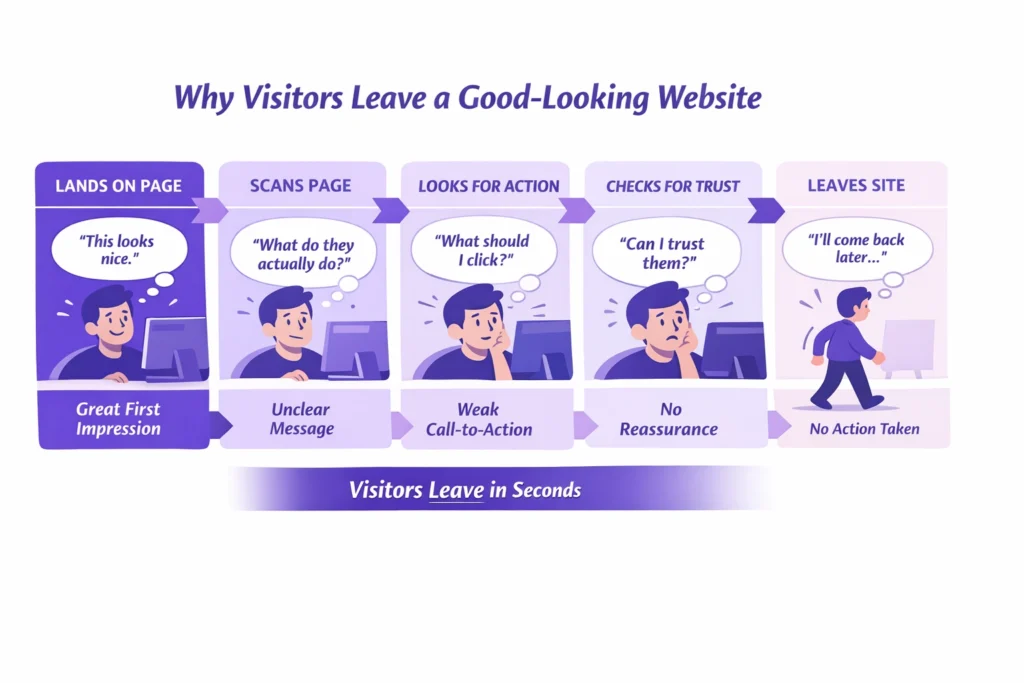
This is how a slow website hurts leads. People don’t complain. They don’t send feedback. They just move on to the next option.
Once the website speed issues were fixed, the change was noticeable. Pages opened faster, navigation felt smoother, and visitors stayed long enough to reach the contact page. That improvement in speed and enquiries wasn’t magic, it was simply removing friction.
It’s a good example of how website speed affects conversions more than most businesses expect. The offer didn’t change. The service didn’t change. The experience did.
This is why speed is often the quiet problem behind low enquiries.
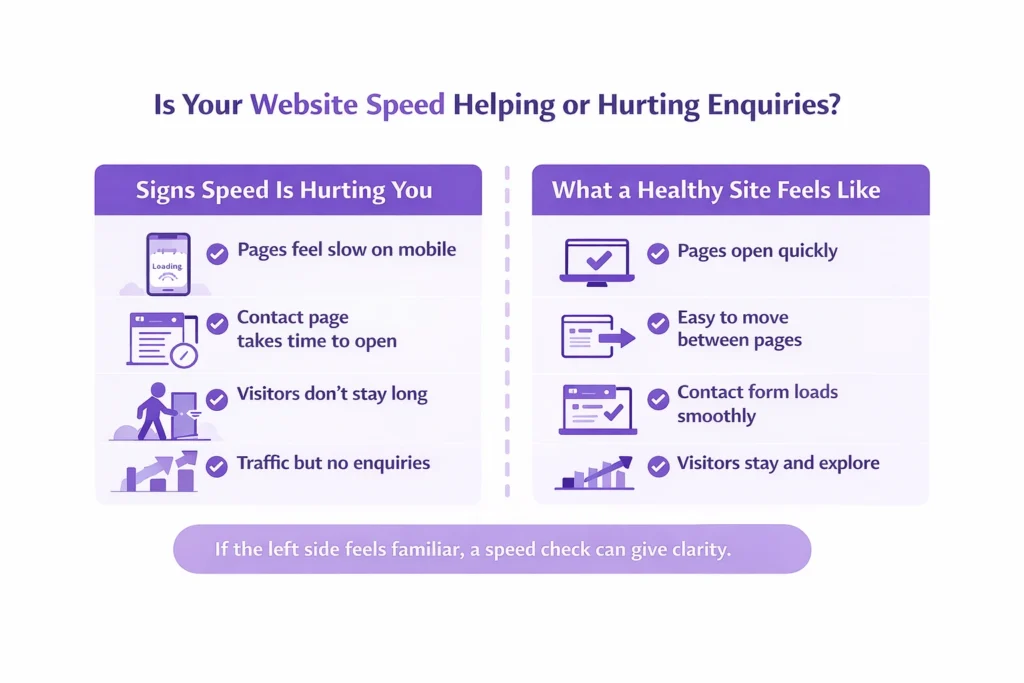
If Your WordPress Site Is Slow, Your Enquiries Are Leaking
If you’re dealing with a slow WordPress site, it’s worth knowing this: in most cases, it’s a setup issue, not a sign that the whole website needs rebuilding.
A slow website hurting leads doesn’t mean your service is weak or your messaging is wrong. It usually means visitors are hitting friction before they reach the point of contacting you.
The good part is that when a site loads slowly for visitors, it can be fixed. The right WordPress speed fixes focus on removing what’s holding the site back, not adding more complexity or changing what already works.
If you’re unsure where the problem sits, a simple speed check can give clarity. Looking at the site with fresh eyes often reveals website speed problems that are easy to overlook day to day.
Check Your WordPress Site Speed Today
See why visitors leave and how fast fixes improve enquiries.
If you want help reviewing this or exploring mobile website optimization services, the next step doesn’t need to be a big commitment. Sometimes a short conversation is enough to point things in the right direction.
FAQs
Why does my WordPress site load slowly for visitors?
In most cases, it’s not one single issue. Slow loading usually comes from a mix of heavy plugins, weak hosting, large images, or poor mobile setup. When these stack up, pages take longer to open and visitors lose patience.
Why is WordPress slower than HTML?
HTML sites are simple and lightweight, while WordPress loads themes, plugins, and database content. That doesn’t make WordPress bad. When it’s set up properly, a WordPress site can still load quickly and feel smooth to users.
Does WordPress speed affect SEO?
Yes, it does. Slow pages make people leave sooner, which sends negative signals to search engines. More importantly, speed affects trust. If visitors don’t stay long enough to read or enquire, rankings alone won’t help.
Are WordPress websites slow by default?
No. WordPress itself isn’t slow. Most speed issues come from how the site is built, hosted, and maintained over time. A well-set-up WordPress website can perform just as well as any other platform.
How do I speed up my WordPress site?
Start with the basics. Use reliable hosting, remove unnecessary plugins, reduce large images, and focus on mobile performance. These changes usually improve loading speed without needing a full redesign.
How can I check website speed properly?
Use a simple speed testing tool and focus on how fast pages feel, not just scores. Check the site on your phone as well. If pages hesitate or take too long to open, that’s what your visitors are experiencing too.
Why a Slow WordPress Site Kills Your Enquiries Read More »