
Author name: Deepak Sharma

I'm Deepak Sharma, a Digital Marketing Freelancer in India, helping businesses boost online visibility & sales. With 8+ years in SEO, PPC & social media marketing, I specialize in ranking websites higher and scaling brands. As the founder of Digital Deep Tech, I’ve worked with 50+ businesses to grow their revenue. Follow #DSWebRank for expert insights on SEO, lead generation, and digital growth strategies. Let’s take your brand to the next level! 🚀

International Keyword Research

A Step-by-Step International Keyword Research Strategy for Global Success

Struggling to rank in new countries, even with solid SEO? This blog breaks down how international keyword research actually works — and why direct translations won’t cut it. You’ll learn how to find the right search terms, connect with local audiences, and build a strategy that gets real global results.

Hire SEO Specialist

Written by Deepak Sharma

SEO Specialist

July 8, 2025  |  6 min. read

latest SEO blogs

So here’s the thing — a lot of brands get stuck when they try to take what worked in their home market and just... copy-paste it into a new country.

And honestly? We get it. You’ve already invested time, money, and brainpower into an SEO strategy that works somewhere. It’s natural to assume it’ll work everywhere. But in reality? It usually doesn’t.

Every market speaks a different “search language.” What people type into Google in the UK isn’t always what they search in Spain, Japan, or Brazil — even if they’re looking for the same thing. That’s where most global SEOefforts start to unravel.

Let’s break this down.

Doing International keyword research for global markets isn’t just about translation. It’s about local intent — what your audience actually searches, how they phrase it, and how often they search it. For example, in the U.S., people might search “sneakers.” In the UK? “Trainers.” Same product. Different keyword. Different data.

That’s why at Digital Deep Tech, we guide brands through a smarter, more localized approach. We look at things like:

  • How average monthly search volume changes from country to country
  • What terms your target audience actually uses (not just what Google Translate suggests)
  • Where the real search opportunity lies — not just what looks good on a report

Because international SEO isn’t about scaling what’s already working. It’s aboutunderstanding why it worked in one place — and what needs to change to make it work somewhere else.

And that starts with how you do International keyword research. Ready to dig in?

So... What Is International SEO, Really?

Let’s be real for a minute.

If you’re expanding into new markets and your SEO isn’t working the way it used to — you’re not alone. We hear this from brands all the time:

“We translated the content. The product’s solid. Why aren’t we ranking in France? Or Germany? Or Japan?”

And the honest answer is this: International SEO isn’t just about content in another language.

It’s about creating a structure that search engines understand and users feel comfortable with — no matter where they’re searching from.

At its core, international SEO is how your website tells Google:

“Hey, this page? It’s for people in Spain. That one? It’s for the UK. Oh — and here’s the version in Japanese.”

It’s a mix of technical setup (things like hreflang tags and choosing the right URL structure), and a deep understanding of how people in different countries search, trust, and click.

Now — let’s talk about the part most brands overlook:

How You Structure Your URLs Really Matters

You can have the best content in the world, but if your site structure confuses search engines, or feels unfamiliar to local users — you’ll always be a few steps behind.

Here’s a simple breakdown of your options, without the jargon. Just straight talk:

1. Country Code Top-Level Domains (ccTLDs)

Example: yourbrand.fr (for France), yourbrand.co.uk (for the UK)

When this works well:

You want a strong presence in one country, and you’re serious about being seen as local.

Why it helps:

Google sees yourbrand.de and knows instantly — this site is for Germany. And users feel that too. There’s a built-in trust when they see a domain that ends in .de or .fr.

But the catch?

You’re basically running a separate website for each country. That means extra cost, more effort, and zero SEO benefit from your existing domain authority.

2. Subdomains

Example: uk.yourbrand.com, fr.yourbrand.com

When this fits:

You want some separation between markets — maybe different teams managing different regions — but still connected under one main domain.

Why people choose it:

It’s clean. It lets you track each region’s performance separately. Google understands it. And it’s flexible.

What’s tricky:

Subdomains are treated mostly like separate sites. So your SEO strength doesn’t pass through easily. You’re still building from scratch in each region.

3. Subdirectories

Example: yourbrand.com/uk, yourbrand.com/fr

When this makes sense:

You want one strong domain — and you don’t want ten different SEO campaigns. You’re growing, but need something manageable.

Why we like it (and often recommend it):

It’s cost-effective, easier to maintain, and Google treats it as part of your main site. That means your domain authority carries over. Big win.

Downsides?

It’s not as strong a geo-signal as a country-specific domain. But if you’re not going ultra-local, it’s usually a smart middle ground.

❌ gTLD with URL Parameters

Example: yourbrand.com?lang=en-gb

Let’s be honest…

It’s quick. It’s technically functional.

But?

It’s not great for SEO. Search engines struggle to prioritize it. And users? They don’t trust a URL with a bunch of “?lang=” hanging off the end. You wouldn’t either.

Unless you have to use this setup, skip it.

So, What’s the Best Option?

That depends.

It depends on your goals, your team, your tech setup, and how far you want to go in each market.

We don’t do cookie-cutter answers at Digital Deep Tech. We sit down with you, look at your expansion plan, your analytics, your audience — and we build a structure that fits you now and scales with you later.


Because international SEO is more than just rankings. It’s about trust. Relevance. And doing things the right way — the first time.

Let’s Talk About International Keyword Research — And Why It’s the Heart of Any Global SEO Strategy

If you’re wondering why your international SEO isn’t landing the way it should, this is probably where it starts. It sounds technical — maybe even a bit dry. But when it’s done right, it’s like turning on the lights in a room you’ve been stumbling around in.

So what is keyword research, really?

At its core, it’s the process of figuring out what your audience is actually typing into search engines like Google, Bing, or even regional ones like Baidu or Naver. Not what you think they’re searching — what they’re really searching.

Now, here’s where things get tricky (and where most brands go wrong):
If you’re expanding globally, you can’t just translate your existing keywords and expect results. Why? Because people in different countries — even if they speak the same language — search differently.

Let’s say you sell skincare.
In the U.S., people might search “moisturizer for oily skin.”
In the UK? “Face cream for greasy skin.”
Same intent. Totally different phrasing. That difference can make or break your visibility in a new market.

What Does “Search Volume” Actually Mean? (And Why Should You Care?)

You’ll hear this term a lot in SEO: search volume.

It simply means how many people, on average, search for a specific keyword each month.
More searches = more potential traffic. Sounds good, right?

But hold up — high search volume often means high competition, too.
So yes, you want keywords people are actively searching…
…but you also want to find the ones that are reachable — where you can actually compete and win.

This balance between demand and opportunity is where smart keyword research lives.

Why International Keyword Research Matters So Much in SEO

If you’re building new landing pages for different countries or regions — keyword research isn’t just a nice-to-have. It’s the foundation. Because if you skip this step, you’re basically writing content for no one. Or worse, for the wrong audience entirely.

Here’s what great International keyword research gives you:

1. Real insight into user intent

You’ll see how your target customers are searching, what they’re looking for, and even what type of content they expect.
Are they browsing? Comparing? Ready to buy? This tells you.

2. Keyword clusters, not just single terms

Good SEO today isn’t about chasing one keyword. It’s about covering a whole topic ecosystem.
With keyword clustering, you can rank not just for “electric bike,” but also for “eco-friendly commuter bike,” “best bikes for city travel,” and more — all from one well-optimized page.

3. A roadmap for your content strategy

Once you know what people are searching for, you’ve got a clear plan.
What blog topics should you write?
What landing pages do you need for each market?
Which questions should your FAQs answer?

Global keyword research tells you all of that — and more.

If you’re serious about expanding globally, you can’t afford to guess.
Your content needs to match your audience’s exact search behavior — in their language, their phrasing, their intent.

That’s what we do at Digital Deep Tech — we dig deep into real user data to uncover opportunities your competitors are missing. And we make sure your brand shows up in the right places, for the right people, at the right time.

Keyword Research for Global Brands: How It Actually Works

Let’s not overcomplicate it.

Keyword research is often sold as this “secret weapon” — something only experts with expensive tools can do. But when you’re expanding into global markets, it’s not about magic. It’s about understanding people — how they search, what they care about, and what they expect to find when they hit that search button.

And the truth? Most global brands mess this up — not because they’re careless, but because they’re trying to scale a strategy that was never meant to travel.

So, how do we fix that?

Let me walk you through how we do International keyword research here at Digital Deep Tech — step by step, with no fluff. This is how we help brands figure out what’s working, what’s missing, and how to get seen in the right markets.

Step 1: Google the Keyword — With a Fresh Set of Eyes

Before opening any fancy tool, we do something simple:
We Google the keyword. Old-school, yes. But powerful.

Why? Because it shows you the reality — not the theory. You get to see how Google is interpreting that search in real time.

Let’s say you’re targeting the keyword “buy shoes near me.”
What do you see? Probably a map. Store listings. Maybe a few ads.

That tells you something important: Google assumes the searcher wants to visit a physical shop. If you don’t have brick-and-mortar stores, then ranking for that keyword? Total waste of effort.

Now compare that to “how to apply makeup for beginners.”
Totally different vibe, right? Now Google is serving up videos, tutorials, blog posts — because that query is about learning, not buying.

So if your plan is to rank for that type of keyword, a blog post isn’t enough — a video might be your best shot. This is what we call matching “search intent,” and trust me, it matters more than most people think.

Step 2: Look at the “People Also Search For” Section

Once you’ve scanned the main results, scroll down.
That little section — “People also search for” — is more useful than it looks.

It’s like Google is giving you a peek into your audience’s brain.
“What else are they curious about?”
“What do they search next after this one?”

Sometimes it reveals hidden gems — things your audience cares about but you haven’t thought to cover yet. When we’re mapping out content strategies for clients, we dig through this section to find the questions your brand should be answering.

Step 3: Start Typing — and Watch Google Autocomplete

You know that moment when you’re typing into Google and it starts finishing your sentence?

That’s not just autocomplete. That’s live search behavior.
It’s what people are really typing in, day after day.

For example, you type “how to ship products…”
Google might suggest:

  • “how to ship products internationally”
  • “how to ship products safely”
  • “how to ship fragile items”

Right there — you’ve got three new content ideas based on real demand, not guesswork. We use this tactic all the time when helping brands localize their content for new markets.

Step 4: Pull Up Google Keyword Planner

Once you’ve got some solid ideas, now it’s time to back them up with numbers.

Google Keyword Planner isn’t perfect — but it gives you a ballpark idea of search volume (how often something is searched per month) and keyword variations.

This is where you start spotting trends.
Maybe a keyword has a ton of searches in the U.S., but barely registers in France. Or maybe your go-to product term isn’t even what locals call it in Singapore.

That difference? It’s everything.

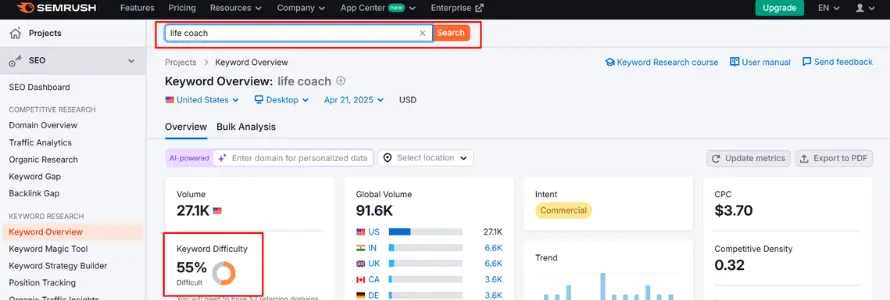
Step 5: Use a Few Trusted SEO Tools to Cross-Check

At this point, we bring in a few other tools — like Ahrefs, SEMrush, or SE Ranking — not because they’re fancy, but because they fill in the blanks.

They show us:

  • What type of content ranks (product page, blog, video, etc.)
  • Which features show up (videos, maps, snippets)
  • Who you’re up against
  • And where the keyword gaps are — the terms your competitors are owning but you’re not even targeting yet

They also help us uncover long-tail keywords — those ultra-specific phrases that may have lower search volume but much higher intent. These are especially valuable when you’re just entering a new market and want to build traction without fighting giants.

International keyword research — when done right — isn’t just a data game. It’s a listening tool. It tells you how your audience thinks, what they’re looking for, and how you can show up with content that actually helps.


If you’re trying to scale globally, don’t skip this.
And don’t rely on translation alone. Every market has its own search behavior — and it’s your job (or ours, if we’re working together) to meet them where they are.

That’s how you build visibility — not just traffic.

Why Your Top Keywords Might Not Work in a New Market (Even if They’re Translated)

Let’s talk about one of the most overlooked issues in international SEO:

You can’t assume that the same keywords — even when perfectly translated — will bring you the same results across countries.

Seems obvious, right?
But we see it all the time. A brand pours months into SEO, enters a new region, and suddenly… nothing. Crickets. No traffic. No rankings.

The page is live.
The content looks great.
It’s technically sound.

But here’s the thing: people in different countries don’t always search the same way — even when they’re looking for the exact same thing.

Let me give you a real-world example.

Real Example: Germany vs. the UK — Same Product, Completely Different Search Habits

Let’s consider the example of a company that digitises old Super 8 and 8mm films.

In Germany, we discovered the top keyword was: “super 8 digitalisieren” — which means “Cine”.

It had around 1,600 monthly searches. People were clearly searching by format — and the verb “digitalisieren” (digitise) was common and natural for them.

A secondary keyword was: “schmalfilme digitalisieren” — or 8mm reels — pulling about 260 searches/month.

So naturally, you’d think the same would apply in the UK, right?

Nope.

In the British market, the dominant keyword was: “digitises old cine films” — with just 480 searches/month.

Even more interesting?
Keywords like “digitise cine film” or “digitise super 8” had tiny search volumes — 50 searches/month, sometimes as low as 10.

Same service.
Same value.
But completely different search behavior.

Why This Happens (And Why It’s Easy to Miss)

It’s not just about language. It’s about culture, user habits, and the little linguistic preferences people bring into their searches.

In Germany, people type “digitise.” In the UK, they describe the outcome instead — “convert cine film to digital.”
See the difference?

And this happens all the time with global SEO. Brands assume their best-performing keywords will scale across borders. But even within English-speaking countries, search patterns shift — sometimes dramatically.

And if you’re just translating keywords without doing market-specific research?
You’re basically writing for someone who doesn’t exist.

So, What Do You Actually Do?

Here’s how we solve this at Digital Deep Tech — and how you can start thinking differently:

  • Do fresh keyword research for each market — even if the language is the same
  • Look at actual search behavior — tools like Google Keyword Planner, Ahrefs, or SEMrush can help
  • Study the SERPs — what’s ranking? Is it blogs, videos, product pages?
  • Think like a local — how would you search for this if you lived in that country?
  • Don’t rely on translations — build your SEO strategy around real, region-specific demand

If your SEO strategy isn’t landing in a new market, it’s not because your team missed a technical tag or a backlink opportunity. It’s probably because your content — no matter how well written — just isn’t matching what people are actually searching for.

This is why international SEO isn’t just SEO with translations.
It’s about cultural fluency. Market empathy. Real-world keyword data.

That’s the level we work at here at Digital Deep Tech.
And if you’re serious about reaching new markets?
This is where you start.

Choosing the Right Keyword Isn't Always About the Numbers

You’d think picking a keyword is straightforward — just go with the one more people search for, right?

Not quite.

A lot of brands get stuck chasing big search volume and forget to ask the more important question:
“What’s the intent behind this search?”

Let’s say you’re torn between two keywords:

  • “Scan slides”
  • “Convert slides to digital”

One gets more searches. But the other one? It tells you a lot more about the person behind the search.

Someone looking to “convert slides to digital” isn’t just browsing — they know what they need. They’re ready to take action. That’s the kind of user you want landing on your page. Meanwhile, “scan slides” could mean anything. They might be looking for a service… or just figuring out how it works. That ambiguity could mean they bounce before ever engaging with your offer.

And there’s another layer: competition.
High-volume keywords are usually more crowded. If your brand’s still building visibility in a new market, it’s smarter to start with terms that are a little more niche — but way more relevant.

Think of it like this:
You can show up in front of a big audience and get ignored,
or speak directly to a smaller group that’s actually listening.

In keyword strategy, relevance > volume. Every time.

Local Backlinks: Why Global Brands Can’t Ignore Local Trust Signals

Let’s say you’re entering a new market — maybe Germany, Japan, or the UAE.

You’ve localized your website, translated the content, even did the keyword research.
But your rankings? Still flat. Still invisible.

Here’s the thing no one tells you upfront:
SEO in a new country isn’t just about being findable — it’s about being trusted locally.

And one of the strongest trust signals? Local backlinks.

Why Local Backlinks Really Matter

When you enter a new market, Google doesn’t instantly recognize you as “relevant.”

You’re the new brand in town. You haven’t earned your spot yet.

And in the world of SEO, one way to earn that spot is by having other credible, local websites link to you.

Because when trusted German news sites, Australian blogs, or French directories link to your site — Google pays attention.

It’s like the internet’s version of a local vouch:

“Hey, this brand belongs here.”

And that kind of endorsement?

It can be the difference between ranking on page 7… or page 1.

So, How Do You Get Local Backlinks (Without Being Annoying or Spammy)?

This isn’t about buying links or sending desperate emails.
It’s about showing up in the market — in ways that are real, valuable, and relevant.

Here’s how we do it for our clients at Digital Deep Tech:

1. Collaborate With Local Media

Got something newsworthy? A local launch, a new partnership, something community-driven?
Pitch the story to online newspapers or magazines in your target region.
Even one backlink from a respected local outlet can move the needle.

2. Guest Post On Regional Blogs

Find local blogs in your niche — ones your audience already trusts.
Offer to write a helpful piece. Not a sales pitch. A real, valuable blog that solves a problem.

This builds your brand and earns a high-quality local link.

3. Partner With Local Businesses

You don’t need to go it alone.
Partner with complementary businesses for a shared event, a co-written article, or even just a backlink exchange that makes sense.
Think of it like local networking, but online.

4. List Your Business In Country-Specific Directories

Not all directories are spammy.
There are legit, niche-specific listings that help users find relevant services — and search engines notice them too.
Start with quality. Think “recommended by locals,” not “anywhere that accepts a link.”

5. Work With Local Influencers & Community Sites

No, we’re not talking about celebrity influencers.
We mean the bloggers, podcasters, or even forum moderators who have influence in their region.
They know the audience. They already have trust.
And a single backlink or mention from them can carry serious weight — both for visibility and search rankings.

If your SEO strategy doesn’t include local backlinks, you’re trying to win trust in a new market with zero social proof. That’s like opening a shop in a new country… and expecting foot traffic without ever being mentioned in the local press, blogs, or listings.

It doesn’t work. Local backlinks tell search engines: “This brand is relevant here.

At Digital Deep Tech, we treat backlinks as more than SEO signals — they’re digital handshakes. And if you want to grow globally, you need local hands reaching back.

Partnering With Local and Global Brands: Not Just for Rankings, But for Real Visibility

Let’s be real for a second. Growing in a new market isn’t just about search rankings or keywords. It’s about showing up where your potential customers already are — and getting introduced by someone they already trust.

That’s where brand collaborations come in. We’re not talking about influencer hype or expensive campaigns. We’re talking about smart, intentional partnerships — ones that give your brand local visibility and SEO lift, without burning your budget.

So, How Do These Collaborations Actually Work?

I’ve run quite a few of these campaigns in past roles — long before I joined MEDIAFIX. And while they don’t always lead to a surge in direct sales, they’re a quiet powerhouse when it comes to:

  • Building brand awareness
  • Earning quality backlinks
  • Getting people to remember your name in a new market

Here’s the basic idea behind most of these co-marketing partnerships:

  1. You offer something useful — maybe a small discount or a free trial
  2. Your partner features it — on their blog, social feed, or newsletter
  3. They benefit, because they’re giving their audience added value
  4. You benefit, by getting new eyeballs, traffic, and — over time — improved rankings

It’s a win-win that builds trust on both sides.

“But Will It Move the Sales Needle?”

Honestly? Not always right away.
These collaborations aren’t designed to flood your inbox with orders overnight.

But here’s what they do incredibly well:

  • Boost your brand visibility in a market that’s never heard of you
  • Help search engines connect your name to credible local sources
  • Support your long-term international SEO efforts

And the best part? The lift on your end is pretty minimal.

In most cases, you just need to provide:

  • A discount code
  • A few product images or brand visuals
  • Maybe your logo

Sometimes, the partner even handles the design and outreach — you just show up with the value.

Ready to Make Your SEO Strategy Work Globally?

Let’s uncover the right keywords for your international audience — no guesswork, just results.

Wrapping It All Up

Let’s take a step back.

Over this guide, we’ve explored why international SEO isn’t a copy-paste job.
We talked about:

  • How keyword intent shifts across markets
  • Why local backlinks matter more than you think
  • And how even small partnerships can quietly support both visibility and rankings

Because success in a new market isn’t just about being seen.
It’s about being seen by the right people, in the right places, with the right context.

That’s how global brands grow — not by shouting louder, but by speaking more clearly, more locally, and with real relevance.

If that’s the path you’re aiming for, we’d love to help guide you.

FAQs

Why does our SEO stop working the moment we enter a new country?

Because what worked in your home market was built for that market.
Search intent doesn’t travel well. Neither does language, culture, or how people use Google.

Let’s say you’re ranking well in the UK. Then you expand to Germany… and suddenly nothing’s showing up. It’s not your fault — it’s just that Germans aren’t searching the same way Brits do. Their phrasing, priorities, and even the platforms they use can be different.

Global SEO isn’t broken — it’s just not localized yet.

You can, but here’s the problem: translation and localization aren’t the same.

Translating “wedding photographer” into French might give you the right words — but not necessarily what French couples actually search. They might be using different phrasing altogether.

If your keywords don’t match how locals naturally search, you’re invisible. It’s that simple.

It’s like putting on a new pair of glasses for each market.

You’re learning how real people in a specific country search — what words they use, what questions they ask, and what they expect to see in the results.

That includes looking at local competitors, analyzing search engine result pages (SERPs), and spotting trends that tools alone can’t tell you. It’s strategy mixed with curiosity — and a bit of cultural listening too.

There’s no one-size-fits-all tool, honestly.

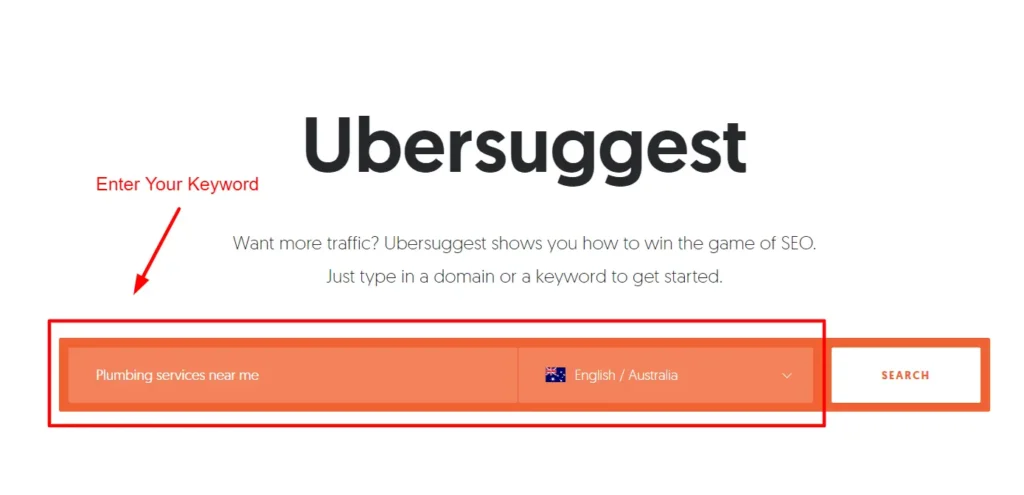
We use a mix — Google Keyword Planner, Ahrefs, SEMrush, sometimes Ubersuggest — but none of them replace human judgment. The best insights often come from simply Googling like a local and paying attention to what comes up.

SEO tools give you data. You still need the context.

If you’re serious about ranking — yes.

You need to show up like a local. That means not only using the right language but also adjusting the tone, currency, formatting, and even cultural nuances. A one-size-fits-all landing page might save time upfront, but it usually costs you rankings (and trust) down the line.

Yes, you need them. Think of hreflang tags like traffic signs for search engines.

They tell Google, “Hey, this version is for Spanish speakers in Mexico, not Spain.” Without them, your pages might show up in the wrong country, or not at all. And that’s a problem you won’t always notice — until it’s already hurting you.

Surprisingly, yes.

When you dive deep into international keyword research, you often discover overlooked opportunities in your own backyard — niche terms, long-tail keywords, or even new ways your customers are searching that you hadn’t considered before.

Going global sharpens your local game.

No sugarcoating here: it takes time.

Most brands start seeing traction after a few months — usually 3 to 6 — but it depends on your niche, competition, and how consistently you apply the strategy.

The key is to stop thinking of it as a quick win. Think of it as building roots in new soil. If you’re in it for the long game, this is how real global growth starts.

Author Bio: Deepak Sharma is an SEO strategist, digital marketing expert, and founder of Digital Deep Tech. With over a decade of hands-on experience, he helps brands break through digital noise and build search strategies that actually convert — especially across international markets.

A Step-by-Step International Keyword Research Strategy for Global Success Read More »

SEO tips for coaches

SEO for Coaches: Proven Tactics to Drive Clients to Your Coaching Business

This post explains proven SEO tactics designed just for coaches. You will discover how to understand what people are really searching for and how to create SEO content that builds trust. It also shows how to add CTAs that fit your client’s path perfectly. Keep reading!

Hire SEO Specialist

Reviewed by Deepak Sharma

SEO Specialist

May 28, 2025  |  6 min. read

latest SEO blogs

Want to drive clients to your coaching business?

Learning SEO for coaches makes you stand out and builds your brand in the competitive digital world of today. Having a website in the highly competitive field of coaching is no longer enough. What you require is a data-driven SEO strategy focused on high-intent keywords, suited to your ideal client’s search behavior, and that supports the technical SEO basics to outperform the competition.

SEO isn’t only about the ranking, but engaging with those who come in search of your coaching expertise and transforming them into paying clients.

For a business coach, generic SEO strategies do not suffice. Success requires high degrees of precision of keyword research involving niche terms such as “executive coaching ROI” and “corporate leadership coaching” as well as optimized site architecture, mobile responsiveness, and content silos. The process involves state-of-the-art on-page optimization, acquiring authoritative backlinks, and conversion-oriented user experience design to ensure maximum lead generation.

Why SEO is Essential for Your Coaching Business

Businesses that depend on trust and strong associations need credibility and targeted communication; SEO gives them that. It doesn’t work overnight, but it keeps building results long after you start. You can track what’s working and long-term ROI for coaching businesses. It’s not just short-term, it builds returns for the long haul.

In an area of a digital market full of noise and constant change, this approach brings lasting value and a way to stay ahead. When implemented strategically, it connects coaches directly to high-intent prospects actively seeking guidance.

Below, we compare SEO to traditional marketing and explore how understanding search intent transforms lead generation for coaches.           

SEO vs. Traditional Marketing for Coaches

CriteriaSEO (Search Engine Optimization) Traditional Marketing (Print, Radio, TV)
Targeting Precise targeting using keywords, user behavior, and location filters. Broad targeting often reaches irrelevant audiences.
Cost Efficiency One-time setup with low ongoing costs; traffic builds over time.Recurring high costs; short-lived exposure.
Tracking ResultsEasy to track performance with tools like Google Analytics.Hard to measure ROI; limited tracking unless combined with codes.
User Intent Reaches people actively searching for coaching. Push-based; may not match the audience’s current needs.
Long-Term ValueContent ranks for months or years, building momentum.Visibility stops when the ad campaign ends.
CredibilityBoosts authority and trust through a consistent online presence.Temporary awareness doesn’t build digital authority.

Understanding Search Intent for Coaches

Search success happens when your content fits what your target clients are looking for. They type words into Google, hoping to find something. You must understand those keywords and create pages that speak to them.

There are typically four types of search intent:

  • Informational (e.g., “what does a life coach do”)
  • Navigational (e.g., “Tony Robbins coach site”)
  • Transactional (e.g., “hire a business coach near me”)
  • Commercial investigation (e.g., “top-rated executive coaches in [city]”)

People looking to take action or hire someone often search using certain keywords, called high-intent keywords. Using them helps your content get more results. That’s why keyword research matters so much. Tools like Ahrefs, SEMrush, and Google’s Keyword Planner show what words your audience types in and how hard they are to rank for.

Business Coaching SEO: Targeting the Right Clients

SEO for business coaches isn’t about broad traffic; it’s about attracting C-suite executives, founders, and organizational stakeholders with high buying intent. This requires strategic targeting that distinguishes business coaching from other coaching categories and aligns keyword usage with decision-stage user behavior.

Understanding the Unique SEO Needs of Business Coaches

Business coaching operates in a results-driven niche, often targeting decision-makers who require measurable outcomes like improved revenue, team performance, or executive presence. This intent shapes the SEO strategy in ways that differ significantly from life or fitness coaching.

SEO FactorBusiness CoachesLife/Fitness Coaches
Searcher PersonaExecutives, entrepreneurs, and HR departments Individuals seeking personal change, wellness, or fitness goals
Keyword IntentHigh commercial and transactional intent (e.g., “executive leadership coach pricing”)Often informational or motivational (e.g., “how to stay motivated to lose weight”)
Content StructureCase studies, ROI-focused service pages, and white papersBlog articles, transformation stories, step-by-step guides
Backlink StrategyB2B industry publications, SaaS partnerships, thought leadership sites Lifestyle blogs, influencer collaborations, wellness platforms

The niche-focused keywords ensure that you’re speaking your client’s language and attracting the right audience. Ranking for broad terms like “coach” or “career help” can waste resources and attract the wrong leads.                                            

How to Find the Right Business Coaching Keywords

Long-tail keywords (more specific phrases) with transactional intent are your best bet. For example:

  • “Best business coach in Austin for startups”
  • “Leadership coach for small teams”
  • “Executive coaching program with proven ROI”

Use keyword tools to discover high-opportunity terms that match both your niche and location. Ubersuggest, Answer the Public, and Google Trends can help you generate content ideas and spot trending search terms that your ideal clients are actually typing into Google.

Key SEO Components Every Coach Should Know

Modern coaching websites must go beyond surface-level optimization. Technical SEO, content architecture, link building, and mobile UX directly affect rankings, conversion, and long-term organic growth. Each of the following elements must be aligned with the search algorithm’s priorities and user behavior.

Content Creation and Optimization

Content is the heart of SEO. If you want to show up in search results and convert readers into clients, you need engaging, keyword-rich, and well-structured content.

Start with blog posts, service pages, and educational guides that answer your audience’s most pressing questions. Make sure your content includes:

  1. Insert the target keyword in the <title>, <h1>, first 100 words, and one subheading (<h2> or <h3>).
  2. Include secondary LSI (Latent Semantic Indexing) terms 2–3 times naturally throughout the copy.
  3. 0.8–1.2% for primary keywords. Use tools like Surfer SEO or PageOptimizer Pro to benchmark density against the top 10 competitors for a given keyword.
  4. Use content block design: break text with bullet points, tables, and rich snippets.
  5. Implement a logical heading hierarchy: H1 → H2 → H3. Never skip heading levels.
  6. Use descriptive anchor text linking to service pages or related blogs.
  7. Each blog post should link to at least one core service page (e.g., “executive coaching for founders”).
  8. Add CTAs above the fold and at the conclusion using schema-friendly HTML buttons or links.
  9. Use multimedia sparingly but strategically: 1 video, 1–2 images with ALT text optimized.

Google also values user experience. So, make sure your content is scannable, mobile-friendly, and provides genuine value; don’t just stuff keywords for the sake of SEO.

The Power of Backlinks for Coaches

Backlinks, when other reputable sites link back to yours, are one of the top-ranking factors in Google’s algorithm. They’re essentially a vote of confidence that says, “This coach knows their stuff.”

Here’s how to get backlinks as a coach

  1. Guest Posting on Niche Sites: Use Google operators like “write for us” + executive coaching to find relevant guest post opportunities and pitch expert content.
  2. Earn PR Backlinks via HARO: Submit insights to platforms like HARO or Qwoted to get featured in high-authority media and earn DR 60+ backlinks.
    Leverage Strategic Partnerships: Collaborate with related service providers (e.g., HR tech firms) to exchange content or webinars for backlinks from their websites.
  3. Reclaim Broken or Unlinked Mentions: Use Ahrefs to find broken backlinks or brand mentions without links, and request updates with your preferred anchor and URL.
  4. Avoid Toxic Backlink Sources: Stay clear of link farms, cheap directories, or unrelated networks to prevent SEO penalties from Google’s algorithm.

The more high-quality backlinks you earn, the higher your domain authority, and the more likely you are to rank on the first page of search results.

Mobile Optimization- Why it is Critical for Coaches

Phones and tablets have taken over; today, over 60% of all internet browsing happens on mobile devices 2025. A coaching website that doesn’t load right on them can lose both users and search engine rank. That’s a big hit to your business.

A mobile-optimized site

  • Loads quickly on all devices
  • Adapts layout and text to fit smaller screens
  • Has easy navigation and clickable buttons

Use Google’s Mobile-Friendly Test tool to check your site and make any necessary updates. Mobile optimization isn’t optional; it’s an SEO necessity.

How to Turn SEO Traffic Into Clients

Driving organic traffic through SEO is only half the battle. Converting that traffic into qualified leads and paying clients requires precision in user experience design, content strategy, and conversion funnel engineering. Below, we dissect two critical aspects: CTA architecture and trust-building through content.

The Role of Calls-to-Action (CTAs) in SEO

What happens next once people land on your site from a search result? That’s where CTAs come in.

A strong CTA guides users to the next logical step in their journey, scheduling a consultation, downloading a guide, or joining your mailing list.

Examples of SEO-aligned CTAs:

  • “Book Your Free Discovery Call”
  • “Download My Coaching Guide for Executives”
  • “Get Weekly Mindset Tips in Your Inbox”

Make sure CTAs are relevant to the user’s intent. If someone is reading about scaling a business, don’t pitch them on general life coaching. Give them next steps that match what they’re searching for.

Building Trust with SEO-Driven Content

Google loves authoritative content, and so do your potential clients. The more value your content provides, the more trust you build with your audience.

Content formats that build authority include:

  • Blog posts that answer key client questions
  • Case studies showing measurable results from your coaching
  • Video content or podcast episodes where you share tips and frameworks
  • Client testimonials and reviews

The more helpful and transparent you are, the more likely clients are to trust you and take action.

Measuring SEO Effectiveness for Coaches

SEO must produce measurable outcomes; traffic is meaningless without engagement and lead conversion. Coaches should rely on data, not assumptions, to refine strategy and prove ROI.

How to Analyze and Track SEO Success

SEO isn’t a “set it and forget it” tactic; you need to track what’s working and what’s not. The key metrics to monitor include:

  • Organic traffic: How many people visit your site from search engines
  • Keyword rankings: Where your content ranks for target search terms
  • Bounce rate and dwell time: How users interact with your content
  • Conversion rates: How many visitors become leads or clients

You can track how your website is doing using free tools like Google Analytics and Google Search Console. These tools show helpful data and let you see what’s working. For more detailed features, try using tools such as SEMrush, Ahrefs, or Moz. They help sharpen your SEO game as time goes on.

When to Seek Help: Hiring an SEO Expert for Business Coaches

When growth plateaus or in-house efforts stall, bringing in a specialized SEO expert can offer measurable performance gains, eliminate guesswork, and ensure proper technical implementation.

How an SEO Expert Can Elevate Your Coaching Business

Not all SEO strategies apply universally; coaching niches require tailored solutions. An expert brings precision, efficiency, and strategic clarity.

Benefits of a Specialized SEO Consultant

  • Deep knowledge of coaching client behavior and high-intent keyword mapping.
  • Advanced audit capabilities, identifying crawl issues, toxic backlinks, and on-page gaps.
  • Full-stack strategy: technical SEO, content silos, UX optimization, and schema implementation.
  • Scalable backlink building via niche partnerships and digital PR.

Key Evaluation Criteria

  • Proven success in coaching or service-based verticals.
  • Transparent reporting: GA4, GSC, and KPI-based dashboards.
  • Familiarity with compliance (ADA, GDPR) and mobile-first indexing.
  • Willingness to integrate with your CRM and funnel architecture.

Want to grow your coaching business?

Get a free SEO consultation today and start attracting more clients!

Conclusion

SEO isn’t just a buzzword in tech. It works like a smart engine that helps coaching businesses grow faster and with less struggle. Maybe you’re new to the scene. Or maybe you’re trying to level up your business. Either way, using SEO helps the right people find you at the right time.

Start by learning what people search for. Use keywords that match what your audience types in. Build simple, useful content around those terms. Track what works and what doesn’t. Step by step, your coaching business can grow through search.

Want to begin now? Begin by finding strong keywords. Make sure your main service pages are clear and helpful. Write blog posts that give answers your clients are looking for. Not ready to handle it all yourself? You can bring in someone who knows SEO and your niche well.

FAQs

How Much Does SEO for Coaches Cost?

SEO costs can range from $299 to $499+ per month, depending on your goals, competition, and whether you hire a freelancer or an agency. DIY SEO tools are also available at a lower cost.

SEO helps your site show up when people search online. This means clients looking for your services can find you through search engines like Google. You don’t have to run paid ads to do this.

Use tools like Ubersuggest, Google Keyword Planner, or Ahrefs. Look for search terms with good intent and low competition. Choose the ones that your ideal clients are already typing when they search for help.

You can take the first steps on your own. Look into keywords, post content that helps, and improve your local search listings. Later, if things get more competitive or your time gets tight, an expert might help you grow faster.

You’ll likely notice improvement between 3 and 6 months. That depends on your competition and how your site performs, as well as on how helpful your content is. SEO doesn’t work fast, but it builds trust and steady traffic that lasts.

People looking for help in your town will find you more easily. Your site can show up in Google Maps and local searches. It helps you stay visible to people nearby who need coaching.

Author Bio: I’m Muhammad Sufyan, the founder of wp-virtual.com and an SEO expert with 5+ years of experience helping websites rank higher, get more traffic, and grow their businesses. I’ve done it all, whether it’s WordPress SEO, Shopify SEO, e-commerce SEO, local SEO, content strategy, or link building.

SEO for Coaches: Proven Tactics to Drive Clients to Your Coaching Business Read More »
Why SEO Is a Long Game

Why Search Engine Optimization Is the Long Game You Can’t Afford to Ignore

The myth of quick SEO wins is dangerous. Many business owners jump into search engine optimization expecting instant rankings, viral traffic spikes, and overnight sales. But the reality?

Hire SEO Specialist

Review by Deepak Sharma

SEO Specialist

May 20, 2025  |  6 min. read

latest SEO blogs

SEO isn’t some lucky break or overnight jackpot.

It’s more like tending to a garden—you water it, give it sunlight, and wait patiently. It takes effort, and you don’t always see results right away. That’s where most businesses lose hope. They expect quick wins, and when that doesn’t happen, they assume it’s not working. 

What many people miss is that SEO isn’t just about getting more clicks. It’s about building something solid—your presence, your credibility, your place on the internet. Over time, with enough care and consistency, it starts to work on its own. And when it does, it doesn’t just bring traffic—it drives real, lasting growth.

The truth is, SEO is a compounding, long-term growth channel. When done right, it builds lasting brand authority, organic visibility, and business results you can’t buy overnight. The effort you invest today will continue to bring returns months and even years down the line.

1. Understanding the SEO Long Game

What Does Long-Term SEO Really Mean?

Long-term SEO is all about showing up—consistently. It’s not about chasing quick wins or trying to go viral overnight. Instead, it’s a steady process of improving your website, your content, and your overall presence so that, over time, you earn more trust from search engines and your audience.

Shortcuts like keyword stuffing or buying sketchy backlinks might get you a temporary spike in traffic—but they usually don’t last. Google’s smarter than that. The focus now is on websites that offer real value: content that helps, pages that load fast, and brands that feel legitimate.

At its core, SEO today is about experience, trust, and relevance. It’s all about E-E-A-T (Experience, Expertise, Authoritativeness, and Trustworthiness), helpful content, technical hygiene, and strategic intent. It’s not just about keywords, but about providing genuine solutions to users. This evolution reflects how search engines now prioritize human-first content and usability.

Why Quick Fixes Fail

Treating SEO like a one-off campaign is a recipe for disappointment. You can’t just publish a few blog posts and expect Google to fall in love with your site. SEO rewards consistency, structure, and reliability—not one-time efforts.

With regular updates like Google Helpful Content and Core Web Vitals, the algorithm penalizes gimmicks and rewards genuine effort. Search engines are smart enough to distinguish between manipulative practices and true value-driven content. What might have worked five years ago is now considered risky.

2. The Compounding Power of SEO

SEO as a Compounding Asset

Think of SEO like investing in a retirement fund. You contribute regularly, and over time, your assets grow—not just from your deposits, but from the interest earned. That’s the compounding effect that drives exponential returns when managed wisely.

Similarly, when you consistently publish helpful, well-optimized content, your site gains authority. It starts ranking for more keywords. Backlinks grow. Traffic increases. It’s not instant, but once it kicks in, things start to pick up—faster than you’d expect.

The beauty of SEO is that it gets better with age. The more you invest, the more it grows, almost like it’s working in the background while you focus on everything else. The more consistent your efforts, the stronger your compounding returns. This is why so many successful brands invest in building a content library that continues to perform month after month.

Longevity of Content

Unlike ads that disappear when the budget runs out, great SEO content keeps working. A well-optimized blog post can generate traffic for years. It continues to bring value long after its initial publication.

Studies show that the average age of top-ranking content is over two years. That means your efforts today are still bringing in leads long after publication. That kind of return doesn’t come from just any marketing channel—it’s something SEO does really well. 

And that’s exactly why so many established brands stick with it. They team up with a trusted SEO comapny in India to build a steady stream of content that keeps delivering. With the right partner, your content doesn’t just work once—it keeps adding value long after it’s published.

3. Key Benefits of a Long-Term SEO Strategy

Sustained Organic Traffic Growth

Google holds nearly 92% of the global search engine market. Let’s face it—when people search on Google, they rarely scroll past the first few results. In fact, Google dominates the search game, and landing that top spot can get you nearly a third of all clicks. The difference between being #1 and even #3 is huge—and it directly affects how many people find you.

As your content starts to rank higher, your visibility doesn’t just grow—it multiplies. Every blog post, FAQ, or landing page you add becomes another way for someone to discover your brand. And over time, all those pieces start working together to boost your presence even more.

That’s the power of momentum. SEO builds on itself. The more consistent you are, the easier it gets to stay visible—and stay ahead.

Building Brand Authority and Trust

People trust Google. So if your business keeps showing up there, that trust starts to rub off on you. It tells people you know what you’re doing, that your brand is relevant, and that you’re worth paying attention to.

When you consistently put out helpful, well-written content, you’re not just chasing rankings—you’re building a reputation. And when other credible sites link back to you? That’s like getting a public endorsement. It takes time to earn that kind of trust, but once you have it, it opens doors.

Enhanced User Experience

Google doesn’t just look at keywords. It evaluates how your website performs: Is it fast? Mobile-friendly? Easy to navigate? These factors play a huge role in rankings and overall user satisfaction.

Good SEO isn’t just about search engines—it’s about real people. If your site loads quickly, is easy to navigate, feels secure, and actually offers something useful, people are more likely to stick around—and take action.

Google notices that. In fact, user experience has become a major part of how it ranks websites. The better your site feels for visitors, the better it performs in search. These days, SEO and user experience go hand in hand. You really can’t have one without the other.

Cost-Effectiveness and ROI

Paid ads stop delivering once the campaign ends. But SEO, when done right, keeps giving. Your content keeps ranking, your traffic continues, and your authority grows without additional spend.

Organic traffic might take a little more time and money upfront, but over the long run, it’s way more cost-effective than constantly running ads. Once your content starts ranking, it keeps working—without needing a daily budget. That’s what makes SEO such a smart investment for long-term visibility.

4. Core Components of a Successful Long-Term SEO Strategy

Technical Foundations

A strong website is the backbone of effective SEO. That means clean code, fast loading speeds, mobile responsiveness, and structured data. These are the building blocks that support long-term rankings.

Search engines must be able to crawl and index your site easily. If they can’t, your content won’t show up—no matter how good it is. Technical SEO ensures that your efforts don’t go to waste.

Getting the basics right from the start allows your future content and link-building efforts to flourish. It’s the foundation every SEO strategy should be built upon.

Content Strategy Driven by Search Intent

You must create content that answers real questions. What are users typing into search? What do they really want to know? Search intent is the bridge between keywords and conversions.

This is where things like keyword research, checking out what your competitors are doing, and really understanding what your audience is looking for come into play. It’s not just about what you want to say—it’s about what people actually want to find. A good mix of evergreen content that stays relevant and timely posts that tap into current conversations is key.

Internal and External Linking

Strong internal linking is like giving Google a guided tour of your website. When you connect your top-performing pages to newer or deeper ones, it helps search engines find and understand your content better—and boosts the visibility of those lesser-known pages.

On the outside, backlinks from trusted websites are like votes of confidence. When reputable sites link to yours, it tells Google your content is worth trusting. And that trust can seriously boost your rankings.

Together, internal and external links do more than just drive traffic—they help build a solid, connected presence online that search engines (and people) take seriously.

Consistent Performance Tracking and Optimization

SEO isn’t “set and forget.” You need to monitor performance regularly—rankings, traffic, bounce rates, conversions—and adjust accordingly. SEO is dynamic, not static.

Google’s algorithms change. Your competitors improve. You need to keep evolving. Continuous improvement is what keeps your SEO strategy future-proof and effective over time.

Staying updated with performance metrics helps identify what’s working and what needs refining. This ongoing feedback loop is what separates successful SEO strategies from short-lived attempts.

5. Common Misconceptions and Challenges

Impatience and Unrealistic Expectations

A lot of businesses pull the plug on SEO way too early. It’s totally understandable—waiting months to see real progress isn’t easy, especially when you’re used to instant results from ads or social media. But that’s just not how SEO works.

Think of it like planting a tree. You don’t get shade the next day. But give it time, water it regularly, and soon enough, it starts growing strong and steady. The longer it stands, the more value it brings.

The key? Set clear expectations from the start, and commit to the process. With consistent effort and the right strategy, the payoff is more than worth the patience.

Chasing Trends Instead of Building Foundations

It’s tempting to jump on the latest marketing trend—viral TikTok videos, influencer collabs, or AI-generated everything. But these trends fade. Foundational SEO doesn’t.

Building a fast, well-structured website and creating helpful, evergreen content may not be flashy, but it’s what stands the test of time. It creates a digital presence that lasts and evolves with your business.

6. Case Studies and Real-World Examples

Brands That Won with Long-Term SEO

Consider HubSpot. They started as a small blog but committed to high-quality inbound content over the years. Today, they dominate thousands of keywords and generate millions in organic traffic. Their SEO investment has turned into a competitive moat.

Or take Neil Patel, whose consistent investment in long-form, in-depth content built him into an SEO authority. These examples prove that compounding content is a winning formula. It shows that slow and steady truly wins the race.

These brands didn’t win by chasing quick wins. They won by staying consistent, listening to their audience, and trusting the process.

Lessons from Failed Short-Term Approaches

On the flip side, countless websites built on spammy links and keyword stuffing disappeared after Google’s Penguin update. Businesses that tried to game the system paid a heavy price in lost rankings and credibility.

Shortcuts might give you a quick boost, but they rarely hold up. Sooner or later, search engines catch on—and when they do, it can take months (or even years) to bounce back. The damage sticks.

7. Actionable Steps to Start (or Refocus) Your SEO Long Game

Audit Your Current SEO Position

Start with a complete SEO audit: Is your site mobile-friendly? Do your pages load quickly? Are your meta tags optimized? What does your backlink profile look like?

Free tools like Google Search Console and paid platforms like Ahrefs or SEMrush can help, or you can consult for a professional audit. A clear baseline will help you measure growth and improvement.

This audit is your roadmap. It tells you where you are, where the gaps are, and what needs to be fixed first. Don’t skip this step.

Develop a Content Roadmap

Create a publishing plan. Focus on content that addresses your audience’s top questions and problems. Prioritize evergreen content that compounds over time.

Update old posts regularly and look for opportunities to expand or combine thin content. Refreshing old content can often deliver quick wins in visibility and engagement.

A content calendar ensures that you are not just producing content, but producing the right content with a purpose.

Commit to Consistency and Patience

Make SEO part of your culture, not just a quarterly experiment. Align your content calendar, marketing, and tech team around a shared SEO vision. Everyone on your team should understand its importance.

When your entire organization respects the long game, that’s when you start to win it. You move from sporadic success to sustained dominance.

The sooner you commit, the sooner the results will follow. The key is to start—and stay the course.

Ready to Build Something That Lasts?

We’ll help you lay the right foundation, create content that works, and build a search presence that keeps growing—month after month.

Conclusion

SEO isn’t a sprint. It’s a marathon. And like any worthwhile marathon, it rewards patience, consistency, and smart strategy.

With compounding growth, brand authority, and unbeatable ROI, SEO remains one of the most powerful marketing tools available. But only if you treat it as the long game it is. The earlier you start, the more ground you cover.

So don’t wait for instant results. Start laying your SEO foundation today. Because the sooner you plant the seeds, the sooner your future harvest begins.

Sayantan Maitra

Sayantan Maitra is a SEO specialist. He has been working in Pixel Street, the leading Digital Marketing Agency in Kolkata. He has over 2.6 years of experience in the Digital Marketing industry and has worked in different sectors like Travel, Fashion & Jewellery, Logistics & Transportation, Pharmaceutical and Tech. He specializes in SEO to drive organic traffic and build strong brand visibility to rank on the top of the google SERP

Why Search Engine Optimization Is the Long Game You Can’t Afford to Ignore Read More »

Smart Reseller Hosting for Growth

Boost Your E-commerce Growth with Reseller Hosting Solutions

Reseller hosting helps eCommerce store owners grow their business by offering hosting services under their own brand. It’s affordable, scalable, and easy to manage without technical hassle.

Freelance content writer in India

Priya Sharma

Content Writer

May 16, 2025  |  6 min. read

latest SEO blogs

As the online shopping trend accelerates across the world, the majority of e-commerce owners are exploring a variety of options to rapidly grow their businesses with little expenditure. Here, low-price reseller hosting paves the way for new revenue sources for the online stores and diversifies their offerings. This white-label website hosting helps you build brand loyalty by reselling top-notch hosting services under your own brand without investing in the infrastructure. Online shop owners can thus offer a smooth user journey while enhancing profitability.

Recent studies show that an increasing number of online eCommerce owners—around 30%—are making the most of reseller hosting to meet the continuously changing business needs. Now is the perfect time to take your business to new heights by embracing the true potential of reseller hosting solutions.

Reseller Hosting in Simple Terms

When a web hosting service provider leases out its hosting resources and a portion of its infrastructure to a reseller, which could be a business, developer, or designer, it is called reseller hosting.

This reseller, after acquiring the hosting resources, repackages them and sells them to customers or businesses at increased prices to earn profit. This is also referred to as white-label reseller hosting.

How can Reseller Hosting Drive E-commerce Growth?

Affordable reseller hosting for eCommerce growth

1. Reasonable

By leveraging cheap reseller hosting services, eCommerce business owners can avoid the heavy costs of owning physical servers and building and managing IT infrastructure. That makes it a wise decision for startups and growing online stores equally.

2. Expandability

When your online shop starts to attract more traffic, the product and service catalog also expands. At this time, your server resources can be met using reseller hosting’s scalability feature. That means you can easily upgrade processing power, storage space, bandwidth, and other required resources without migrating to another web host. This makes sure that your website continues to work smoothly even during traffic surges.

3. Easy to Customize

As a reseller, you will have complete control over how to package and market the plans. As an owner of an online store, you can create customized hosting plans that match the distinct needs of your customers or affiliate partners.

4. Individual Brand Identity

100% white-labeled reseller systems allow online stores to develop and present their web hosting services completely as their own. It helps strengthen customer loyalty and brand visibility without revealing the original provider.

5. Easy Administration

Multiple reseller hosting providers are available in the market, but MilesWeb’s reseller hosting services are equipped with beginner-friendly control panels, unlimited website support, lightning-fast speed due to 10x faster SSD NVMe, freedom to select your choice of data center, and much more so that you can effortlessly handle your customers, billing, invoicing, and support.

Key Advantages of Using Reseller Hosting for E-commerce

1. Budget-Friendly Hosting Solutions

Reseller website hosting offers a very economical way for e-commerce store owners to start their own web hosting business. You earn profit by purchasing hosting resources in bulk from a web hosting company at wholesale prices and reselling them at higher rates without investing in server infrastructure. It lowers startup costs. The parent web host looks after the server maintenance, cutting down on time and added costs.

2. Scales as You Grow

White-label hosting solutions for online stores

Reseller hosting is hugely scalable. As your client base grows, you can also increase resources like storage and bandwidth whenever you want to. It is easy to upgrade hosting packages without undergoing any technical difficulties, and this scalability is good for businesses that develop rapidly.

3. Custom Branding Opportunities

To further strengthen your business identity and build trust in your reseller hosting business, customize hosting packages that meet client needs. Include control panels and customer support. Delivering personalization options differentiates your company from others in the market and helps you target clients in niche markets.

4. Develop Pricing Models Your Way

In reseller hosting, you decide your pricing structure according to the web hosting services and resources you offer. You can cater to businesses of all sizes by designing tiered pricing. It allows you to generate profit by setting profit margins based on your infrastructure.

5. Server Upkeep Not Required

In the reseller hosting environment, the server maintenance is handled by the parent web hosting company, which includes fixing safety bugs and software updates. It makes sure that the server uptime, safety, and website performance are always maintained. This allows you to spend more time focusing on developing strong customer relationships and expanding your business.

6. Easy-to-Use Management Tools

Different tasks like managing your customer accounts, resource allocation, billing, invoicing, and much more are made simple by reseller hosting’s beginner-friendly control panel. Using this user interface, you can seamlessly monitor overall performance and accordingly make adjustments. It becomes easy to simultaneously handle multiple client accounts.

7. Easily Integrate Value-Added Services

Reseller hosting allows you to easily integrate value-added services such as SEO, domain registration, website design, free website migration, and free SSL for your customers. It strengthens customer loyalty and also offers more comprehensive services.

8. Regular Payment Cycle

Reseller web hosting follows a subscription-based pricing structure in which customers pay bills on a monthly or annual basis, thus resulting in a stable income. 

9. 24/7 Tech Support

24*7 technical support is made available by the parent web hosting company, which immediately resolves complex issues and makes sure that your customers receive faster and more reliable services. It satisfies your customers and adds value to your business.

Let’s Create a High-Performance Website Together!

Ready to take your business online with a fast, secure, and cost-efficient hosting solution? Let’s build a powerful website that loads lightning-fast and grows with your needs. Contact us now and get started today!

Conclusion

Reseller hosting is called an e-commerce growth tool due to its many attributes. It is, in fact, cost-efficient and scalable and serves as a white-label vendor, thus permitting a company to build its brand and diversify its income sources. If you are ready to take the next step toward faster, smarter growth, reseller hosting just might be it.

Freelance content writer in India

Priya Sharma is a Senior Content Writer at Digital Deep Tech since 2022. She creates clear, valuable content that helps businesses grow with smart SEO strategies. Her digital marketing skills and knowledge of AI tools make her stand out.

Boost Your E-commerce Growth with Reseller Hosting Solutions Read More »

Cost-effective hosting solutions with uptime guarantee

Cost-Efficient Dedicated Hosting Without Compromising Speed

This blog explains how affordable dedicated hosting can boost your website’s speed, security, and performance. It’s a smart choice for growing businesses on a budget.

Freelance content writer in India

Priya Sharma

Content Writer

May 16, 2025  |  6 min. read

latest SEO blogs

In businesses where loading speed and performance are critical, the reliability and consistent performance of a dedicated Linux server hosting can be a real advantage. Slow-loading website problems that drive away customers and cost sales can be a thing of the past. At the same time, uptime percentages guarantee your services are always accessible to your customers.

Better performance of the best cheap dedicated server hosting enables your business to host more programs and heavy-weight workloads, such as real-time data processing and CRM platforms, allowing you to provide improved client services swiftly.

What is Cost-Efficient Dedicated Hosting?

Cost-efficient dedicated servers are a hosting service that brings the benefit of a dedicated server at a much more affordable price. Unlike shared hosting, where several websites are hosted on the same server resources, dedicated server hosting ensures exclusive access to server resources for a single-user or organization.

One of the main reasons companies use dedicated servers is the cost efficiency they provide over high-end dedicated servers. Market studies show that companies can reduce their hosting expenses by as much as 40% using budget-dedicated servers—without losing out on performance or reliability. This makes them a strong contender for startups and small businesses to optimize their budgets.

Overview of Dedicated Hosting Solutions

Affordable dedicated server hosting for small businesses

1. General Purpose Dedicated Server

General-purpose dedicated servers are all-around computers that can execute a wide range of tasks, from web hosting to basic database administration. These servers strike a fine balance between processing power, storage space, and memory to suit varying needs. They are best suited for businesses that need robust yet affordable solutions without requiring specialized infrastructure.

These servers offer a great starting point for companies looking to scale. They deliver an optimal balance of performance and value for companies that don’t need to pay for top-of-the-line computing. As a company expands, these general-purpose servers can be scaled or transformed into specialized versions to meet evolving needs.

2. GPU Dedicated Servers

GPU-dedicated servers are precisely designed for processes involving heavy graphical operations, like video rendering, machine learning (ML), and scientific simulations. Designed with high-end graphics processing units, they are well-suited to process parallel processing tasks that would otherwise be too resource-intensive for regular CPUs. They are crucial to industries that depend heavily on visual data processing or computational forecasting models.

These servers offer noteworthy benefits to areas with an immediate need for quick data processing and live feedback. Using GPU technology, companies can expedite workflows involving complicated computations and considerably decrease production time. Such systems continue to grow more vital as the use of applications involving artificial intelligence expands.

3. Bare Metal Servers

Bare metal servers are physical servers without any virtualization layer, offering the highest level of performance. Users directly interact with the server’s total resources, devoid of virtualized overhead. The direct interaction provides better speed and responsiveness, which are important for high-performance applications and low latency requirements.

These servers are ideal for applications that demand top-tier customization and rock-solid security, giving you full control without compromise. This setup is ideal for resource-intensive applications where constant performance and security are essential.

4. Managed Dedicated Servers

With managed dedicated servers, your hosting provider handles everything from initial setup and periodic maintenance to ongoing security measures and performance monitoring. The service eliminates the client’s daily server management workload, allowing them to concentrate on core business activities.

This model is ideal for companies lacking in-house technical expertise or resources to maintain complex infrastructures. With managed providers like MilesWeb, you gain peace of mind with expert teams responding quickly to server problems, maximizing uptime and performance.

5. Unmanaged Dedicated Servers

Unmanaged dedicated servers provide users with full control over every aspect of the server, offering flexibility in managing software installations, security settings, and patches. This solution is appropriate for companies with skilled technical teams that can independently perform server operations. Although more responsibility is left to the user, it enables more customization based on individual operational requirements.

This hosting category is most beneficial for organizations with special technical needs, as they can modify the server environment without depending on third-party resources. Although unmanaged servers are budget-friendly, they need in-house knowledge—something that may raise your internal resource costs.

Benefits of Cost-Effective Dedicated Hosting

1. Ample Resources

As your company grows and experiences more website traffic, affordable dedicated servers can support your business growth without overspending. Dedicated servers usually have enough CPU capacity, RAM, storage, and bandwidth to support higher traffic levels and optimize website performance.

2. Enhanced Data Security

High-speed Linux dedicated hosting with full control

Affordable dedicated servers add an extra layer of security compared to shared hosting. Since you have sole server access, you have more control over your server’s security, minimizing the chances of possible security breaches. This added security is particularly important for organizations dealing with sensitive client information or making e-commerce transactions.

3. Scalability and Customization

Dedicated servers provide scalability and customization features, allowing companies to optimize their server configurations according to their specific needs. With this degree of control, you can fine-tune server settings, deploy custom software, and apply security measures as per your business demands.

4. Technical Support

Despite being economical, reputable hosting companies usually provide comprehensive technical support and server maintenance services with their dedicated server packages. This provides reassurance, knowing that help is available at any time you encounter technical problems or need server optimization. Regular updates and proactive maintenance are performed to keep your server running smoothly and reinforce its security against potential threats.

5. Flexibility for Growth

Affordable dedicated servers scale with your business. You can seamlessly upgrade server resources as your business needs evolve to match greater traffic and increasing demands. This scalability avoids the need for server migration or the interruption of your web hosting services, guaranteeing swift expansion of your organization.

Let’s Create a High-Performance Website Together!

Ready to take your business online with a fast, secure, and cost-efficient hosting solution? Let’s build a powerful website that loads lightning-fast and grows with your needs. Contact us now and get started today!

Conclusion

Dedicated servers provide a great hosting alternative for companies that want improved performance, security, and flexibility without an unrestrained expenditure. With cost savings, robust resources, improved security, and scalability, dedicated servers can enable organizations to fulfil their hosting requirements without sacrificing quality.

By selecting a reliable hosting provider like MilesWeb, which provides stable technical support, companies can capitalize on the advantages of budget-dedicated servers to enhance their online presence and realize their long-term growth goals.

Freelance content writer in India

Priya Sharma is a Senior Content Writer at Digital Deep Tech since 2022. She creates clear, valuable content that helps businesses grow with smart SEO strategies. Her digital marketing skills and knowledge of AI tools make her stand out.

Cost-Efficient Dedicated Hosting Without Compromising Speed Read More »

AI in Website Optimization

AI in Website Optimization: Automating SEO Tasks for Better Performance

Let’s dive into how to Automate SEO with AI. How can tasks get automated, and how can it help your website perform better, smarter, and faster?

Freelance content writer in India

Priya Sharma

Content Writer

April 26, 2025  |  6 min. read

latest SEO blogs

Struggling to keep up with search engine algorithms? You’re not alone. Digital world speed makes it necessary to remain visible in search results continuously. Rapid changes and constant content creation demand more than manual SEO. AI offers a smarter, more efficient way to manage optimization.

What is AI-powered SEO?

Artificial intelligence (AI), leveraging machine learning algorithms, significantly enhances and automates SEO activities. These activities encompass keyword research, content optimization, and link building. As per recent statistics executives have seen a 40% rise in productivity by using AI tools.

Now the question arises how to use AI in SEO? AI-powered software analyzes vast datasets to extract valuable insights and predict emerging trends, enabling automatic adjustments to operations through data-driven decisions that would otherwise be challenging to make.

Why AI is Crucial for Modern SEO

Now, let us look at this:

what is seo intelligence

SEO is more complex than ever

Search engine optimization remains complicated. This is because Google employs artificial intelligence algorithms to detect search purposes.

Data is overwhelming

The massive amount of data requires AI assistance. It’s because human manual processing becomes impossible due to information volume. However, AI executes quick analysis and has faster response times.

Speed is everything

Time efficiency is the most vital factor. It is because rapid digital optimization decisions drive success in competitive digital markets. Through AI, users receive immediate monitoring capability for automated adjustments.

Better user experience (UX)

Google shows performance elements such as site velocity and customized experiences. Since AI technology improves both UX and operational speeds and visitor engagement levels.

10 Key SEO Tasks AI Can Automate

After implementing AI on your site, optimize all functions while decreasing your workload.

1. Keyword Research and Topic Discovery

The AI tools Surferseo, MarketMuse, and Clearscope provide the following functions:

  • Identify high-ranking keywords based on your niche
  • Suggests both long-tail variations and questions that users ask
  • Analyse search intent, together with keyword difficulty levels
  • Forecasting keyword trends with real-time data availability

AI technology delivers more than keyword identification. Because it provides detailed explanations about keyword use and effectiveness.

2. Content Creation and Optimization

how to write seo optimized content

AI writing assistants like Chatgpt, Jasper, or Writesonic help:

  • Draft high-quality content quickly
  • Optimise readability and tone
  • It inserts appropriate keywords
  • Identify content gaps in the market of your competitors

AI ensures your content meets all SEO requirements. Starting from optimising meta tags to establishing semantic keyword placement.

3. On-Page SEO Automation

AI tools function through analysis, along with optimization of the following elements:

  • Title tags and meta descriptions
  • Header structures (H1, H2, H3…)
  • Image alt texts
  • Internal linking structures
  • Keyword density and LSI keywords

On-page SEO gets automatic enhancement suggestions that help optimize your SEO performance.

4. Content Personalization

Dynamic content personalization occurs through AI technology which uses four main indicators:

  • User behavior
  • Geolocation
  • Browsing history
  • Device type

AI delivers personalized experiences. It makes users spend more time on the site while reducing both bounce rates.

5. Technical SEO and Site Audits

AI-powered crawlers can:

  • Detect broken links, redirects, and crawl issues
  • Optimize site speed and mobile performance
  • Ensure schema markup is in place
  • Highlight indexation problems

SEO tools Screaming Frog, DeepCrawl and Botify simplify technical SEO solutions. This happens by generating more efficient operations.

6. Competitor Analysis

AI conducts intelligent spying operations. Thus, to check what keywords competitors rank for, along with their ranking reasons? You can:

  • Track keyword gaps
  • Study backlink profiles
  • Study their content organization in addition to UX design factors
  • Discover monetization strategies

With this knowledge, you’re not just guessing—you’re reverse-engineering success.

7. Voice and Visual Search Optimization

The fast-growing popularity of visual search and voice assistant technology delivers:

  • Optimize content for voice queries (natural language processing)
  • Tag and label images with accurate alt text using computer vision
  • Implement structured data for rich results

Visual content becomes more searchable through implementations of Google Vision AI.

8. Backlink Monitoring and Outreach

AI can:

  • Identify high-authority link-building opportunities
  • Regular checkups on backlinks to detect spam and broken links
  • Personalized outreach with predictive text combined with template use

AI features in Inspection tools enable automatic link-building operations.

9. User Experience (UX) and Behavioral Analytics

AI platforms Hotjar and Crazy Egg, along with FullStory, offer three key features to users.

  • Heatmaps and session recordings
  • Behavior prediction
  • Funnel optimization

UX directly impacts your search engine rankings. Because AI systems detect which website features users enjoy or dislike.

10. SEO Performance Tracking and Reporting

AI ensures your reporting is:

  • Real-time and dynamic
  • Insightful (not just data-heavy)
  • Predictive—showing potential future rankings or traffic dips

Tools like Google Analytics offer smart dashboards with actionable insights.

5 crucial benefits of using AI for SEO

AI provides these main advantages to improve SEO strategies:

1. Automated Keyword Research

Users can use AI tools to seek superior keyword options. Thus, to match their search terms while keeping a limited requirement for human input.

2. Content Optimization

The AI evaluation system reviews superior search results to provide recommendations. However, it also modifies readability for maximum SERP rankings.

3. Faster Content Creation

Through Artificial Intelligence software, businesses obtain writing tools that enable quick content generation. It also frees up extensive work time for multiple content types. Such as blogs and meta descriptions, and product pages and beyond.

chatgpt SEO prompts

4. Improved User Experience

User data processing through AI technology enables customized website content. This leads to enhanced website engagement, thus reducing site abandonment

5. Real-Time SEO Insights

AI monitors performance metrics 24 hours a day. However, it sends real-time alerts that include strategic solutions to problems.

Best AI Tools for SEO in 2025

The following list presents the main AI-powered SEO tools that will be available in 2025:

what elements are foundational for seo with ai

Surferseo

Great for content optimisation and SERP analysis, with real-time keyword and content suggestions.

Jasper AI

Jasper AI serves as an advanced AI tool. It provides users content generation capabilities for blog articles and product descriptions

MarketMuse

This helps users develop content strategies for topics that might rank well.

Clearscope

This platform optimizes content through natural language processing while giving keyword recommendations.

Alli AI

This system performs programmed on-page SEO operations. This includes modifying title tags, establishing links and enhancing page content.

RankIQ

The tool serves bloggers by supplying small, competitive keyword possibilities. However, with AI-created outline structure and optimization guidance.

BrightEdge

This tool offers AI insights, content performance tracking, and real-time SEO recommendations.

Challenges of Using AI in SEO

Business operations face these primary challenges. Here we will look at some of the challenges:

what elements are foundational for seo with ai

Over-Reliance on Automation

The usage of AI at extreme levels enables the creation of robotic content. This demonstrates mechanical patterns instead of human creative elements.

Limited Content Depth

A tool using AI faces problems in generating content for deep industry research.

Data Quality Issues

The information that AI receives during the training procedure determines its operational capabilities. The incorrect combination of data and information can generate improper SEO methods.

Frequent Algorithm Changes

The instant adaptation to search engine algorithms becomes a challenge for AI tools. Since they maintain older strategic remnants.

Risk of Duplicate or Spammy Content

The instant adaptation to search engine algorithms becomes a challenge for AI tools. Since they maintain older strategic remnants.

Cost and Learning Curve

Advanced AI tools for SEO require high costs and extensive training. However, affecting small businesses economically.

Compliance and Ethics

The improper utilization of AI tools generates plagiarism while violating search engine rules.

Want to make SEO easier and faster with AI?

Let’s chat! We’ll help you use the right AI tools to boost your website and stay ahead.

Conclusion

The world of Search Engine Optimization no longer revolves around AI buzzwords. Businesses gain a revolutionary tool that lets them expand their operations.

AI enables both process automation and enhanced intelligent performance for repetitive tasks. The key lies in providing humans with enhanced tools. Thus, it makes their talents reach new heights.

Organizations seeking advanced SEO capabilities need to start now. Embark on your AI-powered tool exploration right now. And develop a high-performing search-optimized website machine.

Freelance content writer in India

Priya Sharma is an experienced content writer working for Digital Deep Tech since 2022. She is a Senior Team Lead who writes professional, authentic, and valuable content for businesses. She educates them on how to implement the right SEO strategy to increase their business presence. Her experience based on digital marketing makes complex topics easy to understand. Its grip on modern software and AI automation sets it apart from others.

FAQ's

What is SEO intelligence and how does it work?

AI plays a vital role in optimizing a website. SEO Intelligence simplifies it with its analytics and data-driven power. It helps in identifying website performance, growth opportunities, and creating data-driven strategies. Many SEO tools help with different tasks in SEO. Such as, keyword research, website audit, competitor analysis, on-page SEO, backlink audit, and more.

Modern SEO saves time, and efforts of website optimization. With the help of AI, SEO automate tasks such as keyword research, website audit, competitor analysis, content writing, and more. It also helps is analysis current trends, identify website performance and opportunities.

Modern SEO is evolved and AI plays significant change in it. To create a future action plan, a data driven analysis gives clear prediction of growth. AI helps to understand target audience, their intent, and optimize content, according search engine guidelines.

In 2025, SEO helps in every step of the foundation of the SEO. Weather it is website audit, keyword research, technical SEO, content creation and optimization, or competitor analysis, It streamline the efforts.

There is no doubt that AI writes faster and more accurate content than humans. With the help of a right prompt, you can make AI write human-like content. But still, human understanding, creativity, originality, emotional, contextual awareness cannot be ignored. Humans can write content based on their experience that AI cannot write. Such content is fresh, original, and gives more value and experience to its users. So it is safe to say that human written content will be in great demand in the future. Search engines also prefer to rank such content.

If you are doing SEO for your new website then competitor research is an important part. The goal of SEO is to get the top rank in the search results by leaving your competitors behind in the SEO rankings. AI helps in knowing the SEO activities of the competitors. AI tools provide accurate details of competitors’ ranking, traffic, keywords, keywords, etc. This helps in making a better SEO strategy.

AI in Website Optimization: Automating SEO Tasks for Better Performance Read More »

how to calculate keyword difficulty

How to Calculate Keyword Difficulty? A Step-by-Step Guide

Keyword research plays a crucial role in SEO. Targeting the right keywords generates traffic, leads, and revenue for businesses. The right keyword search approach saves time, money, and effort for SEO. Let’s discuss how to measure keyword difficulty for your website’s SEO.

Hire SEO Specialist

Deepak Sharma

SEO Specialist

April 21, 2025  |  6 min. read

3D SEO icon showing keyword difficulty calculation with analytics, chart, and magnifying glass

Overview of keyword difficulty and its role in SEO.

Search Engine Optimization (SEO) is the practice of ranking websites on SERPs. Finding the right keywords related to the website is a tough game. Keyword difficulty is a factor that need to consider while keyword research. Analyzing the keyword difficulty helps to find the productive keywords.

Before targeting keywords, greatest businesses understand the importance of keyword difficulty. They follow the right SEO approach and gain more revenue with less effort. But how they do that? In this blog we discuss step by step how to analysis keyword difficulty.

Understanding Keyword Difficulty

What is Keyword Difficulty?

It is the SEO matrix from 0 to 100 score, understanding how a keyword is difficult to rank. Every keyword comes in a 0 to 100 scale matrix that tells the difficulty level. A low score means low competition and a Higher score indicates higher competition.

How does keyword difficulty affect search rankings?

The difficulty level of a keyword tells us how challenging it is to rank it on SERP. A high search difficulty means we need extra SEO efforts to rank a keyword. It takes time and resources to get results.

Businesses know that they spend money and resources to get the expected results. Low-competition keywords rank without much SEO effort. However, choosing the right keywords is a challenging task.

Difference between high, medium, and low keyword difficulty scores.

As we have read, keyword difficulty is a scale metric from 0 to 100. Keywords that are easy to rank easily fall in the 0 to 30 level. Their search volume may be low but the long-term keywords are result-oriented. These keywords are most important for new websites.

keyword Difficulty Level

Medium KD keywords fall between 31 to 60 levels. Their search volume is medium and hence the competition is medium. These keywords are perfect for medium-sized businesses whose website authority is good. It is a bit difficult for new websites to target such keywords.

A high keyword difficulty score is usually more than 60 or 70. These keywords indicate tough competition. Big companies rank on these keywords. These are mostly short-tail keywords and make ranking difficult. This requires a significant investment of time and money in SEO.

Why Keyword Difficulty Matters in SEO

Find the Right Keywords for Better Ranking Chances

When the competition is low, the chances of keywords getting ranked at the top increases. With continuous SEO efforts, keywords start getting ranked at the top. This increases the presence of the website and traffic starts coming on the website.

Prevents wasted efforts on overly competitive keywords

Keyword research is a complicated task. Creating a list of the right keywords for a business is challenging. It tests your understanding as well as your time. So use your resources wisely. Don’t waste too much time in choosing difficult keywords. Ignore difficult keywords and focus on keywords with low competitors.

It is difficult to rank keywords with high competition at the top. Competitors are already ranking on the search engine result page. We can rank at the top only by doing better SEO practices than them. For this, it is very important to have time, money, and resources. By doing SEO practices for a long time, keywords with high keyword difficulty rank.

Aligned keyword difficulty with content marketing goals

Do in-depth keyword research for your business. Sort out keywords according to the needs of the target audience and business goals. These keywords will give you a roadmap to create the right content. Optimize content according to users’ pain points by addressing those keywords. Find the keywords that address user intent.

Here are some points you must know:

  1. Identify your business objectives. For example, brand presence, sales, revenue, lead generation, building authority, or any other.

  2. Identify the right audience and understand their search behavior, needs, wants, and interests.

  3. To measure the success of your SEO efforts, determine key performance indicators (KPIs). What results do you want in a certain time? Examples: keyword rankings, website traffic, leads, user engagement, and more.

Factors That Influence Keyword Difficulty

Many factors influence keyword difficulty. These factors tell us how difficult it can be to rank a keyword. Let us understand these factors one by one.

Competition Level

There are many SEO factors in website ranking. One of these is the level of competition which plays an important role in the success of SEO. Keyword difficulty indicates the expected competition level of a particular keyword. Which can be low, medium, or high. This matrix helps in finding the appropriate keywords that align with the SEO strategy.

Keyword Relevancy

Find keywords that are related to your business objectives. Know what your target audience is searching for related to your business. What is their demand, and intent, and what kind of information users are looking for? Keywords that represent your business’s services or products will be productive keywords.

Search volume

Search volume is also a crucial factor in the SEO growth. It tells us how many people are searching for a particular keyword on a search engine each month. It shows the popularity of keywords and their traffic. From this matrix, it becomes clear, how much traffic can come if the keywords are ranked at the top. Search volume and keyword difficulty play a crucial role in keyword research.

Backlink Strength

Analyzing the competitor’s backlinks is a key factor of keyword difficulty. It plays a crucial role in determining how a keyword is hard to outrank competitors. Quality backlinks build authority and brand presence of the website. Let’s explore it.

How to check competitors' backlinks?

Many SEO tools help to determine the backlinks of competitors. SEMrush, Ahref, and MOZ are popular tools. Simple Insert the URL of the competitor’s website and view the report of a list of backlinks. These tools provide filters to determine the following matrix.

  • Check the number of backlinks.

  • Analysis Domain Authority (DA) and Page Authority where competitors build the backlinks.

  • Check the versatility of backlinks such as blogs, profiles, forums, and more.

  • Check the follow or no-follow and anchor text of backlinks.

Tips – Analysis of the anchor text of target keywords from the report. Filter out the industry-specific high authority sites where backlinks are created. If there are a large number of websites linking to top-ranked pages, it shows high competition. Avoid spammy backlinks.

SERP Landscape

Maximum organic traffic comes from the top 3 results of the Search Engine Result Page. But now, it makes it more difficult to rank on top due to SERP features.

There are features like AI Overviews, featured snippets, local packs, and videos. These features help users to find the right result based on their query. For the websites, it increases the difficulty label to rank on top

How does difficulty level help to position keywords at the top of search results? The solution is to match keyword difficulty with search volume. Low keyword difficulty and high search volume make a good SEO strategy.

The most productive keywords include two main factors. These are low keyword difficulty, and high search volume. Keep this combination in mind and choose the right keywords.

How to find Keyword Difficulty?

In the SEO game, every business wants to rank on top in the Search Engine Result Pages (SERPs). Finding a list of keywords that are easy to rank and generate revenue is a tough task.

There are many SEO tools available in the market that help in analyzing the difficulty. For example: Google keyword Planner, SEMrush, and Ahref are two famous tools.

Keyword difficulty vs business goals infographic showing what keywords small businesses should target at each growth stage

There are two methods to determine the difficulty level of a keyword: manual and paid tools. Let’s read on.

How to determine keyword difficulty manually?

Step 1:

On a target keyword, the SERP shows top-ranking websites. The result includes SERP features, top pages, videos, backlinks, and more.

Step 2:

“On a target keyword” Identify top ranking pages on SERP result. Analyze the content of these websites’ pages. Assess the quality and type of the backlinks. The content may include text, videos, images, or images with alt tags.

Step 3:

Examine the backlink profiles that appear on top of the SERP. Assess the quality and type of the backlinks. Also, examine the domain authority of the websites where the backlinks were created. High DA sites increase the difficulty level.

Step 4:

Also, examine the SERP features. It also makes competition harder. Examine the SERP features that appear on top while searching for the target keywords. These can be AI overviews, feature snippets, knowledge panels, or local packs.

Step 5:

Now compare your website with this assessment. Examine where your website stands. Check your domain authority, content quality, and backlink profiles. This will help you analyze keyword difficulty.

Top Paid Tools to Measure Keyword Difficulty

The famous tools are Ahref, SEMrush, Moz, and Keyword Planner. Different tools use different matrices to check keyword difficulty. When you check a keyword on these tools you must know as folllow:

Ahref

This tool calculates the number of backlinks that are built on high Authority sites. High-quality backlinks mean high keyword difficulty.

SEMrush

This tool uses different matrices. To calculate, SEMrush focuses on four SEO factors.

  1. Domain Authority

  2. Referral Domains

  3. Backlink Quality on SERP

  4. Ratio of Do-follow and No-follow backlinks

By analyzing this matrix, shows the difficulty level of a keyword.

Moz

Moz is also a powerful tool that helps to analyze keyword difficulty. But it uses some different matrices as follows:

  1. Total number of internal links vs home page

  2. Check Domain Authority (DA) as well as Page Authority (PA)

  3. Number of Quality backlinks or Top Ranking Pages on SERP

Google Keyword Planner

This is a free tool provided by Google. It does not show any keyword difficulty level of a page but helps this. It shows search volume as well as competition level. By comparing both matrices, you can understand the difficulty level of keywords.

I used all tools in my career but I recommend SEMrush tools. I have been using this tool for the last 10 years and it gives me the right analysis always. I love the easy interface of these tools.

Choosing Keywords Based on Difficulty Score

Finding the right keywords gives SEO results. It will be a challenging task for SEO experts. Using paid tools saves time and effort. But if you find keywords manually, which matrix do you consider? Let’s discuss this.

Difficulty Level

It tells the scale from 0 to 100. Below 20 are low-competition keywords. 20 to 30 is medium, and above 30 is high-competition keywords. The best practice is to choose low-competition keywords that are easy to rank.

Search Volume

It is defined as the number of users searching for a keyword per month. Short-tail keywords, whose length is 2 to 3 words, have a high search volume. On the other hand, long-tail keywords, whose length is more than 3 words, have less search volume.

Search Intent

It is the query a user enters on a search engine. It simply tells the behavior of a user behind the search.

Now, how do you find the right keyword?

First, find keywords with low competitors between 0 to 20 levels. Second, the search volume must be as high as possible. Third, understand the intent of the keywords. Check manually by putting a keyword one by one on a search engine and check the result. Check if it matches your findings or not.

By following these three matrices, find high-potential keywords with low difficulty levels.

How to Calculate Keyword Difficulty Using SEO Tools

Here we discuss the top SEO tools that help in calculating KD in minutes. As we above analyze the matrix but now considering how we check the difficulty level in that.

Ahref

This is one of the most popular and effective tools. This tool provides “Free Keyword Difficulty Checker” tools. Here is step by step guide to calculating KD in it.

how to check Keyword Difficulty
  1. Open this link: https://ahrefs.com/keyword-difficulty/

  2. Create an account on the SEMrush website. Visit on “Keyword Overview” section on the left menu.

  3. Enter the Keywords. Select the country in which you determine the competition level. Next is to click on “Check Keyword”. It shows the result as follows.

SEMrush

SEMrush is the largest AI-powered keyword checker with extra features. Where you can enter any domain for personalized data. You need to by paid plan to use this tool. Here is step by step guide.

how to determine keyword difficulty
  1. Open this link: https://www.semruh.com/analytics/keywordoverview/

  2. Enter the keywords. Select location, and sub-location and click on search.

Moz

It is also a free-to-use AI-powered tool. Follow these steps to check KD in this tool.

how to calculate keyword difficulty
  1. Open this link: https://moz.com/explorer

  2. Enter keywords, select location, and click on “Find Keyword”.

Keyword Planner

You just need to create an account on Google Ads to access this tool. This is a free tools that help to understand the search volume as well as the competition. Here is a step-by-step guide.

how to find keyword difficulty
  1. Open this link: https://business.google.com/in/ad-tools/keyword-planner/

  2. Create an account on Google Ads. After opening the window of the keyword planner, click on “Discover new keywords”

  3. Enter keywords. Here is also an option where you enter a site to filter unrelated keywords. and click on “Get results”. You can see the result below.

Ubersuggest

This is also a Free Keyword Research Tool provided by Neil Patel. Here is a step-by-step procedure to calculate keyword difficulty in Ubersuggest.

how to find keyword difficulty free

1. Open this link: https://neilpatel.com/ubersuggest/

2. Enter a domain or a keyword, select a location, and click on the “Search” button.

It shows the result as below:

Common Keyword Difficulty Mistakes & How to Avoid Them

Right keywords are those queries that your target audience is searching for. The search intent of the right audience is your potential keywords. After that, analyze your website content and optimize it according to the keywords. But the real problem arises when we identify the right keywords for our website. There are many such factors that we ignore while doing keyword research. Let’s talk about these:

Competitors

Right keywords are those queries that your target audience is searching for. The search intent of the right audience is your potential keywords. After that, analyze your website content and optimize it according to the keywords. But the real problem arises when we identify the right keywords for our website. There are many such factors that we ignore while doing keyword research. Let’s talk about these:

keyword Research

Find the right keywords by using Ahref or SEMrush tool. This tool will show you the top-ranked pages on SERP. These will either be your competitors or their backlinks. Do a content analysis of top-ranked websites and also check their on-page and off-page SEO. Provide value to your users so that they like your content.

Short-tail keywords

Broad keywords are often the first choice when doing keyword research. Their search volume is high as well as their competition is high. When you rank on these keywords, you get unnecessary traffic on your website. Ranking on these keywords consumes your time and resources.

To avoid this, it is important to choose the right keywords. Long-tail keywords are the first choice of businesses. Although its search volume is low, it targets the right audience. These keywords are based on user intent and their conversion rate is also high. It is easy to rank these sites as their competition is low. With the right SEO strategy, it takes less time and with less resources to rank.

Search Intent

There are four types of search intent:

  1. Informational

  2. Navigational

  3. Transactional

  4. Commercial

Understand the queries of your target audience. Analyze what they search on Google and what kind of data they get. Research the difficulty of the keywords they type. Create content for your website accordingly.

Emerging Trends SERPs

Search engines like Google are evolving day by day with the advent of AI. Now it gives better results for user queries. It includes new SERP features in search results that make it difficult for any website to rank on top. Ignoring these trends is one of the big SEO mistakes.

SERP trends can be used to create a winning opportunity. Check them regularly and adopt new strategies. Track trends with the Google Trends tool, which is free, and find trending keywords. It is often seen that trending keywords have less competition.

Ready to Target the Right Keywords for Your Business?

Let’s connect and discuss your project with our expert SEO specialist. We’ll help you discover high-potential, low-competition keywords that drive real results.

Conclusion

If you are thinking about SEO, you cannot ignore keyword difficulty. You will focus on keywords with the highest ranking probability and have low competition.

Targeting the right keywords can bring you results in a short time. SEO is a long-term game. If you are targeting the keywords with the lowest difficulty, it will eventually give you momentum and domain authority.

Your website is not a digital card that is used only to understand your business. It can be the first choice of your audience. By getting it on Google, you can win the trust and confidence of your audience. For this, Digital Deep Tech finds the right keywords for your business. Join us and turn your website into a lead-generation platform.

Deepak Sharma

Deepak Sharma is a digital marketing consultant and founder of Digital Deep Tech. He writes helpful content that helps businesses enhance their online presence. He specializes in SEO to drive traffic and generate leads.

FAQ's

What is the ideal keyword difficulty score?

Keyword difficulty score is a type of matrix. It is represented between 0 to 100 score. Keywords with a score less than 30 are considered ideal. Such keywords are easier to rank for as there is less competition.

Yes, it is possible, but difficult to rank for such keywords. To build momentum, we recommend starting with low-competition keywords. The higher the domain authority of the website, the greater the chances of ranking for those competitive terms.

Ranking can take a few weeks or several months, depending on how competitive the keyword is and the quality of your SEO strategy. However, in most cases, low-difficulty keywords rank faster than high-difficulty keywords.

The most effective tools for keyword difficulty analysis include Ahrefs, Moz, and SEMRush. Each of these has some unique insights, so using more than one of them can help you find high-quality keywords.

You can increase your website’s authority by doing the following:

  1. Building high-quality backlinks
  2. Creating excellent content
  3. Improving the site’s technical SEO

All of these contribute to increasing domain authority over time.

Keyword difficulty should determine your content strategy for which keywords to choose. This will inform you about your quick wins and long-term agenda.

Reevaluate your target keywords regularly. Reevaluate it when its subject matter or market changes. Check them periodically—every month—and update them to stay on track.

Yes. Not all long-tail keywords have low difficulty. Some can have high difficulty—when the level of competition is very high. Before adding them to your strategy, analyze their keyword difficulty metric.


How to Calculate Keyword Difficulty? A Step-by-Step Guide Read More »
How to write Heading tags for SEO

How to Use Header Tags for SEO: A Complete Guide

The proper content structure of a page or blog depends on the appropriate use of heading tags. In this blog, we discuss an effective strategy to write heading tags. We guide you in making your content SEO-friendly by using appropriate heading tags. Let’s dive deep into this blog.

Hire SEO Specialist

Deepak Sharma

SEO Specialist

July 21, 2025  |  6 min. read

latest SEO blogs

Improtance of Headter Tags

Header tags play an important role in user experience (UX). If you’re a business owner, learner, or self-employed, you must know about this. The header tags help to enhance your website’s performance and improve user engagement. Let’s break it down step by step to use in the right way.

What Are Header Tags?

Header tags are used to structure your website pages and blogs. These H1, H2, H3, H4, H5, and H6 are HTML elements used to define headings and subheadings on a webpage. These tags build structure hierarchically for your web content. It helps easier for both users and search engines to understand the context of your content. User visit one section to another and read content without a hassle.

For instance:

  • H1 Heading Tag: H1 is used for the main title or main heading of your page. For example: If someone publishes a book. The main title of the book is shown on the front banner. Same as this. When you want to publish a website page or blog, you must define your main title in HTML tag.
  • H2, H3, H4, H5, and H6 Heading Tags: These are all Subheadings. It helps organize your website content into sections and subsections. For example: The book banner title is the main heading. Inside of the books has chapters and subchapters, which are subheadings.

From an SEO perspective, search engines easily understand the web page Structure. Search engines crawl, index and rank the content as relevant to specific queries.

The Hierarchy of Header Tags: H1 to H6

In HTML code, there are 6 heading tags. Each header tag serves a unique role:

  1. H1: This is the main header tag and primary focus of the page; used only once in the web content.
  2. H2: this header hag covers major sections of the content that break down the content under the H1 tag.
  3. H3: This tag divides subsections of H2 tags.
  4. H4, H5, and H6: these tags are used in deeper levels of the content complexity. These are rarely unless content complexity requires them. Sometimes content has multiple sub-sections like a hierarchy. To easily understand complex content these headings help readers and search engines.

Best Practices for Structuring Content using header tags

To make your content structured and easy to follow:

  • Use one level-1 heading (H1) per page. For SEO purposes, use your focus keyword in the H1 heading effectively.
  • Arrange headings logically that cover all the content of your webpage. Follow a hierarchy (H1 → H2 → H3).
  • Use capitalization in heading tags and also the text size must be different. the text size of H1>H2>H3>H4>H5>H6.
  • If you use punctuation in headings tags at all, do so sparingly. Your headline may be complex and not professional if it contains improper punctuation. Rewrite the title to improve readability.
  • When You write an abbreviation in header tags, spell it out in the first paragraph after it. Abbreviation is the short form of long words. For example, SERP is the short form of the Search Engine Result Page.
  • Use the same guidance that applies to text also applies to heading tags. For example, if you use contractions in your text, you can also use them in heading tags.
  • There are different API levels for Android versions. API is a number that uniquely identifies the platform. Use the correct API.
  • Use CSS to change the visual formatting of heading tags.
  • Don’t use links in heading tags. It is against search engine guidelines. When we add links, it confuses the style of headings.
  • Use heading levels H1 to H6 appropriately. Do not skip any heading tags and do not break its hierarchy.
  •  

Why Are Header Tags Important for SEO?

Header tags enhance content readability and User Experience

Header tags not only provide clarity to your content but also organize content. Using heading in the right way helps to improve the readability also. Users find results on the website without wasting time. Well-organized content improves user engagement and reduces bounce rate. These are important factors in SEO.

Header tags help Search Engines to understand the content

Search engines ignore websites that are structured unorganized way and use poor content. Heading tags signal to search engine. Search engine crawlers visit landing pages and crawl the header tags and content. They understand the hierarchy of header tags and indicate the main topics of the page. This helps in indexing the site in the right way and displaying the correct results.

Aligning heading Tags with Search Intent

Structured header tags should be aligned with the search intent. Adding the right keywords in the heading tags directly impacts rankings. For example, if someone searches for “best plumbing service in Sydney”. The heading tag should include this keyword for relevance to user queries. Ignore keyword stuffing. The content should be solution-based and not promotional. This increases the chances of the content appearing in search results.

How to Use Header Tags Effectively

Including Keywords in Your Header Tags

Adding keywords naturally in your header tags helps improve visibility and ranking.

Optimizing for Featured Snippets

Google shows quality content in featured snippets. Header tags also play a role in ranking the content in feature snippets. Use well-structured header tags to have a maximum chance to show there. It helps to get trustworthy visitors for your business.

Paragraph Snippets

To find the right answers, users type long-term queries in search results. For example, in the past, if a user needs a car, then simply search on Google “Car” and Google shows results. But now users are smart. The type “best car under $50000 in Sydney”. You must know the importance of long-term keywords. Write a paragraph with concise answers below headings like H3 or H4.

List Snippets

Long paragraphs don’t interact with the users. Because users must read organized and well-structured content. Includes the right solutions. So you must organize content into bullet points or numbered lists. It helps to show your content on the search engine result page (SERP).

Maintaining Consistency across Header Tags

To improve the user experience, headings tags maintain a consistent tone and style. Each subheading is related to his parent heading. It must be engaging and cover the main topic of the paragraph. When someone reads your content, the flow of reading doesn’t break. So when you write headings and subheadings, think as a reader’s mind, don’t be bored. Use the right keywords for SEO, and maintain tone and writing style all things matter.

Avoiding Common Mistakes

Ignore Keyword Stuffing

Don’t overuse keywords in headings. This is bad practice. You give priority to user experience and then SEO. The result increases the bounce rate, and it affects your keyword ranking.

Don’t Use Multiple H1 Tags

It also bad SEO practice. Header tag must be one that help search engine to understand the topic of the landing page. So don’t confuses search engines by using multiple H1 tags. Using SEO extensions and tools you can easily check the content.

Don’t Skip Heading Levels

I have worked on 50+ client websites for the last 8 years and see this problem commonly. Because developers who design the website, make these mistakes. Because of that, developer only focus on design so use any heading tag anywhere in the page. Don’t jump from H2 to H4, or H3 to H5. Follow the series H2, H3, H4 and so on.

How to Add Header Tags in Different Platforms

Headter Tags

By using < > and </> HTML code with header name at the front and behind the heading, you can manually add it:

<h1>Main Header Tag</h1>

<h2>Subheading of H1</h2>

<h3>Further Breakdown</h3>

Adding Header Tags in WordPress

We design our company website “Digital Deep Tech” In WordPress. We add header tags using the block editor. It is too easy without using any html header code. Simply select the text go to the tool box and select which heading you want to define.

There are steps.

  • Select a block of text.
  • Choose the appropriate heading level (H1, H2, etc.) from the toolbar.

Adding Header Tags in Wix and Shopify

In Wix and Shopify platforms, it is also easy to define heading tags. The process is as follows.

  • Wix: As with WordPress, Wix also has a text editor, by using it, you can easily assign heading levels.
  • Shopify: There are two ways to define your heading tags in Shopify.  First is by customize your theme’s code and other is by using the content editor to structure headings.

Ready to create or revamp your WordPress website?

Let’s discuss your project with our experienced WordPress developers, who will help you build an SEO-optimized, high-performing website.

Advanced Tips for Mastering Header Tags

Font style and color selection make your heading tags more attractive. Use color and font according to your brand theme. Use background color wisely. We discuss some advance tips that you must read:

Aligning Header Tags with Content Themes

Use your header according to the theme that you installed on your website. The font color and size must matter. The size of the headings must be bigger than the subheadings. Organize your headings according to website theme. This header tags strategy keeps users engaged with your content and helps in SEO.

Ensuring Headings Match User Intent

The search intent of the users plays a crucial role in the keyword ranking of any website. So it is important to understand what use search for your services and products on search engines. Use that search query in header tags and write content surrounding that. Focus on what users want and give the right solutions.

Strategically Using Subheadings for Long-Form Content

As you know, this is the time of AI. Your audience must direct query on ChatGPT rather than a search engine. So it is important to write unique and solution-based content for your website to rank on top of the SERP.

Don’t use long paragraphs that do not look good and reader left to read. Ignore lengthy articles. break down content with subheadings (H3, H4) to improve readability.

Mistakes to Avoid When Using Header Tags

When I started writing blogs for my website, I did not use header tags properly. As a result, none of the keywords ranked. But when I used heading tags properly, the bounce rate improved. Along with website traffic, keyword rankings also started increasing.

Optimize Heading Tags for Voice Search

Currently, 20.5% of people use voice search. So they put long keywords to get the right result. So don’t ignore AI assistance for search queries. Organize your header tags according to this.

Misusing Multiple H1 Tags

Don’t use multiple H1 tags in a webpage or blog. Recently I audit my client’s website and saw H1 heading use multiple time in their blogs. So don’t confuse the search engine and stick to one H1 tag per page.

Ignoring Header Tag Hierarchy

The flow of reading depend on the hierarchy of the header tags. It helps the reader to understand the long content, and structure, and also helps to focus on main topics. Maintain a logical progression in your headings. Jumping from H2 to H5, for instance, disrupts the content flow.

Conducting a Header Tag Audit:

Header tags play an important role in Search Engine Optimization. Search engines evolve to prioritize user intent and semantic relevance.

Wrapping Up

Header tags play an important role in Search Engine Optimization. Search engines evolve to prioritize user intent and semantic relevance.

Deepak Sharma

Deepak Sharma is a digital marketing consultant and founder of Digital Deep Tech. He writes helpful content that helps businesses enhance their online presence. He specializes in SEO to drive traffic and generate leads.

FAQ's

What are the differences between Header Tags and Title Tags?

It’s important to differentiate header tags from title tags. Both are HTML tags but both use for different purposes. Header tag used for On-page content. But, the title tag is used for search appearance. While header tags are used to structure web content. Title tags are used for the search engine result page (SERP) in the browser tab and serve as the clickable link. Both are essential for SEO but serve different purposes.

You can use multiple H2 tags to divide your content into sections.

H1 is the primary title, while H2 represents subheadings within the content.

No, always maintain a logical hierarchy (e.g., H2 → H3).

Header tags will continue to evolve, especially with AI and voice search trends.

How to Use Header Tags for SEO: A Complete Guide Read More »

Beginner’s Guide to WordPress SEO

Beginner’s Guide to WordPress SEO for Higher Google Rankings

According to a Netcraft report, by February 2025, 43.5% of all websites will be built on WordPress. Just creating a website is not enough. It is also very important to optimize it properly. In this blog, we will cover some important topics that will help in ranking a WordPress website.

Hire SEO Specialist

Deepak Sharma

SEO Specialist

Mar 21, 2025  |  6 min. read

latest SEO blogs

WordPress SEO & Hosting: The Key to Higher Rankings and Traffic

Do you want to score high traffic on your website? Just rank your website at the top on Google. The secret to doing it is the proper SEO optimization. Many online brands like TechCrunch, BBC America, and The Walt Disney Company use WordPress CMS to build their online presence. However, achieving top rankings also depends on choosing the right hosting provider with reasonable WordPress hosting charges, ensuring optimal site speed and performance for SEO success.

These websites have applied the best SEO practices to attain higher SERP positions. This article will discover essential SEO optimization measures for WordPress. So, optimize your website on the WordPress hosting server today and achieve better rankings. Many of the leading SEO companies in India follow these strategies to help businesses dominate search results.

Basics of WordPress SEO

SEO sounds technical, but learn a few basics of WordPress SEO to get a noticeable boost in website traffic. There is no need to be a tech genius, but you can use the techniques below. If you already use WordPress, you’ve got what it takes!

Let’s get started optimizing your website.

  • Check your site’s visibility settings.
  • Using SEO-friendly URL structure in WordPress
  • WWW vs. non-WWW in URLs

1. Check Your Site's Visibility Settings

WordPress is pre-configured with the built-in option to hide the website from search engines. In its dashboard, you will get the “Search Engine Visibility” option. This option allows you to work on your website before it goes live.

However, it can get checked accidentally, making your website unavailable to search engines. Kindly uncheck it if your website is not appearing in search results.

  • Login to your WordPress admin area and navigate to the Settings >> Reading page.
  • Search engine visibility option in WordPress Settings.
  • Uncheck the ‘Discourage search engines from indexing this site’ Box.
  • Click on “Save Changes.”

2. Using SEO-Friendly URL Structures in WordPress

SEO-friendly URLs contain words explaining the webpage content. It should be easy for both humans and search engines to understand.

Some examples of SEO-friendly URLs are:

  • https://www.milesweb.com/how-to-install-wordpress/
  • https://www.milesweb.com/common-wordpress-errors-and-how-to-fix-them/

These URLs are readable, which gives users a hint about what content they will explore.

  • https://www.wpbeginner.com/?p=10467
  • http://example.com/archives/123

Adding numbers in the URL will puzzle visitors, and they cannot guess what they will find out by looking at the page URL.

Using an SEO-friendly permalink structure improves your chances of getting better positions in search results. Follow these steps to check and update the WordPress website’s permalink structure.

Visit the Settings >> Permalinks page. Select the post name option and click the “Save Changes” button to restore settings.

3. WWW vs. non-WWW

While building the website, you must choose whether to opt for www (World Wide Web) or non-www.

  • Example: http://www.example.com (with www).
  • http://example.com (with non-www).

Search engine distinguishes both URLs despite having the same domain name. Choosing URLs with www is highly preferred.

You can set this preference by visiting Settings>> General page. Add your preferred URL in the “WordPress Address” and “Site Address” fields.

Choose the Best WordPress SEO Plugin

Your job is half done until you have installed the WordPress plugin for SEO optimization. Popular options like Yoast SEO or All in One SEO (AIOSEO) are two significant names that can be considered for WordPress SEO plugins. However, there are plenty of options.

There are premium SEO plugins like these, which are worth most of the websites. However, premium and paid versions offer features for free  (in the form of a free trial) to help you get started. Currently, AIOSEO has more than 3 million websites as an active user.  

Choose the Best WordPress SEO Plugin

An XML sitemap is a specially formatted file listing every single website page. It makes it easier for search engines to find all of the content. While adding an XML sitemap does not boost a website’s search engine rankings, it helps search engines find and rank pages quickly.

When you use the AIOSEO plugin, an XML sitemap will automatically generate. Go to the following URL (replace example.com with the domain name of your domain) to find your sitemap: http://example.com/sitemap.xml

Ready to create or revamp your WordPress website?

Let’s discuss your project with our experienced WordPress developers, who will help you build an SEO-optimized, high-performing website.

Wrapping Up

SEO isn’t a one-time fix—it’s an ongoing journey. With the right keywords, quality content, and technical tweaks, your website grows, attracting more visitors like bees to blooming flowers. The more you nurture it with updates, optimizations, and backlinks, the stronger its presence on Google becomes.

But remember, even the best gardens need expert care. Choosing the right hosting provider, like MilesWeb, ensures your site runs fast and stays secure and never lets slow load times ruin your rankings. So, keep learning, optimizing, and watching your WordPress site flourish in search engine results.

Deepak Sharma

Deepak Sharma is a digital marketing consultant and founder of Digital Deep Tech. He writes helpful content that helps businesses enhance their online presence. He specializes in SEO to drive traffic and generate leads.

Beginner’s Guide to WordPress SEO for Higher Google Rankings Read More »
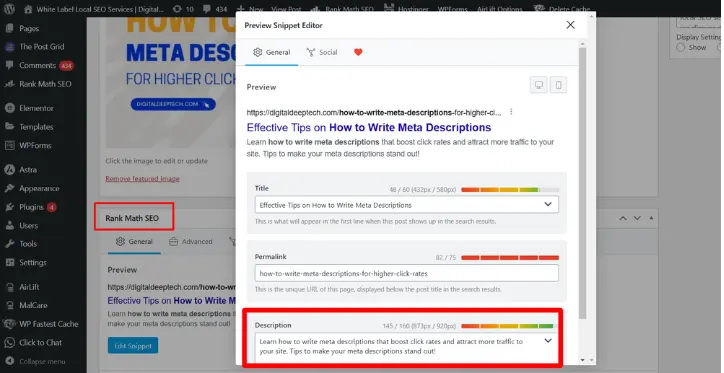
Top SEO-Friendly WordPress Hosting Providers

The Best SEO-Friendly WordPress Hosting Providers for Beginners and Experts

In today’s time, having a website plays an important role for any business, startup, or professional. Choosing the right website hosting affects the SEO and performance of your website. In this blog, we will talk about the best website hosting.

Hire SEO Specialist

Deepak Sharma

SEO Specialist

July 21, 2025  |  6 min. read

latest SEO blogs

How to Choose the Right WordPress Hosting

Selecting an appropriate WordPress hosting provider makes your website faster. The correct web host ensures fast performance and secure handling of all your WordPress websites, including new blogs and busy websites. With existing hosting choices on the market, make a choice that suits you best.

The main deciding element for cheap hosting plans for WordPress depends on choosing a cPanel and excellence partner. This host system works well for people who are just starting and already advanced users.

The top hosting services let customers fit their needs, including hassle-free WordPress setup plus optimal server performance. Your selection of hosting depends on whether you are a new user or advanced because basic dashboards plus automatic updates benefit beginners well but fully customizable environments with totally security-protected experts and cPanel WordPress hosting. This guide presents you with leading WordPress hosting companies that offer affordable plans while providing top-level performance support and scalability.

Top WordPress Hosting Providers

1. Hostinger

Hostinger provides WordPress hosting that delivers high performance at an affordable price. New web builders will find it easy to start because Hostinger delivers basic hosting with no costs and straightforward control options at affordable rates. An installed LiteSpeed Cache plugin as part of their WordPress hosting quickly improves website loading times.

Hostinger delivers cloud hosting and VPS solutions that offer better performance to experienced users. Their security technology blocks DDoS attacks, and daily backup systems guard your website against all threats. Hostinger gives all users a superb hosting experience because it delivers quick loading times and fast answers to questions.

2. SiteGround

The public values SiteGround for its outstanding customer care performance. This provider works well for new users, with a simple dashboard, free website transfers, and regular backup processes. SiteGround designed its hosting system using Google Cloud to deliver fast WordPress hosting services.

Advanced users on SiteGround benefit from staging environments plus tools to connect with Git and customize caching parameters. The website runs smoothly on WordPress-optimized servers that shield platforms from typical risks. The product proves its worth despite its premium rates.

3. MilesWeb

MilesWeb tops the table of WordPress hosting providers with worldwide data center locations. They offer features like SSD NVMe storage, free SSL, unmetered bandwidth, premium CDN, priority support, and more, which help maximize ROI. MilesWeb provides a seamless one-click WordPress installation, a user-friendly control panel, and 24/7 customer support. With a free domain for the first year and an SSL certificate included, it’s an excellent choice for those starting their journey.

For experts, they provide scalable hosting solutions, including VPS and dedicated hosting. It offers enhanced security, automatic updates, and performance optimization features to keep your website running efficiently. With its competitive pricing and reliable uptime, it remains a top contender in the WordPress hosting space.

4. Kinsta

Experts and businesses that need peak website performance prefer using Kinsta as their WordPress hosting provider. Google Cloud technology enables Kinsta to deliver rapid site speed alongside automated growth and secure protection features. The product includes a simple control panel and staging areas, allowing developers to run their work efficiently.

Customers pay more for Kinsta hosting because it provides maximum speed and security features. Businesses with websites that receive many visitors depend on Kinsta for their hosting needs because its services include excellent support. Smaller users may encounter initial difficulty with Kinsta but experienced people and organizations recognize its service quality.

5. WP Engine

WP Engine provides managed WordPress hosting to users who prioritize top-level protection and bandwidth. This service works perfectly for new users and experienced web admins who need hosting without problems. The WP Engine system keeps WordPress running smoothly by applying automatic updates, daily backups, and built-in CDN technology.

WP Engine specially equips experts with a staging tool, performance tracking system, and professional hosting solutions. The provider’s team understands WordPress deeply, which makes it convenient to solve site problems and enhance its performance. Due to its higher costs, people who want reliable hosting with fast performance should invest in WP Engine.

Ready to create or revamp your WordPress website?

Let’s discuss your project with our experienced WordPress developers, who will help you build an SEO-optimized, high-performing website.

Wrapping Up

Choosing the best WordPress hosting provider depends on your needs and experience level. MilesWeb and Hostinger are excellent for beginners due to their affordability and ease of use. SiteGround balances performance and user-friendliness, while Kinsta and WP Engine cater to experts who require high-end hosting solutions.

No matter which provider you choose, ensure that it aligns with your website’s goals, security requirements, and scalability needs. A reliable WordPress host will set the foundation for your website’s success, helping you focus on what truly matters—creating amazing content and growing your online presence.

Deepak Sharma

Deepak Sharma is a digital marketing consultant and founder of Digital Deep Tech. He writes helpful content that helps businesses enhance their online presence. He specializes in SEO to drive traffic and generate leads.

The Best WordPress Hosting Providers for Beginners and Experts Read More »

How to Write Meta Descriptions

How to Write Meta Descriptions for Higher Click Rates

How to Write Meta Descriptions

Introduction

A clear and an effective meta description remains one of the most important SEO factor in this hyper-digitally competitive world. Since then, I have known pretty well as a local SEO expert and founder of Digital Deep Tech how a rightly written meta description can immensely contribute to your click through rates (CTR).


In this comprehensive article “How to Write Meta Descriptions for Higher Click Rates”, I am going to lead you through the process step by step guide. We discuss how to improve the CTR by using overall SEO strategy.

Day 17 of the Free SEO Course

Learn advanced strategies, then reach out to get online training to take your skills to the next level!

Why Meta Descriptions Matte

The challenge is to stand out where search results for a single query top thousands. When searching for something related to your contents, your meta description is the first touch. If your meta description is unappealing or irrelevant, you would likely be overlooked in favor of more appealing pages.

Effects of Poor Meta Descriptions

A poor meta description can be really a disaster. Here are three looses:


  • Poor CTR: A vague or uninteresting description does not encourage users to click on your link. That may lead to lower CTR. It directly affects your relevance because of which the search engines make an estimate of relevance regarding your content.


  • Low Organic Traffic: Missed potential traffic and the potential subsequent conversions every time a visitor avoids your site because the description is weak.


  • Brand becomes invisible: If visitors are constantly ignoring your posts, then your brand fades out of mind, and you find it difficult to become authoritative and eventually trustworthy in your niche.

Learn the Consequences

Effects of avoiding meta descriptions are way much more than just a missed click:

Short-term and Long-term Impact

  1. Higher bounce rates: In case the users feel that your content does not provide what the meta description offered for them, then they will bounce very fast. This will increase your bounce rates and also affect your reputation with search engines.
  2. Broken Trust and Credibility: A user expects that any information he reads in your meta description is reflected correctly on your page. If his expectations are not met because he feels misled, then what you have done is broken his trust towards your brand.
  3. Wasting of Resources: Quality writing takes time and resources. Should that quality writing fail to attract visitors because of inappropriate meta descriptions, then what you have invested is wasted.

The Emotional Cost

Sometimes, the frustration level is too high: looking at how other people’s content is doing great and you are trying everything while nothing works. I was there; it hurts to waste efforts. The good news is that this cycle can be broken if you learn the art of writing effective meta descriptions.

How to Write Meta Descriptions That Convert

Step 1: Know the Basics of Meta Descriptions

What a meta description is and how it is used is not known before you start writing interesting meta descriptions for SEO:


  • Definition. Meta description is an HTML attribute summarizing the content of a webpage. Meta descriptions are shown in search results beneath the page title in most search engines.


  • Purpose: The most important purpose is to convince users to click through to your website by giving them a short, attractive preview of what they’ll probably find.

Step 2: How Long Should a Meta Description Be?

How long should a meta description be?


  • Word Count: Meta descriptions should be around 150-160 words, the study shows. It will ensure your description reads fully on most of the search engines without getting cut off.


  • Keyword Placement: By chancing on placing your target keyword inside this word count, it can give relevance and visibility to your target keyword

Step 3: The Nitty-Gritty of Writing Good Meta Descriptions

Now that we have the dos, let us get down to the how-to compose good meta descriptions:


  1. Action-oriented words

Inform your search audience to do something about your website page. Using action words like “discover,” “learn,” or “find out” can make your users click.

  • Example: “Discover how to write effective meta descriptions that boost your CTR today!”
  1. Use Your Focus Keyword

Using your focus keyword, such as “how to write meta descriptions,” on your meta description can drastically increase your visibility in SERPs.

  • Example: “Learn how to create click-driving meta descriptions and leverage your SEO now.”
  1. Unique Selling Points

What’s unique about your content? This is going to be the value you will offer users when they click.

  • Example: “Receive practical knowledge on writing meta descriptions that sends users in and traffic your way.”
  1. Relevance

Make sure your meta description is accurate to what’s on your page. A misleading description can get readers to bounce and harms your credibility.

Step 4: Tactical Tactics for Writing Meta Descriptions

Now that you know what meta descriptions are, let’s jump right into some tactical tactics that you can implement today.

A Step-by-Step Guide

  1. Find Competitors: Look at how competitors are writing their meta descriptions. This may highlight some best-practice strategies and even give you places in your own descriptions where there might be room for improvement.
  2. Provide Value: Research on some key takeaways you’d like your meta description to convey: What is it about this content that’s valuable for readers?
  3. Compose several drafts and drafts of variations: You are free to test different words and calls to action-what really resonates with an audience.
  4. Monitor CTR: Once you have implemented, make sure to monitor CTR in Google Analytics. Notice which descriptions work better and calibrate from there.

Step 5: How to Change Meta Descriptions on WordPress

how to add meta description in wordpress

Changing meta descriptions is quite easy if you are on WordPress. Here is how you do it:

  1. Access the Post/Page: Click on the post or page that you intend to edit. Use Yoast or RankMath plugin to easily update meta descriptions, shown in above screenshot.
  2. Scroll down to SEO Settings: You are likely to find this in any one of the sections for your meta description just below the post editor.
  3. Description Change: Just write the new meta description that you want to insert inside the given space. Do your best to keep it straightforward and interesting.
  4. Update Your Page: Just click the update button after saving your changes. Just make sure that everything checks out so that your description is appearing as intended.

Step 6: Checking Meta Descriptions of any Website

There are quite a few ways through which one can check the meta description of any webpage.

  1. View Page Source: Click the right button on the page and select “View Page Source.” Now you will be able to find the <meta name = “description” content = “>. This is the meta description of that page.
  2. SEO Tools: Moz, SEMrush, or Ahrefs will give you the meta description data of any page. They’ll let you know how optimized they are.

Step 7: Monitor and Optimize

Always be prepared to update your meta descriptions:


  • Periodic Reviews: Review your descriptions periodically to ensure they remain relevant and effective. If changes are happening in the user behavior or search trends, then it is the time to adapt.


  • Trend Changes: If the search words or keywords trend is changing, then you should adjust your descriptions to fit in relevance meeting the trends.

Meta Description Important Terms

Knowing key terms will also help you improve the quality of your meta descriptions. A few key terms are:


  • CTR: It’s a percentage term that refers to how many of the users clicked on the link after they look at the link in the search result page. The high rate for CTR shows that your meta description is well effective.


  • SEO (Search Engine Optimization): This is a range of techniques and processes intended to make you more visible to an engine. Good meta description is part of much much larger strategy of SEO.


  • SERP: This is the page returned by a search engine to provide an answer to the question being asked. It is where your meta description will be appearing and thus decides whether people click on your link.

Additional Tips to Write Great Meta Descriptions

To further enhance your meta description skills, here are some tips:

  • Avoid Keyword Stuffing: As keywords have become a primary part of the meta description, this alone is enough to make descriptions unnatural and not appealing to the eye of the user.
  • Create a Sense of Urgency: Words of urgency – like “limited time only,” “today only,” or even “exclusive” words – provoke an impulsive call to action.
  • Use Numbers and Lists: Adding numbers catches the eye and makes content seem more digestible. For example, “5 Tips for Writing Meta Descriptions That Work” will be more exciting than some general statement.
  • Personalize When Possible: When possible, use meta description copy to resonate with targeted audience segments. This tells them that you understand what they want.
  • Voice: All the written material should be in the brand voice. Consistency is one of the major characteristics of branding.

Let's Discuss Your Project

Get a free one-week consultation and share your vision for digital marketing with us.

Conclusion

Effective writing of meta descriptions is part of the scope for improving the overall level of visibility of your site with an increased click rate. Understanding the logic as to why a meta description is used, knowing how a meta description should be appropriately used, and periodically helping improve it gives you an online footprint that is maximal.


Try using these strategies and fine-tune your meta descriptions. Don’t forget, SEO is a continuous journey, and each click matters. Keep that engagement; keep on learning; and take that digital presence to new heights!


Book your one-on-one appointment here: +91 9780668174 for online SEO training. You must share this topic on your social profiles.

Frequently Asked Questions (FAQs)

1. What is a meta description?

A meta description is a summary of what’s on a page of content and appears in a search result.

Ideally it is between 150 and 160 characters.

To ensure you are including the keyword, it is often a good idea to get creative with the language as it will likely be imperative for an action-oriented writing, and explain what reader can expect to gain by going to that page of your website.

To check page source or for SEO tools and many other things to come across meta description.

Yes; Use the Yoast SEO SEO plugin, then it becomes easy to change your meta descriptions.

If it is beyond the size of the maximum characters then you will probably end up losing some words over a search engine. Must be between 150 to 160 characters.

Have keywords that could help a page come up in a search engine.

This can be done with Free SEO tool: Google Analytics; your performance is seen as guidance to the changes you make to your descriptions.

Use action language while including keywords and reflecting that which is on your page.

While meta descriptions in themselves do not influence rankings, they might improve your click-through rate and, consequently, enhance your SEO performance with time.

Hire SEO Expert

About the Author

Deepak Sharma is the founder of Digital Deep Tech and a renowned SEO and digital marketing expert with over a decade of experience. Passionate about helping businesses enhance their online presence, Deepak specializes in creating SEO strategies that drive traffic and generate leads.

Follow me on LinkedIn —>

How to Write Meta Descriptions for Higher Click Rates Read More »
how to write title tags

How to Write Title Tags for SEO: Step by Step Guide

how to write title tags

Introduction

Title tags are one of the essential concepts in SEO, which have been very less understood among people. So, in case you are targeting ranking improvement, you can know how to create great title tags that can be a game-changer for you.


I am Deepak Sharma, founder of Digital Deep Tech, and have over ten years of experience in the line of SEO. And with every step in this post “how to write title tags for SEO?”, you will exactly know what to do and create titles that rank well and capture more clicks.

Day 16 of the Free SEO Course

Learn advanced strategies, then reach out to get online training to take your skills to the next level!

1. Why Title Tags Matter in SEO

Many businesses have great content, but they cannot rank on the first page of Google. Title tags are ignored, and if not optimized, then the content will never reach a wider audience. Consider title tags as the “headline” of your page, a quick summary that tells both search engines and users what they’ll find on your site.

Importance of Title Tags in SEO

Without optimizing the title tags, you are leaving behind hidden treasures. It doesn’t necessarily mean that you haven’t provided relevant content on the pages since search engines will avoid viewing pages if title tags are not according to best practices of SEO. Fewer clicks mean lower traffic and ultimately do not convert visitors into desired actions. Think of how much time and efforts you spent on a blog post, but it still didn’t hit the bull’s eye with no first glance at a glance.

Title Tag Optimization

What is the right Solution?

You’ll be able to ensure your pages are super visible to both users and search engines with the optimization of title tags. Title tags aren’t about keyword stuffing; it’s about making a short, compelling message that reflects the value of your page.

2. Basics of Title Tag Optimization

The solution is readily available in that you make your content whatever the user is searching for. The positive way to achieve this is by learning the type of queries your audience poses and, from that learning, creating content providing the best possible answer.

Optimal Title Tag Length

This is the general rule according to Google, because it rarely shows more than 50-60 characters, that is why these titles ought to be around this character size.


You do not need to worry that they end up getting chopped off by the search bar, because such longer titles do get partially cut off so your intended message may look incomplete when cut off,.

Keyword placement

You have to place your keyword right in front of your title tag. Now, if the keyword you want to optimize is “best SEO tips,” “Best SEO tips for Beginners” is much better than “Beginners Guide to SEO”.

Unique Titles

Never repeat the title tag across different pages. Every title clearly describes what’s inside and specifically for the reasons of the page. When you repeat your title tags, it becomes confused to the search engine robots, and all your SEO is killed.

Avoid Keyword Stuffing

There is too much poor SEO strategy with too many keywords that even spoils the effect. So give prominence to clarity and reading.

title tag optimization process

3. Best Way to Write Title Tags for SEO

Step 1: Finding Low Competition Keywords

Making your site rank better first of all involves finding low competition keywords. Targeting lesser competitive keywords makes it easier for your content to stand out in the very crowded search results. This is how you do it:

  • Keyword Research Tools: Using Ahrefs, SEMrush, and Ubersuggest that have keyword difficulty volume data besides related searches will help the campaign better target words with a higher volume of search but lower competition.
  • Competitor Analysis: What do competitors target? What can be made unique? Sometimes the difference is a matter of changed phrasing or merely different keywords.
  • Identify Long-tail Keywords: Three+ words, more unique keywords and less competition usually. Long-tail keyword phrases are ideal for the purpose of attracting targeted visitors in a higher conversion-probable manner.

Step 2: Include Focus Keywords in Your Title Tags

Focus keywords should be closer to the title tag so that when search engines read an article, they know what its point is and it might probably boost CTR rates.


For instance, the phrase “how to write title tags for SEO” might generate a good title such as: “How to Write Title Tags for SEO: An Easy Guide.” This way, placing the keyword at the start of your title will strengthen your SEO and immediately hook the attention of the user.

Step 3. Keep the Title Tag within the Recommended Character Length

Titles are shown shortened to 50-60 characters in search results. Shortened titles can cause important words to be cut off, which can make the title less appealing. You get a clear and full message by using concise titles.

Step 4: Using engaging, descriptive language

A good title tag is more than keyword stuffing. You should make the title appealing enough to get clicks. Using action words such as “Learn,” “Discover,” or “Guide” after a clear benefit is very effective.

Examples:

  • How to Optimize Title Tags for SEO: Step-by-Step Guide”
  • Title Tag Tips: Boost Your Click-Through Rates”

Step 5: Avoid Unnecessary Symbols and Special Characters

This includes special characters such as “&” or “@”, which makes your title tags look messy. You can instead use just the standard punctuation to create your titles clean, readable, and search engine-friendly.

4. Title Tag Optimization Tools

Savings time and doing more quality work is really achievable when you use a title tag optimization tool. The following are some of the best and affordable SEO tools you can try.


  • Yoast SEO: It will let you know at the real-time if the length of your title tag is just right, whether the keywords are correctly placed and whether the title tag is readable. Yoast is good for first time users because it indicates what needs improvement.


  • Moz Title Tag Preview Tool: Moz allows previewing of the title tag. No word truncation will be observed by providing an opportunity to test several lengths.


  • SEMrush: The keyword research and SEO insights are quite powerful in SEMrush, which will also provide you with the optimization of title tags and allow you to reach your competitors’ standards.


  • Ahrefs: This is best if you’re looking for relevant keywords and competition analysis that would allow you to develop a unique title yet stay in line with the great potential for SEO.
Mistake in SEO title tag

5. Mistakes to Avoid When Optimizing Title Tags

Even experts in SEO know how to create titles, yet they make a mistake with writing the right one. Here are the mistakes experienced SEO practitioners make when creating a title tag:


  • Duplicate Title Tags Across Pages: Every page needs to have its own title tag. Search engines get confused and your efforts get diluted for SEO, thereby affecting the rankings.
  • Keyword Stuffing: Too many keywords in your title tag look spammy and make you get lower rankings. Use one primary keyword and let the rest happen naturally.
  • Vague or Non-Descriptive Titles: This is about ensuring that the title tag describes what’s contained in the page. For instance, “SEO Tips for Small Businesses” is better than “Business Tips,” since it tells specific information.
  • Ignoring User Intent: Titles should be in line with what users are searching for. Develop titles that directly answer user queries or solve problems to improve relevance and engagement.

6. Optimize SEO Titles for Different Content Types

There are different types of content that perform better with different title tag strategies. Here’s how you would handle title tags when developing different formats:

1. Blog Posts

Blog posts work fantastic for information content that allows “how to” and “guides” format to create excellent title usage. Titles which include this style of format work better because it simply outlines to the reader exactly what a blog post will be displaying.

Example: “How to Write Title Tags for SEO: A Step-by-Step Guide”

2. Product Pages

Product pages need to be extremely minimalist. The names and headline benefits of products make it even clearer to the customer what he needs. Their titles should carry a description of the product type, brand, and the most obvious benefits.

Example: “Organic Cotton T-Shirt – Soft, Sustainable, Affordable”

3. Service Pages

Service pages should be full of as much information regarding the service offered as possible to draw in more clients. You also provide services offered and if need be, your location.

Example: “Local SEO Services in Sydney: Grow Your Business Online”

7. Useful Tips and Resources for First Timers

If this is your first time of title tag optimization, you will find the following useful tips:


  • Tools and Try Them: If you are using either Yoast SEO or Moz, these can really be a godsend in trying to get a title structure sorted out while also displaying previews that could make things even easier from the perspective of optimising your visibility.


  • Top Competitors Analysis: Now look at title tags in pages that top rank on your desired keyword lists. Understand how they built it; how they’ve worded it; positioning keywords, etc.


  • Test and Monitor: Don’t wait to alter your title tags if they’re not doing well. Periodically follow CTR and other performance metrics to determine if any changes are needed.

Beginner Resources


  • Google Keyword Planner: Very good for keyword discovery as well as determining competition.


  • Yoast SEO: Good for real-time feedback on the length and the structure of the title tag.


  • SERP Simulator: Preview title tags to make them look perfect in the search results.

Let's Discuss Your Project

Get a free one-week consultation and share your vision for digital marketing with us.

Conclusion

Optimized title tags are only some of the critical requirements to apply a successful SEO campaign. One has to use these guidelines in order to stay away from all the errors. It will make all the maximum difference not just in rank but also in CTR. Optimization of the title tag may seem some trivial matter, but it can really prove useful in both cases of SEO as well as user interaction purposes.


Like More Guidance? WhatsApp @+91 9780668174 or book an appointment with our SEO expert.


Share this Post IF you found it valuable. and don’t miss on subscribing our YouTube channel for more SEO TIPS!

Frequently Asked Questions (FAQs)

What Is Title Tag in SEO?

A title tag is a markup element that defines the name of an HTML document. For a web page, it is visible as a clickable headline for the result in a list of search engine results, as well as in browser tabs, and is one of the factors that decide the organic search rankings and click-through rate. If it is written correctly, an optimized title tag is what describes the content of a web page to search engines.

The average length of an optimal title tag is 50-60 characters. Google shows approximately 60 characters in search results so making sure it is this size ensures your title tag does not get truncated. The actual length can differ depending on the character set, so previewing your title tag is always a good idea.

Keywords for title tags rely on relevant high-value terms related to the content on your page. Focus on low-competition keywords highly relevant to your target audience. You can utilize tools like Google Keyword Planner, Ahrefs, or SEMrush.

Low-competition keywords are those for which fewer websites are targeting. It is, therefore, easier to rank for them. They are particularly important for new or lesser-established websites as they represent a means of attracting organic traffic without competing with high-authority sites.

Yes, you can put more than one keyword in the title tag, but only to the extent that one doesn’t turn into a keyword stuff. Concentrate on a main keyword then a secondary keyword which actually complements the first keyword. Just ensure that the title reads well and is quite catchy for the reader.

No, these are different for title tags and meta description. The title tag appears as the main clickable headline in search results, whereas meta description describes the content contained in a page with its brief summary. These also have unique roles in their respective impacts on SEO along with users.

Some of the common errors are the duplication of title tags, keyword stuffing, and vague or irrelevant titles. You should avoid these using unique, clear, and keyword-optimized titles describing what your page content is.

Indeed, title tags are the prime influencers of click-through rate. A great title tag is one that has drawn interest and clicks. In return, a lousy or poorly written title tag makes people less likely to be engaged. Therefore, through clarity, relevance, and appeal, optimization will drive up CTR.

Absolutely. Nice to refresh and renew titles periodically with the available data that is there: CTRs and rankings over time. In fact, the iteration keeps one responding to the evolving fluidity of search trends and the evolution in the relevancy along with accompanying visibility boost.

The following can help optimize the utilization of the titles used:


  • Yoast SEO: real-time feedback on length of title, whether keyword is included, reading level
  • Moz Title Tag Preview Tool: to see how your title tag is going to look in search results
  • SEMrush and Ahrefs: excellent tools for keyword research and competitor analysis
  • SERP Simulator: great tool showing how your title tags are going to display on Google results.
Hire SEO Expert

About the Author

Deepak Sharma is the founder of Digital Deep Tech and a renowned SEO and digital marketing expert with over a decade of experience. Passionate about helping businesses enhance their online presence, Deepak specializes in creating SEO strategies that drive traffic and generate leads.

Follow me on LinkedIn —>

how to Write Title Tags for SEO? A Step-by-Step Guide Read More »