Author name: Deepak Sharma

I'm Deepak Sharma, a Digital Marketing Freelancer in India, helping businesses boost online visibility & sales. With 8+ years in SEO, PPC & social media marketing, I specialize in ranking websites higher and scaling brands. As the founder of Digital Deep Tech, I’ve worked with 50+ businesses to grow their revenue. Follow #DSWebRank for expert insights on SEO, lead generation, and digital growth strategies. Let’s take your brand to the next level! 🚀

how rearch engines works

How Search Engines Work: Crawling, Indexing and Ranking

how rearch engines works

Introduction

At some point in your life, you have surely thought about how Google can fetch the perfect result for a query. The feeling is almost magical when seconds later information needed pops up. Of course, it’s not magic-it’s the mighty power of search engines working for you. After all, understanding how search engines operate can help master SEO.


Hi, I am Deepak Sharma, founder of Digital Deep Tech and a Local SEO expert. This is the Day 3 of 90 Days of FREE SEO Couse “How search engine works?”. For years, I have been assisting businesses in understanding and getting optimized for their sites by focusing on the way search engines crawl, index, and rank content. In this blog, I’ll break down those steps so that you know exactly how search engines work, thus making it easier to make improvements to your own site in terms of its visibility and performance.

If you ever wanted your website found, it first has to be crawled and indexed correctly. Then comes the real challenge: ranking on Google. Without such an understanding, building a beautiful store in the middle of nowhere won’t get you much. Now relax; you will soon learn how to bring your website to the forefront of the search results!

How Search Engines Work?

Many website owners have no concept how the search engines work. Common belief is that with a lot of content present at a website, one would rank high in Google. The truth is that the process is much more complex. If you do not know about crawl, index, and rank websites by search engines, then you are missing the most basic concept in SEO. Your website might be up and live, but without proper visibility, it won’t attract traffic, and all your effort in building that site may go to waste.


The chief issue is that most business owners and digital marketers do not know how significant these three phases—including crawling, indexing, and ranking—are when one is looking at success with search engines. If these stages are not carried out correctly, your contents may never have a chance at being seen at all.

Crawling, Indexing, and Ranking

The Cost of Not Thinking About How Search Engines Work

Imagine this: you’ve been working for months trying to build your website. You have implemented fabulous content, optimized all your images, even launched a few social media campaigns, and still there are no hits from Google or other search engines. Why? The truth is that even if your website is now live, search engines may not even know it exists.


Without crawling, indexing, and ranking, all your hard work is for nothing. It’s like opening the most beautiful shop in the desert-if nobody knows it is there, it does not matter how great it looks. If search engines cannot find, understand, or rank your content, you are basically invisible online.

Crawling, Indexing, and Ranking - Learn More

So, what is the way out? Understanding how search engines work will be the key. Once you grasp how crawling, indexing, and ranking occur, you can take concrete actions that help you boost your visibility and rank better in the SERPs. Let’s go through each of the phases so you can see what it means and how you can optimize your website for each step.

how to find information on the web

1. What does crawling mean.

The first step in how search engines work is crawling. This is the process by which search engines send out bots, often called spiders or crawlers, to find new content on the web. The bots will follow links from one page to another, collecting data about each page they visit. It’s just like a search engine exploring the internet; we are just browsing all the various websites.

Google Crawling Process

How Crawling Works:

  • Crawlers follow links: When a search engine bot comes to one of your pages, it follows the links from that page to find other pages. That’s why having a plan for internal linking is so important. If there are no links to important pages, the search engines may never find them.


  • They scan page content: That is the content a bot reads, be it text, images, videos, or other elements on your pages. It will crosscheck how relevant your contents, keywords, and metadata are.


  • How frequently they crawl: Bots do not crawl a website every day. It’s usual for them to crawl frequently updated good-quality sites more often than sites which include outdated or irrelevant content.

Why crawling is important:

The second problem is if the search engines cannot crawl your website; they cannot find your content. This is really problematic for new websites or pages that do not have many links pointing to them. Without crawling, the page simply won’t appear in search results, no matter how good the content is.

Enhancing Crawling:

  • Create and submit a sitemap: A sitemap is essentially a file that lists all the important pages on your website. Submitting this to Google Search Console ensures that Google’s bots can find and crawl your content .


  • Internal linking: Link to your important pages from other parts of your website to help crawlers find them.


  • Refresh your website regularly: New content will keep the search engines informed that your website is alive and kicking, and it will cause the bots to crawl it more often.


  • Do not have broken links: If a bot hits a link and finds that it is broken, it might stop crawling certain areas of your website, and most probably all of your pages will not be crawled.

 Determine which data you want to store and how you will classify data

Let's Discuss Your Project

Get a free one-week consultation and share your vision for digital marketing with us.

2. How Indexing Works

Google Search Indexing Process

Now, after crawling comes indexing. This is how search engines store and categorize the information they have crawled. Once the site has been crawled, it gets indexed so that search engines can eventually serve it up in search results when relevant queries are made.


  • To cache content: After the crawling process, the search engines scan the contents of your page and store it in a humongous database. The database is referred to as an index. The index contains all information regarding your website – keywords, metadata, and page structure.


  • Categorization of content: During the indexing phase, the search engines determine what content is and what the content is talking about categorize the content accordingly. This means that the search engines need to interpret or understand what the text, pictures, or for that matter, what your video content has to say.


  • These are duplicate content issues : When you have many pages that are considered to have greatly identical or duplicate content, a search engine may not want to index all of them. This is a common case in e-commerce sites, where they have product descriptions that are almost the same on several pages.

Why Indexing?

The bottom line is that your content can’t be found if it’s not indexed. The index is what Google, and indeed most search engines, use to pull up relevant pages from the surface. For instance, you may write a blog on “local SEO tips,” but that page won’t appear in search when someone searches for that term unless it’s been indexed.

Optimizing Indexing

  • Ensure that it is original: Do not repeat the same thing on different pages. Google likes seeing unique, good quality content.


  • Use structured data: Schema markup and other forms of structured data help Google read your content better. This can increase your indexing, potentially bringing richer snippets.


  • Submitt pages: If you have added a new page, or updated existing content, submit those pages to Google Search Console.


  • Optimize your metadata: Meta titles and descriptions should clearly describe the content of your page and contain relevant keywords.

3. Ranking: The Battle for the Top Spot

Google Ranking Process

Ranking is the final step, which in itself is of course the most important. Only after your website has been crawled and indexed, does a search engine determine how closely your content relates to a specific search query. Hundreds of factors are used by these search engines to rank your pages on the results page.

How Ranking Works

  • Relevance: Whenever someone is searching for a keyword, the search engines will strive to show them the best relevant content concerning that query. Relevance depends on keywords used on your page, topic, and how it can adequately answer their question.


  • Content quality: Quality dictates ranking. If your content is old, lacks depth, or is useless, then forget about ranking even if indexed.


  • User experience: While favoring websites with an excellent UX, Google takes into account mobile-friendliness, page speed, and ease of navigation as relative factors.


  • Authority: The highest ranking factor is “authority” which historically has been measured through backlinks. A backlink is simply when someone else’s website links to your site. Thus, the more high-quality backlinks you have; the greater that authority will be in the eyes of search engines.

Why Ranking Matters:

It doesn’t guarantee that your site will rank high though. Ranking reveals where a website ranks in the results. Ideally, you want to be on the first page since studies indicate that most people never dig any deeper than the first few results.

Why Ranking Matters:

Link building is one of the main parts of any SEO strategy. I will help build quality backlinks from meaningful and relevant websites around your niche, thus improving credibility in the eyes of Google.

How to improve ranking:

  • Keyword optimization: Use the keywords in your title tags and meta descriptions, headings and throughout your body of content. However, do not keyword stuff. Instead use it naturally.


  • High-quality content: Be sure to give value to a reader by ensuring that your content is full of information and engaging. Therefore, the more informative and engaging content you will give them, the more probable it will rank.


  • Backlinks: Having reputable websites build backlinks to your site increases the domain authority. This then has a positive effect on ranking.


  • Improve site speed: A slow site is a blow for rankings. Make use of tools like Google PageSpeed Insights to have the speed of your site checked out and optimized.


  • Mobile optimization: Google’s mobile-first indexing ranks and indexes using the mobile version of your site. Ensure your site is responsive and looks beautiful on mobile.

4. Practical Applications: How to Boost Your SEO

Having learned how search engines function-crawling, indexing, and ranking-you now have an understanding of the basics of SEO. So, what are some practical ways to improve your SEO? Here are some specific actionable steps:

SEO Process Flow

Keyword Research:

First, find the right keywords. Google Keyword Planner, Ahrefs, or SEMrush will assist you in finding keywords that relate to your business. Long-tail keywords would be ideal, because they are phrases that people use when searching and have less competition.


On-page SEO refers to the optimization of every page of your website. For one to rank higher, there are improvements that need to be made to their titles, including meta descriptions, headers, and keywords.

Optimize Technical SEO

Technical SEO ensures all aspects on your site are optimized for crawling and indexing. Some of the things you need to do include improving your site speed, ensuring that it is mobile friendly, and that your site is secure with HTTPS.

Generate Great Content

In short, content is the king to SEO. Blogs, guides, and videos need to be published regularly, adding value to your audience. The more relevant and interesting your content is, the more probable it’s going to rank.

Link Building

Build links from trusted sources, which gets Google to accept that the content of your website is worth trust. So, in order to do so, reach out to some industry publications; collaborate with influencers, or just create shareable content that brings backlinks.

Monitor and Adjust

SEO is not a one-time thing. It is something you do ongoing through tools such as Google Analytics and Google Search Console that allows you to track your rankings. Modify your approach based on the data to make those rankings better over time.

Conclusion

By now, you must know how web search engines work-from crawling, to indexing, and finally ranking-and why these work streams are important for having successful SEO. Mastering these steps will make a big difference in the visibility of your website, more traffic, and eventually growing your business.


This is the Day 3 of 90 Days of FREE SEO Couse “How search engine works?” Note that SEO is a marathon and not a sprint. That means you optimize your site regularly, create valuable content, and keep moving with changes in the search engines. If you really feel you can’t manage it all, then don’t wait to take help from the experts. I am Deepak Sharma, founder of Digital Deep Tech. I would love to assist you optimize the site for improved performance. Just shoot a mail and get free SEO consultation today!

Frequently Asked Questions (FAQs)

1. What is crawling in SEO?

Crawling in SEO refers to the process where a search engine bot, also called spiders, travels the internet and discovers new or updated content on websites by following links for data gathering from web pages, which is then stored within the database of the search engines for indexing.

Make sure your site gets crawled through the following:

  • Submit an XML sitemap to Google Search Console.
  • Design an effective internal link structure .
  • Don’t block key pages by using them in your robots.txt file
  • Keep your content fresh and active, it will signal your activity to the search engines.

The search engine goes through the gathering information, to organize and store it. It is categorizing the content so that when users search for terms that are included in their database, those contents can be retrieved for display in results.

Use the “site:” command in Google to see if your site is indexed. You do this by using the “site:yourdomain.com” command. It then displays all the pages of your site that Google has indexed. You can further use the Google Search Console through Google to check on the indexing status and request indexing of new pages.

  • Your pages are blocked by a “noindex” tag or a robots.txt file.
  • Some crawl errors can keep bots from accessing your site.
  • Your content may be too similar to other pages (duplicate content).
  • Your website could be too new, with the search engines not having crawled them.

Thousands of factors with search engines rank websites, including:

  • Quality of content and relevance
  • Target keywords usage
  • Mobile-friendliness
  • Speed of loading page.
  • User experience, such as navigation and website structure or layout.
  • Domain authority and quality backlinks.

Improve your ranking with the following:

  • High-quality, relevant and valuable content.
  • Optimize your on-page SEO elements, as such as title tags, meta descriptions, headers, Schema markup and more.
  • Earn quality links from websites with good authority.
  • Improve your site’s speed and mobile performance.
  • Use proper keyword research and target long-tail keywords.

No specific frequency is set, but the content should be updated periodically to make the website appear as if active, thus letting the search engines have knowledge of this. You must update content as necessary to maintain accuracy, relevance, and depth and to include creating new blog posts or pages as part of an ongoing content strategy.

Crawling is the discovery process wherein the web pages are discovered by search engines from following links and collecting data. Then comes the index, wherein the collected data is examined, classified, and stored in the database of the search engine for retrieval and display on results pages.

If website indexed but ranking low then it may be following the reasons:

  • Low-quality content or not relevant to search queries.
  • Few or of low quality backlinks.
  • Bad user experience, such as slow loading time, or not too simple for navigation.
  • Wrong keywords and not effective usage.
  • Your competitor’s websites better optimized and more authority in the niche.
Hire SEO Expert

About the Author

Deepak Sharma is the founder of Digital Deep Tech and a renowned SEO and digital marketing expert with over a decade of experience. Passionate about helping businesses enhance their online presence, Deepak specializes in creating SEO strategies that drive traffic and generate leads.

Follow me on LinkedIn —>

How Search Engines Work: Crawling, Indexing and Ranking Read More »
Understanding SEO Terminology

How Search Engines Work: Crawling, Indexing and Ranking

When someone searches for a query on a search engine like Google, it shows results instantly. Before that, a lot of things happen behind the SERP. In this blog, we discuss the process by which the search engine displays the results.

Hire SEO Specialist

Deepak Sharma

SEO Specialist

July 21, 2025  |  6 min. read

latest SEO blogs

How Search Engine shows results?

In today’s time, 8.5 billion searches are done on Google every day. Answering so many searches correctly is very complicated. To make it easier, the search engine divides its process into three parts: crawling, indexing and ranking. It becomes important to understand these terms from the SEO point of view. Let us understand these terms in detail in this blog.

The Problem with SEO Terminology

SEO can be too overwhelming, especially for novices. When I first began, I felt bombarded with a whole lot of jargons and complex terms. You may feel the same way when you start to hear phrases like keywords, SERPs, CTRs, and much more. It is this confusion that makes the implementation of effective SEO strategies difficult.

Why Confusion Matters in SEO

Poor SEO Strategies

This can bring about poor strategies. Here is why it matters in light of SEO:


  • Strategies applied: Without knowledge of keywords, you will end up with contents that wouldn’t necessarily be of interest to your audiences. You would end up targeting wrong crowds and wasting all efforts on contents no one searches for.


  • Spilled Efforts: Don’t know what SERPs are so you cannot optimize those contents well. You’re going to be frustrated by the hour question of the day, “Why isn’t anyone visiting my site?”


  • Missed Opportunities: If he does not know what he needs to do to improve his CTR, then he would have missed a couple of opportunities in attracting visitors. Low CTR directly points out that the titles and descriptions are not all that interesting hence a miss click.


Let’s take it into the real world. I have a friend who launched an online clothing site. She designed an amazing website and came up with tons of content. She never did the keyword research, using purely vague terms to describe the products. And guess what? The site gets very few visitors, and the business doesn’t take off.


And it is precisely here that the trap has been set: misunderstanding may bring worse disasters in the field of SEO terminology.

Key Concepts and Terms

Navigating the digital horizon requires that one is au courant with the basics of key SEO terminology. Some rudimentary concepts and terms you should have a fair understanding of are:

How I Can Help You Succeed with SEO

1. Keywords

Keywords constitute words or phrases to which users seek answers at search engines. Keywords are what form the foundation of SEO.


  • Short-tail keywords: Short-tail keywords are known as the broad search terms. For example, one or two words make a short-tail keyword. They often have a high search volume but bring equally the high competition. For example, “shoes” is a short-tail keyword.


  • Long-tail keywords: These are more specific and longer phrases. They normally have lower search volume but a relatively few competing terms. As such, they will rank easier. Example: “best running shoes for women.” Targeting long-tail keywords might make you more likely to capture more relevant traffic.

2. SERPs (Search Engine Results Pages)

SERPs stands for search engine results pages. These are the pages a search engine generates in answer to a question or request. SERPs is really important to become visible. Websites will rank higher in SERPs; the hits you get because users click your link.


Knowledge about the content of SERPs is also important:


  • Organic results: These are listings that do not pay for appearance but appear based on relevance to the search query.


  • Paid results : These are the listings that appear on the top or at the bottom of the SERP because of paid advertising-PPC.


  • Featured snippets: These are the selected search results featured at the top of the SERP within a box, providing users with answers to their questions.

3. CTR (Click-Through Rate)

CTR is the short form of click-through rate: the proportion of people who have clicked your link after viewing it in SERPs. It is the absolute metric about whether your title and description are effective or not.


Low CTR might indicate:


  • Poor titles:If your title fails to arrest attention, users wouldn’t click.


  • Poor choice of meta descriptions: If the intention is not matched between the description and that which the user has in mind, you will find that they skip over your link.

4. Backlinks

  • Backlinks: Links into your website coming from other sites. They greatly affect the authority and ranking of your site.


  • Quality over quantity: a few strong backlinks are way better than a lot of weak ones. Good quality backlinks send the message to search engines that your content is trustable and relevant.

Let's Discuss Your Project

Get a free one-week consultation and share your vision for digital marketing with us.

5. On-Page SEO

  • Content optimization: ensure your content is relevant, engaging, and rich with the right keywords. 


  • Name Titles and meta descriptions: The art of writing compelling title tags and descriptions for clicks.


  • URL structure: Use Search Engine Friendly URLs which contain the appropriate keywords.

6. Off-page SEO

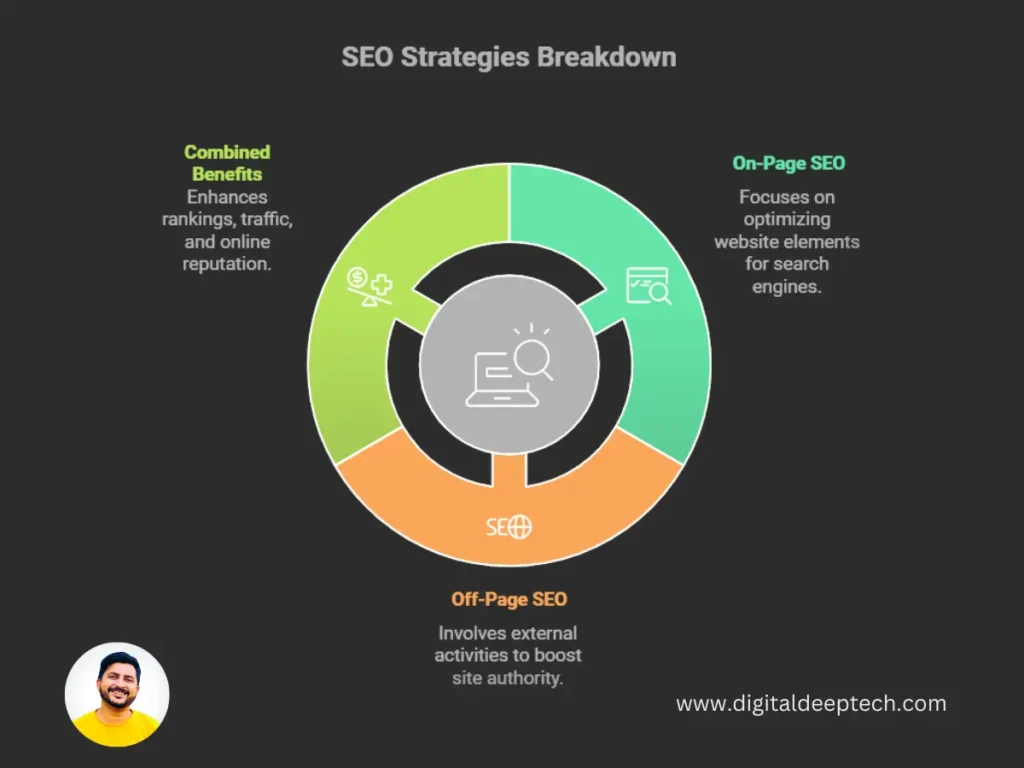
Off-page SEO refers to everything happening outside your website to improve the ranks. Often it is categorized as:


7. Technical SEO

How I Can Help You Succeed with SEO

Technical SEO runs behind the curtains of your website. Some of these are:-


  • Site speed: So that any visitor takes less time to access your site
  • Mobile friendliness: Designed for mobile users
  • Indexing: How effective search engines can crawl and index your site

8. Local SEO

This means optimizing your online presence to attract more business from relevant local searches. This is perhaps one of the most important strategies a business can have, which regards being found online.


Key Strategies


  • Google My Business: Claim and optimize your Google My Business listing. This is a platform, which helps any business manage its presence across Google-not just on Google Maps but also on Google Search.
  • Local Keywords: Utilize geographically targeted keywords within your content.
  • Customer Reviews: Have customers leave reviews as they increase your visibility.

SEO Misconceptions

Misunderstanding of these terms can create huge barriers to your SEO Strategies.

  • Luring Tactics: If you are not aware of keyword research, then you are likely to waste your time creating contents that do not get connected with your target audience.
  • Your Efforts to Waster: Unless you understand SERPs profoundly, you may find yourself confused when your website does not rank the way you think and asks, “Why isn’t anybody visiting my website?”
  • Lost Opportunities: How would you know unless you try to improve your CTR? You might be missing opportunities for attracting heavier volumes of clicks, and a simple title or description change can easily help click volumes shoot up.

Real Life Examples of Confusion Impact

Let’s return to that story of my friend deciding to open up an online clothes shop. It’s a pretty decent website; she spent some time writing content, but somehow failed to develop the proper keywords and opted for rather generic terms.

She had really few visitors to her site. So she sought my help. We did a little joint keyword research in long-tail keywords matching her niche. She revamped her contents and began optimizing new data of titles and descriptions.

It didn’t take more than weeks before we did the research when she started ranking good on SERPs and therefore got more traffic. She finally started enjoying fruits of labor.

This example underlines the importance of learning terms of SEO. It’s not knowing the meanings but applying them correctly in your strategy.

Understanding and Implementation of SEO Terms

Once you learn and become perfect with these terms, you are going to take proper decisions and then craft effective SEO strategies.

Practical SEO Strategies

Here are the steps that you can implement ideas discussed:

1. Keyword Research

Keyword research is the foundation of good SEO. Here is how you find the best keywords:

  • Use Tools: Make use of Google Keyword Planner, SEMrush, and Ubersuggest for the keywords that are relevant by ranking based on search volume and competition.
  • Analyze Competitors: This can enable you to understand how your competitors rank for certain keywords. It helps you know which are the best keywords for your niche.
  • Focus on Long-Tail Keywords: In most cases, long-tail keywords boast lesser competition. You are assured that the eventual traffic it brings is more targeted. For instance, instead of focusing on “shoes,” go for “best running shoes for flat feet.”.

2. On-Page SEO

Here are some of the best practices with regard to increasing the propensity of your content to feature more frequently in SERPs:


  • Write Catchy Titles: This is what a visitor is required to read on first opening your content. It must be catchy and at the same time relevant to the search query.


  • Write Compelling Meta Descriptions: Your meta description must summarize your content and convince the visitor to click through. The language used will quite naturally be action-oriented and thus nudge them towards a click.


  • Schema Markup: You can use schema markup to enable search engines to better understand your content. You can add schema markup to enrich listings in SERPs and help transform them into rich snippets.

3. Increasing a Higher CTR

Increasing your CTR is the most important thing to attract more visitors. Here is how you can do it:


  • Review Your Content: Look through the existing content and determine how you can improve it. Is the title and description you’re using suitable to the intent of your users?


  • Experiment with Different Titles: One thing you could do, for example, is experiment with variations of titles by A/B testing them to see which out of the two will perform better. Sometimes, such small changes bring good amounts of variation in CTR.


  • Use Numbers and Questions: Headlines that carry numbers (for example, “5 Tips to…, Top 10 strategies…”) or question can be interesting. They get people curious and evoke clicks.

4. Create Quality Backlinks

Backlinks will make your site authority rich. Here’s how you can make them:


  • Reach out for Guest Posting: Propose to interested blogs and websites, offering them the chance to have you guest post. Ensure the content you have is informative and can work for them.


  • Make Shareable Content: Develop good content that informs and other people will want to share. Infographics, guides, and case studies seem to attract links.


  • Reach out and Network with Influencers: Connect with influencers in your niche. Working together on a piece of content or a project can be a good way to earn backlinks.

5. On-Page SEO Focus

On-page SEO is very important to the optimization of content. Here are the key elements to look at:


  • Quality of Content: An aesthetic theme that might interest your target market should be developed. Keywords may be used, but only organically in your writing.
  • Header Tags: Header tags include H1, H2 and H3. Using header tags structures the content in a manner that users as well as search engines may understand it more swiftly.
  • Image Optimization: Use proper file name and alt text on your images. Descriptive file names and alt text allow the search engines to understand what your image says and also makes your pictures accessible for people who cannot look at your images.

6. Invest in Off-Page SEO

Off-page SEO is all about how you create your online reputation. Here are a few strategies:


  • Social Media Marketing: Share your content on all the social media platforms you utilize. Engage with your audience and ask them to do the same.


  • Collaborate with Others: Partner other businesses or influencers in a niche. This will lead to cross-promotion and visibility in other sites as well.

7. Master Technical SEO

Technical SEO will make sure that your site runs smoothly. Keep an eye on these areas:


  • Site Speed: use Google PageSpeed Insights to determine the speed of your site. Optimise images use browser caching and minify code to decrease your load time.


  • Mobile-Friendliness: just make sure that the responsiveness of your site generates a slick user experience on mobile devices. There are a number of tools from Google that you can use to monitor your site for example there’s the Google Mobile-Friendly Test tool.


  • Indexing: Use Google Search Console or some similar to check if your site has been indexed or not. Make sure that your website is crawled properly by search engines.

8. Local SEO

If your site is targeted towards local audiences, then you must embrace the following local SEO:


Claim and fill in Google My Business listing and all details along with photos and reviews.


Use location-based keywords in your content. For example, “Sydney plumbing services.”


Tell your happy customers to go and leave a positive review on platforms like Google and Yelp. This works for you in increasing your credibility and local visibility.

Conclusion

Congratulations! You’ve finally begun to learn SEO jargon. All this knowledge about keywords, SERPs, CTRs, and more helps you design strategy after strategy to push more traffic to your website and widen your online reach.

This is the Day 4 of 90 Days of FREE SEO Couse “Understanding SEO Terminology: Keywords, SERPs, CTRs, and More” Note that, SEO is a process, not a destination. The more you learn and put these concepts into practice, the more ready you will be as the digital landscape continues to shift.

Questions or need further help? Just let us know! We’ll catch up again on our next lesson, where we’ll dive deeper into the world of keyword research and uncover how to optimize your content for maximum effect.

Hire SEO Expert

About the Author

Deepak Sharma is the founder of Digital Deep Tech and a renowned SEO and digital marketing expert with over a decade of experience. Passionate about helping businesses enhance their online presence, Deepak specializes in creating SEO strategies that drive traffic and generate leads.

Follow me on LinkedIn —>

Understanding SEO Terminology: Keywords, SERPs, CTRs, and Much More Read More »
On-Page SEO vs. Off-Page SEO

On-Page SEO vs. Off-Page SEO: What’s the Difference?

On-Page SEO vs. Off-Page SEO

Introduction

One question more than any other I get asked as a Local SEO expert and the founder of Digital Deep Tech is: What is the difference between On-Page SEO and Off-Page SEO? Most people consider SEO as one single thing, though it is indeed split into two major components: On-Page SEO and Off-Page SEO.


Although they both serve a different purpose, being able to use either one well does a lot to make sure that the success of your website bears fruit. I’d like to outline the differences between each of them, why they matter, and exactly how you can actually use them to get a kick-start on Google.

Your SEO Strategy Is Lacking

Or maybe you have optimized your website, and the traffic and rankings do not seem to come close to the mark. Or perhaps you’ve added quality content with some relevant keywords, but nothing seems impressive. Now, you sit there and wonder, Why am I not ranking higher?

Onpage SEO vs Offpage SEO

You're Missing Half of the Puzzle

The truth is here that by focusing only on On-Page SEO or just Off-Page SEO you miss one of the most important parts of your strategy. Just like search engines will understand your content in case of On-Page SEO, the same process is where Off-Page SEO would establish credibility and authority. So, settling for one kind of SEO alone is trying to build a house without a proper foundation or just with cheap materials. Both must go hand in hand if you want to see meaningful results.

How I Can Help You Succeed with SEO

Learn to Master On-Page SEO and Off-Page SEO

And though understanding both On-page SEO and Off-page SEO determines the optimization of the website, the two, when properly done, will complement each other in attaining the best approach for an SEO strategy that improves rankings, organic traffic, and performance of the website.

On-Page SEO: The Blueprint of Your Website

It’s everything you do on your website itself to rank higher in search. On-Page SEO: It’s building a house. If the ground it is built on is shaky, the whole thing will crumple. Your On-Page SEO makes sure that search engines and users can understand, navigate, and find value in your content. The good news? On-Page SEO is entirely in your control.

Important Factors of On-Page SEO

Dive deeper in, and let’s look at the most basic components of On-Page SEO which you should pay attention to:

  1. Keyword Optimization: This is the foundation of SEO. You must apply natural keywords towards your content, title tags, and headers. Don’t overdo it. Google’s algorithm is smart enough to see through keyword stuffing. Use the Google Keyword Planner or SEMrush tool to pick the optimal keywords for your target audience.
  • Tip: Find long tail keywords. These are more specific and less competitive. Target instead of “SEO,” target “cheap SEO services for small businesses.”
  1. Title Tags & Meta Descriptions: Title tags and meta descriptions are the first impression to both a search engine and to a user. A good title where you include your target keyword improves your CTR. A well-written meta description gives users a reason to click.
  • Example: if the keyword for your content is “On-Page SEO vs. Off-Page SEO, then your title will be something like “On-Page SEO vs. Off-Page SEO: Key Differences for Better Rankings.”
  1. Content Quality: search engines favor quality content that could be relevant to the users. Write to solve the problem of users and not to fill words. The longer users are on your site, the better your rankings will be.
  • Tip: Use headings, bulleted lists, and short sentences to make your content more scannable.
  1. Internal Linking: You assist a user in navigating the site as you link other pages in the site, and help engines crawl the site in an efficient manner. There is internal link building; this enhances page authority and user experience.
  • Point to cornerstone content or high-performing pages
  • Enhance general SEO performance throughout your whole site


  1. Mobile-Friendliness: More than half of the traffic in the world comes through mobile phones. Google now uses mobile-first indexing, so it is applying for mostly ranking and indexing the version of your site that is presented from a mobile device.
  • Tip: Test your site on several devices to ensure it is mobile-friendly and faster.


  1. Page Speed: Users won’t wait for a slow website to load. A delay of even a few seconds means higher bounce rates and lesser rankings.
  • Tools: Measure your site speed using Google PageSpeed Insights. Compress images, enable browser caching, and remove unnecessary code.
  1. URL Structure: URLs should be short in length; descriptive and containing your target keywords. Do not use long and complex URLs as both the user and search engine find them difficult to understand.
  • Example : “www.yourwebsite.com/page/12345” instead of “www.yourwebsite.com/on-page-seo-tips”.
  1. Schema Markup: Schema markup is extra code inserted into a website to make its content more understandable for search engines. That might make your website perform better in SERPs, especially in terms of rich snippets like star ratings, prices, or reviews.
  • TIP: Add structured data markup on product pages, FAQs, and reviews.

I audit the website with a client. Therefore, I optimize their content using suitable keywords, fill meta descriptions with a motive to persuade viewers, and ensure that the page speed meets the guidelines set by Google. Appropriate internal linking keeps users engaged while ensuring the structure of URLs is remade to be more search-friendly.

Off-page SEO: Building Authority Beyond Your Website

But essentially, it continues working on making your site authoritative and renowned not only in your domain but further. It will be what Google – and users – learn to trust about your site. Just a bit like building relations with other good sites and communities who can speak for you; Off-Page SEO will pick up where On-Page SEO leaves off for your website.

Let's Discuss Your Project

Get a free one-week consultation and share your vision for digital marketing with us.

Key Elements an Off-Page SEO Strategy

  1. Backlinks: A backlink is a link that other sites make to your site. They are tantamount to “votes of confidence,” indicating to the search engines that the information you are providing is trustworthy and worthwhile. Of course, not all backlinks are equal, and spammy links from low-quality sites are worth next to nothing.
  • Tip: Acquire backlinks through good quality content, guest posts and influencer relations within your niche.
  1. Social Media Engagement: Social Signals including likes, shares and retweets are not ranking elements per se for SEO, however social traffic boosts to your site could positively impact SEO. Good social media presence both builds brand awareness and credibility.
  • Practical Tip: Post your blog entries on social media platforms such as LinkedIn, Twitter, or Facebook. Ask your followers to share and comment on your work with others.
  1. Brand Mentions: Although the website itself does not link back to your site, this will help with Off-Page SEO. Your business will benefit by increasing brand awareness because people are talking about your company, and the search engines are aware too.
  • Suggestion: This technique also allows you to monitor all occurrences where your brand name is used through Google Alerts and have an option to jump in whenever you like.
  1. Guest Blogging: Guest posts on excellent blogs will not only bring you more backlinks but will also position you as being more authoritative of your subject matter. Guest posts expose new audiences to your content and legitimize your expertise.
  • For example, you are targeting to narrow down SEO, then guest post to marketing blog or website particularly on a digital marketing.
  1. Influencer Outreach: this will greatly increase online presence because when influencers mention or share your content, it spreads and increases the exposure of your brand, making it seem well known, and authentic.
  • Wrap your head around this: it is advisable to reach out to the influencers in your niche and offer them valuable content they can share with their audience.
  1. Online Reviews and Local Citations: Getting enlisted in local directories and amassing high positive reviews is very important to local businesses. Google My Business, Yelp, and TripAdvisor enable users to review your business. Such reviews tend to build trust and enhance local SEO.
  • Recommendation: Get your happy customers to post reviews and get business details correct on all directories.
SEO Trends in 2025

My Practical Strategy: How I Build Authority

Off-page SEOs for clients I will focus on the quality rather than the quantity I will befriend both industry experts and blog posts in high-authority sites. Monitor mentions of brands about my clients Check the updation of social media profiles of my clients for their relevance in the online community.

On-page vs. Off-page SEO

How I Can Help You Succeed with SEO

Until now, you have come to develop a good feel of On-Page SEO and Off-Page SEO. Now, let’s dedicate just a few minutes trying to recap these basic differences:

  • On-Page SEO: Optimization of all the pieces on your own website over which you have control. For example, such content, keywords, meta tags, and site speed, among others.
  • Off-page SEO: Things beyond your website, like backlinking, social media, and brand mentions-all creating authority for your website.

Why Both Matter

If you only focus on On-Page SEO, then you lose out on the credibility and authority that Off-Page SEO provides. And if you ignore On-Page SEO, all your great backlinks won’t save you because search engines

can’t comprehend or believe what you have there.

Ultimately, you are going to need both for high rankings on search engines.

Conclusion

The balance achieved between On-Page SEO and Off-Page SEO is the core for actual SEO success. In other words, it is neither On-Page SEO nor Off-Page SEO alone but how both work in concert to give your website the best possible opportunity to rank high on search engines.


Actually, I find that with just two major pillars of SEO, a huge number of businesses change their online presence. So, when you are starting with these tactics, do remember, for SEO it’s play and patience. Nothing changes overnight, but if you are persisting and carry a perfect plan that amalgamates the effective usage of both On-Page SEO as well as Off-Page SEO then over time, you can see it.


Feeling tired and out of breath? Let’s catch up sometime, then, and we can explore working on a specific SEO strategy for your business.

Frequently Asked Questions (FAQs)

1. What's the basic difference between On-Page SEO and Off-Page SEO?

The efforts you make to optimize elements on your website, like content, keywords, title tags, and website speed. And on the other side are actions on other websites that can influence your website authority and rankings through backlinking, social media engagement, brand mentions, etc.

On-page SEO means your website will be understood by the search engine, thereby improving your ranking. Directly optimizing on-page variables such as keyword placement, page speed, mobile-friendliness, and internal linking are factors that will directly impact your visibility on the search engine as well as the user experience.

Off-page SEO helps search engines determine whether or not your website could be trusted and authoritative. Backlinks from credible sites, social signals, and brand mentions tell the search engines that the content is worthy enough to rank.

A backlink is basically a “vote of confidence” from another site. When trusted sites link to your content, it sends the signals that your site is trustworthy and authoritative; therefore, making search results rank you better.

The basic practices are optimization of the title tags and meta descriptions, keywords relevance, page speed, clean structure of URLs, internal linking, and ensuring that a website is mobile-friendly.

While on-page SEO is very important, on its own this would not be enough to position your site at the top of the super competitive niches. You will need some kind of off-page SEO tactic like quality backlinks and building authority to make more than cosmetic improvements with SEO.

Strategize over acquiring quality back links from authentic sites, promote social media for increase in online presence, form an influencer relationship in your industry, and acquire positive online reviews.

While social media shares do not have a direct impact on ranking, they can build more traffic, increase brand visibility, and provide scopes of acquiring backlinks thus indirectly helping efforts with SEO.

You monitor your performance in On-Page SEO through the use of Google Analytics and Google Search Console, which track your website’s traffic, bounce rate, rankings, and how users behave with your content.

Others to avoid are just really poor link building practices, like buying links or trying to get links from sites or blogs that have nothing to do with your niche or have some spam or something.


And don’t forget about social media marketing and forgetting to use any sort of local SEO strategy, like ensuring your business is listed on Google My Business.

Hire SEO Expert

About the Author

Deepak Sharma is the founder of Digital Deep Tech and a renowned SEO and digital marketing expert with over a decade of experience. Passionate about helping businesses enhance their online presence, Deepak specializes in creating SEO strategies that drive traffic and generate leads.

Follow me on LinkedIn —>

On-Page SEO vs. Off-Page SEO: What’s the Difference? Read More »

how to find high volume low competition keywords

How to Find Low Competition Keywords for Quick Wins

how to find high volume low competition keywords

Introduction

The finding of low-competition keywords is an elementary requirement to fuel the right diversification strategies when striving to enhance an SEO strategy. The world of the internet in current times is highly competitive for some space, and most people hanker to be noticed on the internet. Most tend to do whatever it takes and try to keep “pushing through” the virtual world; however, one very important strategy that most forget in that process is focusing on keywords with low competition but decent traffic. As a local SEO expert and founder of Digital Deep Tech, I’m here to guide you through this process and give you actionable strategies to discover your golden keywords.

Day 14 of the Free SEO Course

Learn advanced strategies, then reach out to get online training to take your skills to the next level!

The challenge of ranking high

It keeps changing as more sites come up daily. Every business too gains an online presence so the competition is getting tougher. Thousands of businesses go frustrated and lose resources since their target keywords are pretty hard to rank for in the SERPs. You could spend much time and money and see little or nothing at all.


At one point, it might land you deep in trouble for not paying much importance to low-competition keywords. You might lose yourself in the vast digital marketing ocean of competition, which makes it extremely hard to reach the audience you’ve sought. This obviously has negative implications on online visibility, traffic, and then on sales.


Usually frustration gets a hold of people and causes them to pack it all in on SEO as if weren’t worth bothering with. And this, too, is simply wrong. You can win by bringing your focus on low-competition keywords, letting your content stay the center of attention amidst the noise.

Need to Focus on Search Intent

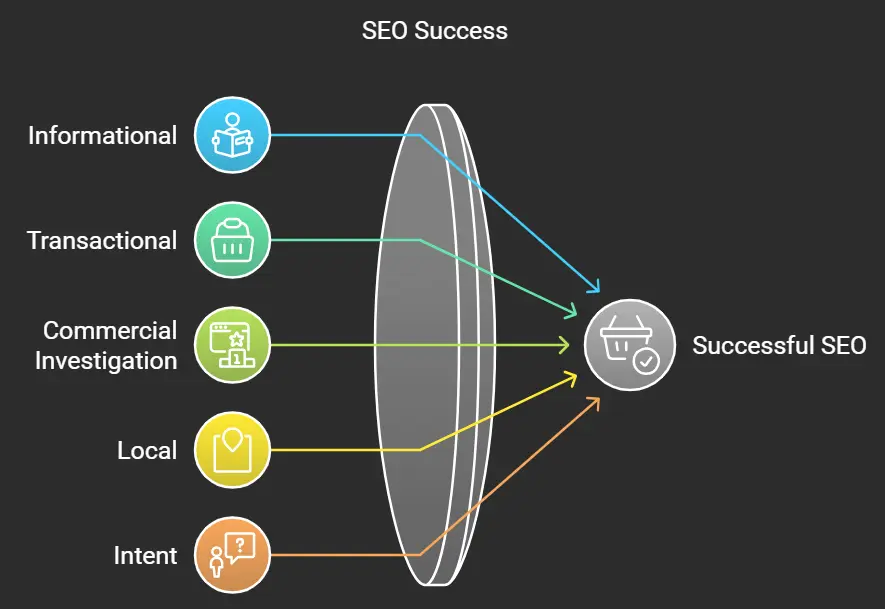
Low-competition keywords, understanding of search intent, coming together. This is how you should approach low-competition keywords. Search intent, in a simple word, is the underlying purpose behind the user’s query. By aligning your keywords with their intent, you will win hands down.


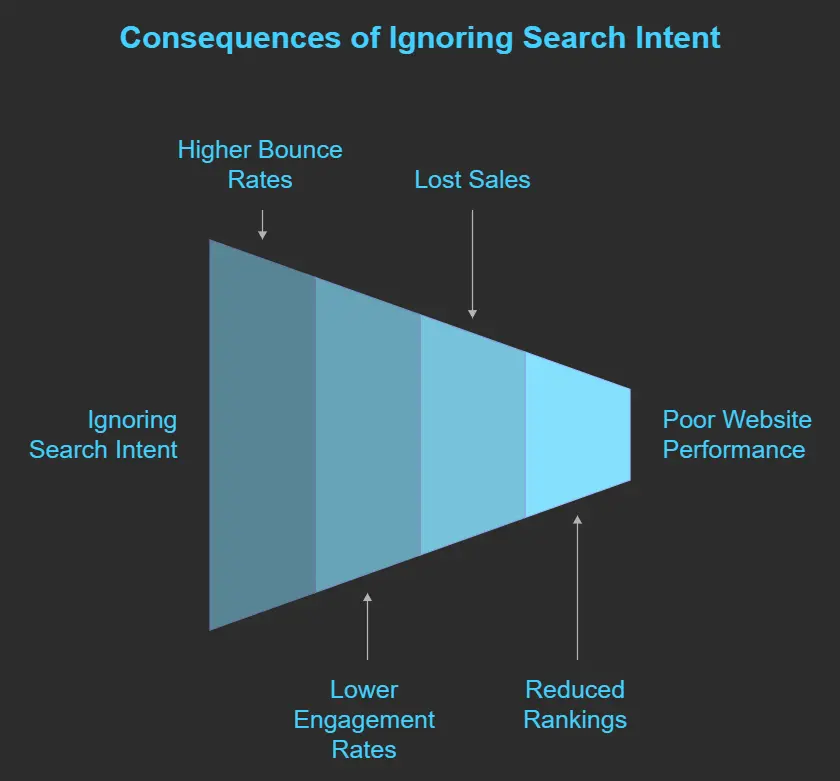
As you are not considering search intent, you might be creating content that never connects well with your audience. For example, you typed to the search “how to find low competition keywords”, but you just gave random general tips about SEO that contradicts the reason why he came to your page and will most likely leave soon. Such behavior may raise your bounce rate, though it can bring down your rank in the long run.

google search intent

Keyword Research Importance

Another very important takeaway that I can list is the following: Keyword research is the backbone of good SEO. Advanced keyword research is finding words that your target audience would use in a search, along with how much competition there would be for those words. Many grossly underestimate this important step, creating poorly optimized content and lost opportunities.


It’s all the time you will use in researching keywords. The successful SEO campaign will be built on all this time you use. You will know which keywords to go for and how to create content for them.

High Competition Effect

Imagine going through all your weeks only to realize that the bigger competition is way ahead of you with much higher authority. The frustration becomes worse as you later come to know that it takes months or years to get ranking among high-competition keywords. You basically put all your soul into the content and fail to relate to the target audience.


With high competition comes high cost-per-click paid ads. That would mean burning all your marketing budget without winning the desired result. The second aspect is very low visibility, and that’s leaving fewer clicks, leads, and conversion. The longer this continues, the more challenging it will be for you to maintain your business.


This scares off the businesses, and they abstain from choosing SEO for their website. Remaining in that cycle brings huge loss in terms of revenue. But then, there is always an alternative. You can easily carve out niches and begin to gain traffic sooner with low-competition keywords.

How to Build a Keyword Strategy Step-by-Step

The Path to Finding Low-Competition Keywords

Not all keywords are alike. Look for keywords that come with a good mix of both search volume and competition. High-competing keywords can be killers for a new site, so start from mid-level keywords and work out.

Step 1: Understanding Low-Competition Keywords

Before actually venturing into the keyword research, it is essential to know what low-competition keywords actually are.

Definition: Low-competition keywords are phrases that indeed have fewer websites to compete with them in search results. This makes ranking easier.

Examples include:

  • Best local bakery in [Your City]
  • Affordable vegan restaurants near me

If you focus on these kinds of keywords, there’s a chance that your rankings might be faster, and the traffic to your website will be higher.

Characteristics of Low-Competition Keywords

For such low search difficulty keywords usually have a smaller keyword difficulty score.


  • More specific: They are generally more specific than general keywords and target niche audiences.


  • Long-tail Nature: Most of the low-competition keywords are long-tail and can capture the highly motivated potential searchers. Knowing these aspects will help you identify some of the possible keywords for targeting.

Step 2: The Significance of Search Intent

You need to know the search intent when you use low-competition keywords. Search intent is what lies behind a user’s search query. Find keywords that match the intent of searchers: increase the chances of ranking.


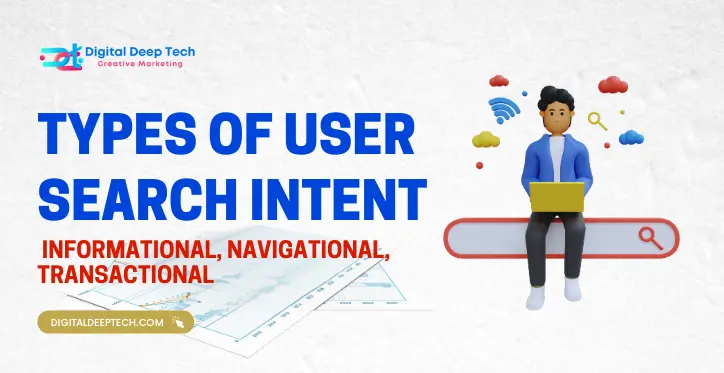
Types of search intent


  1. Informational : Users want to get information (for example, “How to bake bread”).
  2. Navigational : Users are searching for a specific website (for instance, “Facebook login”).
  3. Transactional: The user wants to buy something, such as “Buy running shoes online”.


Thus, based on the intent of possible keywords, you can narrow down the phrases that relate to what the users are going to search for.

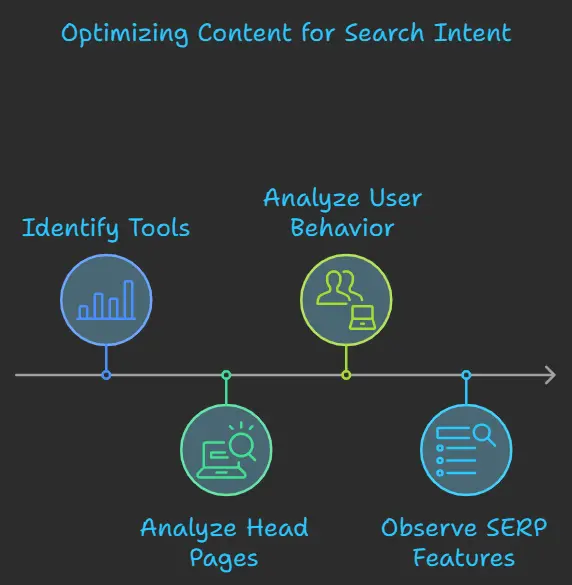
Search Intent Analysis in Keyword Research

Each time you conduct keyword research, ask yourself what is the intent of the user when doing their search. That’s how it makes content user-centered.


For instance, if someone is looking for “how to find low competition keywords,” most likely they want a step-by-step guide. The more you answer their needs, the more chances you have to rank well for that keyword.

Step 3: Using Keyword Research Tools

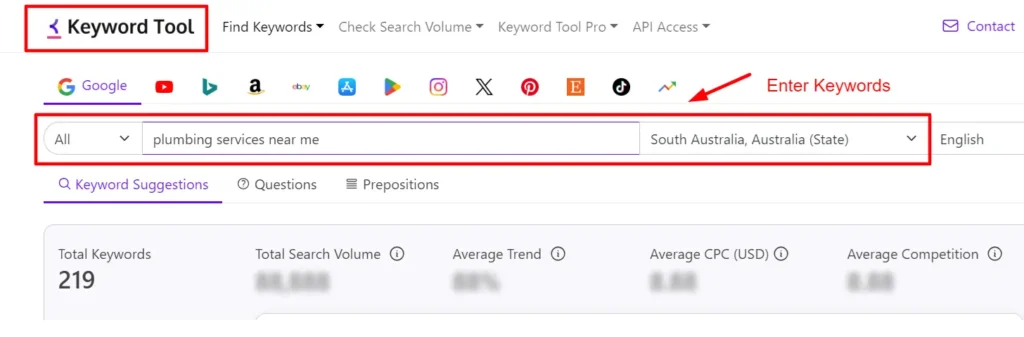
Now you will have to use keyword research tools to look for low competition keywords. Here are some tools I would recommend:


Google Keyword Planner: It is free and helps you find keywords, also giving information about the competition levels attached to them.


Ubersuggest: This tool is very friendly to use and gives ideas on keywords and their search volume and competition data.


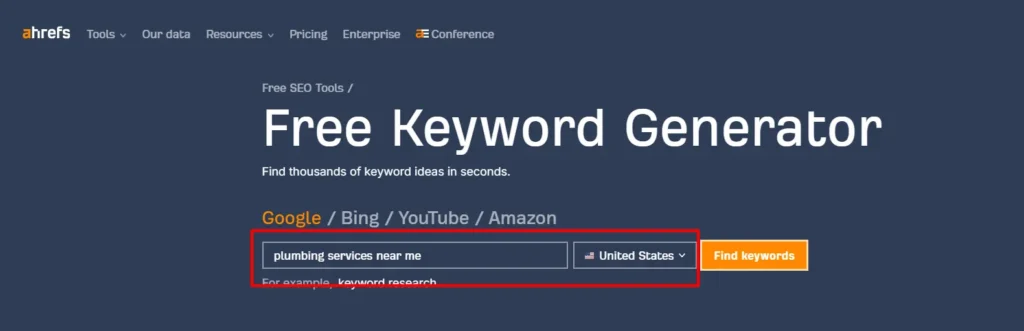
Ahrefs: It is a full-fledged SEO tool as it also gives you keyword difficulty and search volume insights.


SEMrush: This is an extremely powerful tool that will help you discover low-competition keywords.

Using these tools, start searching for your target focus keyword “find low competition keywords”. Observe the competition level and search volume in the results.

Vital Features to Look For Keyword Tools

As you use keyword research tools, be on the lookout for features that add depth to your research processes:


Keyword Difficulty Scores

This measures the difficulty that you experience when trying to rank for a specific keyword.

  1. Search Volume: The frequency with which a keyword is searched, month-to-month can give you an idea of which keywords to rank for the highest.
  2. Trends: Knowing if the popularity of a keyword is going up or down can inform your approach.

Step 4: Analyze Competitors

Now that you have that list of keywords that may have low competition, it’s time to analyze your competitors, so you know what they are targeting and where you can find potential gaps in their strategy.


  • Identify Competitors: Type in your target keywords and search for what comes up in Google. You can see who ranks what pages.


  • Content Analysis: Analyze what they have in terms of length, quality, and structure within the content. Look for areas where they seem not able to provide enough depth or insight. Keyword Gap: Use SEMrush or Ahrefs to find out keywords where you don’t rank but your competitor does. Knowing what others are doing will enable you to make content according to their gaps.

Competitive Analysis Techniques

  • Content Gap Analysis: Find out that which topic is being covered by the competition and you are not covering. This type of intelligence will be used in the development of complete coverage of a gap.


  • Backlink Analysis: Find out which places the competition is getting backlinks from. Target these places as a source of building your own backlink profile.

Step 5: Long-Tail Keywords

Keyword Research Cycle

Long-tail keywords are a good way of finding low-competition phrases. They are usually longer and much more specific in nature, so you have a better chance at ranking using them. Instead of something general like “shoes, it could be “best running shoes for flat feet””


Here’s how to find long-tail keywords:


  • Google’s Autocomplete: Type in your main keyword in Google and jot down the suggested searches.


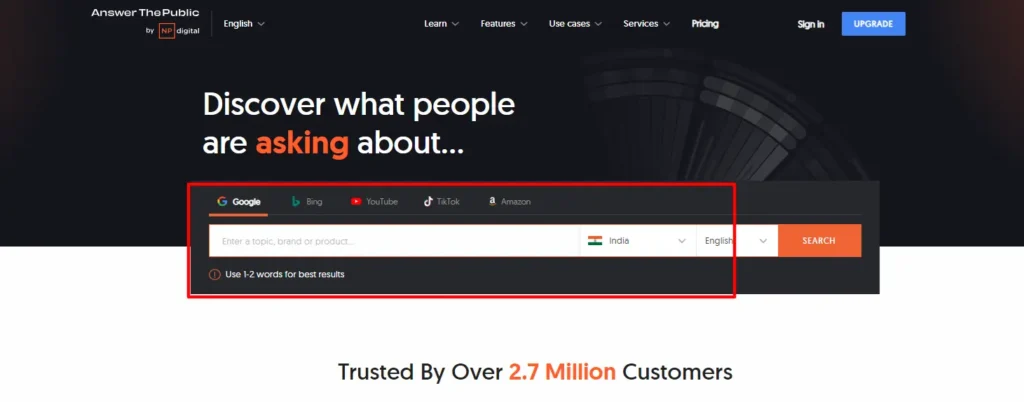
  • Answer the Public: It gives you questions and phrases regarding your keywords that can be long-tail versions.


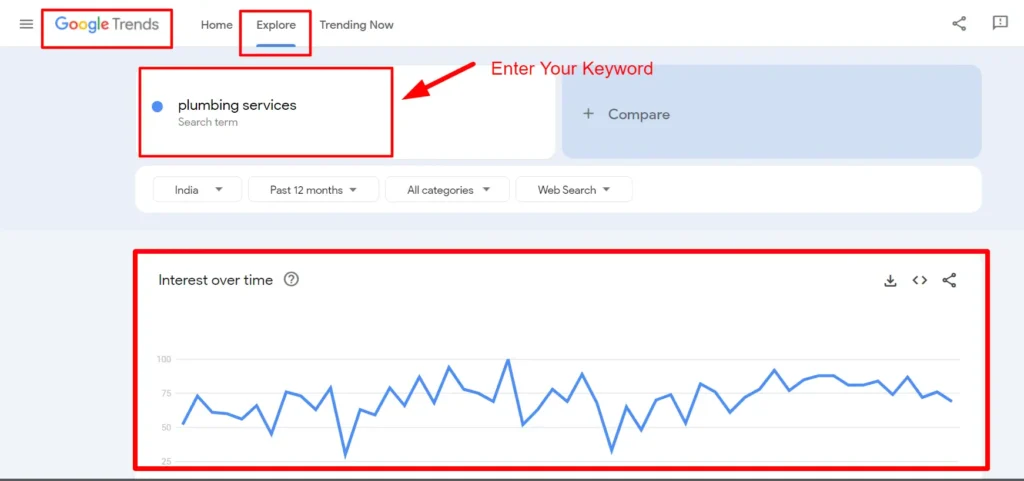
  • Google Trends: This will enable you to understand the popularity of certain search terms over time so you can have an idea of how ascending long-tail keywords are.

Benefits in Targeting Long-Tail Keywords

  • Greater Rate of Conversion: The long tail keyword brings more qualified traffic, and it has a great chance of conversion.


  • Less Competition: It is less in competition with other keywords, and ranking may also be easier too.


  • More Relevant Traffic: Long-tail keywords fill the long-tail end of the user need, so your content will resonate more with people.

Let's Discuss Your Project

Get a free one-week consultation and share your vision for digital marketing with us.

Step 6: Analyzing Keyword Difficulty

The keyword difficulty metric gives you a measure of how hard it’ll be to rank for a given keyword. You can make use of the above-mentioned tools to discover this information.


Consider these following criteria:


  • Domain Authority: Look for keywords where the best-ranking pages have lower domain authority than your website


  • Content Quality: Consider the quality of content that your best-ranking pages contain. If that content is abysmally written or superficial, you might have a better shot at ranking.


How to Rank Keyword Difficulty

  1. Research Top-Ranking Pages: scroll through the number one page of the Google results from your target keywords. Weave in analysis of the quality and depth of their content.
  2. Use Difficulty Score: Now use tools like Ahrefs or Moz which give you a comprehensive difficulty score for your target keyword.

Step 7: Create Quality Content

Quality content creation now becomes the most important part of ranking with low-competition keywords.

  • Thorough and helpful: Your content should be able to answer what users are asking and its value.
  • About User-Friendly Format: Making extensive use of headers, lists, and images, break long paragraphs or text into easy-to-read portions
  • On-page SEO Optimization: Using keyword in title and heading but devoid from body content without keyword stuffing.

Create Compelling Content

  • Tell Personal Stories: Share some of your personal stories that will make your content interesting and more relatable to your readers. Share with them how you ventured into the world of SEO, the difficulties you encountered, and how you defeated those problems.


  • Images, Infographics, or Videos: Add photographs, infographics, or videos to spice up your content. Not only do people find that appealing, but it also helps explain difficult points better.

Step 8: Monitor and Adjust Your Strategy

SEO is not a one-time process but rather an ongoing process of tracking and fine-tuning. After you have published your content, the Google Analytics tool will measure the performance of your work.


  • Ranking Tracks: You should track your ranking for your target keyword long term. Rank tracking tools help you keep tabs on where you are placed.


  • Analyze Traffic and Engagement: Count the traffic of your content produced and how users interact with them. High bounce rate may imply that users were not getting what they expected from the content


  • Curate Content: You review your content sometimes for refreshing new information, keywords or insights. All these help you to maintain or even improve your rank

Tools to monitor SEO performance

  • Google Analytics: very powerful tool to know the performance of your website, tracking user behavior, and conversion rates.


  • Google Search Console: gives you statistics about how your site is performing on Google. Keyword rank, whether a specific page from your site is indexed by Google or not.


  • Ranking Tracking Tools: tools which track rank over time: Ahrefs or SEMrush.

Conclusion

In fact, finding low-competition keywords is a real game-changer for your SEO strategy. A deep understanding of how search intent matters combined with appropriate application of tools and high-quality content can make all the difference in terms of online visibility and targeted traffic to your site.


In a winning SEO strategy, overnight success is forgotten. Instead, proper research takes months, effort, and adjustment. Focus on the low-competition keywords; you are going to get some quick wins in a firming way toward long-term success.

Frequently Asked Questions (FAQs)

1. What are low competition keywords?

Low competition keywords are terms in which fewer sites compete for them, making it easier for you to rank.

Research least competitive keywords with Google Keyword Planner, Ubersuggest, and SEMrush.

No Targeting low competition keywords can rank you higher on the search result page, bring more targeted traffic, and reduce marketing costs too.

Long-tail keywords are longer phrases with fewer words and are usually marked with lower competition and higher conversion rates.

Use Moz or SpyFu to see what keywords your competitors rank for and identify gaps in their strategy.

Yes! Local keywords have less competition, and users can be targeted to your local business.

It’s a Google feature which shows you related questions people have asked, so you know what they are really searching for.

Finding and analyzing keywords with Google Keyword Planner, Ubersuggest, Ahrefs, and SEMrush.

Write to answer a query that may have been asked by another user; provide them with valuable information; and then engage your audience through proper formatting.

Hire SEO Expert

About the Author

Deepak Sharma is the founder of Digital Deep Tech and a renowned SEO and digital marketing expert with over a decade of experience. Passionate about helping businesses enhance their online presence, Deepak specializes in creating SEO strategies that drive traffic and generate leads.

Follow me on LinkedIn —>

How to Find Low-Competition Keywords for Quick Wins Read More »

Top SEO-Friendly WordPress Hosting Providers

The Best SEO-Friendly WordPress Hosting Providers for Beginners and Experts

In today’s time, having a website plays an important role for any business, startup, or professional. Choosing the right website hosting affects the SEO and performance of your website. In this blog, we will talk about the best website hosting.

Hire SEO Specialist

Deepak Sharma

SEO Specialist

July 21, 2025  |  6 min. read

latest SEO blogs

How to Choose the Right WordPress Hosting

Selecting an appropriate WordPress hosting provider makes your website faster. The correct web host ensures fast performance and secure handling of all your WordPress websites, including new blogs and busy websites. With existing hosting choices on the market, make a choice that suits you best.

The main deciding element for cheap hosting plans for WordPress depends on choosing a cPanel and excellence partner. This host system works well for people who are just starting and already advanced users.

The top hosting services let customers fit their needs, including hassle-free WordPress setup plus optimal server performance. Your selection of hosting depends on whether you are a new user or advanced because basic dashboards plus automatic updates benefit beginners well but fully customizable environments with totally security-protected experts and cPanel WordPress hosting. This guide presents you with leading WordPress hosting companies that offer affordable plans while providing top-level performance support and scalability.

Top WordPress Hosting Providers

1. Hostinger

Hostinger provides WordPress hosting that delivers high performance at an affordable price. New web builders will find it easy to start because Hostinger delivers basic hosting with no costs and straightforward control options at affordable rates. An installed LiteSpeed Cache plugin as part of their WordPress hosting quickly improves website loading times.

Hostinger delivers cloud hosting and VPS solutions that offer better performance to experienced users. Their security technology blocks DDoS attacks, and daily backup systems guard your website against all threats. Hostinger gives all users a superb hosting experience because it delivers quick loading times and fast answers to questions.

2. SiteGround

The public values SiteGround for its outstanding customer care performance. This provider works well for new users, with a simple dashboard, free website transfers, and regular backup processes. SiteGround designed its hosting system using Google Cloud to deliver fast WordPress hosting services.

Advanced users on SiteGround benefit from staging environments plus tools to connect with Git and customize caching parameters. The website runs smoothly on WordPress-optimized servers that shield platforms from typical risks. The product proves its worth despite its premium rates.

3. MilesWeb

MilesWeb tops the table of WordPress hosting providers with worldwide data center locations. They offer features like SSD NVMe storage, free SSL, unmetered bandwidth, premium CDN, priority support, and more, which help maximize ROI. MilesWeb provides a seamless one-click WordPress installation, a user-friendly control panel, and 24/7 customer support. With a free domain for the first year and an SSL certificate included, it’s an excellent choice for those starting their journey.

For experts, they provide scalable hosting solutions, including VPS and dedicated hosting. It offers enhanced security, automatic updates, and performance optimization features to keep your website running efficiently. With its competitive pricing and reliable uptime, it remains a top contender in the WordPress hosting space.

4. Kinsta

Experts and businesses that need peak website performance prefer using Kinsta as their WordPress hosting provider. Google Cloud technology enables Kinsta to deliver rapid site speed alongside automated growth and secure protection features. The product includes a simple control panel and staging areas, allowing developers to run their work efficiently.

Customers pay more for Kinsta hosting because it provides maximum speed and security features. Businesses with websites that receive many visitors depend on Kinsta for their hosting needs because its services include excellent support. Smaller users may encounter initial difficulty with Kinsta but experienced people and organizations recognize its service quality.

5. WP Engine

WP Engine provides managed WordPress hosting to users who prioritize top-level protection and bandwidth. This service works perfectly for new users and experienced web admins who need hosting without problems. The WP Engine system keeps WordPress running smoothly by applying automatic updates, daily backups, and built-in CDN technology.

WP Engine specially equips experts with a staging tool, performance tracking system, and professional hosting solutions. The provider’s team understands WordPress deeply, which makes it convenient to solve site problems and enhance its performance. Due to its higher costs, people who want reliable hosting with fast performance should invest in WP Engine.

Ready to create or revamp your WordPress website?

Let’s discuss your project with our experienced WordPress developers, who will help you build an SEO-optimized, high-performing website.

Wrapping Up

Choosing the best WordPress hosting provider depends on your needs and experience level. MilesWeb and Hostinger are excellent for beginners due to their affordability and ease of use. SiteGround balances performance and user-friendliness, while Kinsta and WP Engine cater to experts who require high-end hosting solutions.

No matter which provider you choose, ensure that it aligns with your website’s goals, security requirements, and scalability needs. A reliable WordPress host will set the foundation for your website’s success, helping you focus on what truly matters—creating amazing content and growing your online presence.

Deepak Sharma

Deepak Sharma is a digital marketing consultant and founder of Digital Deep Tech. He writes helpful content that helps businesses enhance their online presence. He specializes in SEO to drive traffic and generate leads.

The Best WordPress Hosting Providers for Beginners and Experts Read More »

Google's Search Algorithm Updates

Overview of Google's Search Algorithm Updates

Google's Search Algorithm Updates

Introduction

As a local SEO pro and owner of Digital Deep Tech, the one question that I keep hearing echoed into my ears more than ever lately in conversations with clients and fellow marketers is: How do you possibly keep up with Google’s constant changes to its algorithm? And, at the end of the day, it’s not easy — Google’s search algorithm updates march forward 24/7, affecting how sites rank and perform online for businesses.


In this blog post, I will walk you through the nitty-gritty of what these updates mean, why they matter, and how your website stands to still do well despite algorithm change.


Of course, the changes in Google’s search engine algorithms are very hard to understand. But by breaking down the problem and giving you practical solutions, we’ll be sure to get you ready for whatsoever updates come at you.

1. Algorithms Constantly Shift and How It Creates Impact

The problem most businesses face, though, is trying to keep up with what appears as an endless stream of updates that issue. Google makes changes to its core search algorithm multiple times per each year. This affects everything from their local SEO rankings to the simple visibility of a website on SERPs.

  • Technological surprise: Google does not announce most the changes announced. It mostly blindsides most businesses with a surprise and unforeseen change in rankings.


  • Devaluation of content: What worked last month now suddenly becomes the reason why your website has started ranking lower. Imagine Google’s Panda update, which went out aiming at websites with thin contents, leaving many to improve on the quality of their contents.


  • Loss in revenue: For businesses that rely heavily on organic traffic, a significant decline in ranking may force the clock backward to altered sales and lead generation strategies. You may wake up one morning and find out that your top-performing pages can no longer be found on page one in Google’s results, with dramatically reduced visibility and related traffic.

To a business owner or an SEO expert like you, the changes, like these, are uncertain; this is because they culminate in sudden drops in revenue and rankings.

Businesses Can't Find Themselves Online in 2025

2. Why It Is Difficult to Keep Pace with Algorithm Updates

No doubt you’re running to keep up with a new Google search algorithm every couple of months. Business owners and marketers all across the board love getting frustrated, confused, and even panicky when their seemingly overnight plunges in rankings make them so. So, why is it so darned hard to keep up?


  • Lack of transparency: Google only occasionally shares the details involved in its algorithm updates. Even big updates, such as Penguin and Hummingbird, were disclosed with vague statements that SEO professionals had to speculate upon for what actually changed. This takes some time as the SEO community decides which factors to alter and which ones not to change based on the changes that occurred.


  • Fast updates: It is changing at a pace that has never been witnessed before. Google reports it issues thousands of updates in the span of just one year. Some are utterly inconsequential; others quietly changed how Google’s core search algorithm functions, so ranking websites accordingly.


  • The competition is going to be keen: With the large companies trying to rank top in Google, failing to know or miss one or two updates may make it leave the competitors’ way ahead of you. You will require strict monitoring with regards to Google’s update to stay ahead of the competitors in the market.
How I Can Help You Succeed with SEO

3. Understanding Google's Search Algorithm Updates

So how does one keep tabs on what Google changes in its search algorithm without driving oneself crazy? You adapt a strong and resilient SEO strategy by being accommodating with each update.

a) E-E-A-T: Experience, Expertise, Authoritativeness, and Trustworthiness

Most of Google’s ranking system is based on the concept of E-A-T, or Expertise, Authoritativeness, and Trustworthiness. This means that it wants to rank web pages with the highest quality and credibly contented ones.


  • Creating E-E-A-T: Begin to demonstrate expertise in the material. A case study or real-life example published with some deep pieces is evidence of authority in a niche by an SEO expert such as myself. You do this for your area.
  • Authority Building: You now start receiving inbound links from other websites, which are all relevant and trustworthy to your niche. Guest posting, content collaborations, and mentions in roundups will do this.
  • Reliability: Your website should have a secure connection (HTTPS), and information posted on it should be clear and correct. You can include reviews, testimonials, contact details, among others to show that you don’t have just any old business but a serious business.

b) Fresh Relevant Content

Evergreen content, or high quality content that endures through time, is one of the best ways to deal with algorithm updates. The search ranking algorithm from Google favors a website only because it offers value to users. Do not waste your time focusing on short trends but instead produce timeless pieces.


  • Refresh the content occasionally: There are a couple of articles which are old and also the blog post is older even though it is attracting traffic. Start checking them out and refresh them with the latest information. This does not only have an influence on your ranking but also lets Google know that it is active and relevant.


  • Solve the user’s problem: As I write content, I am always thinking about how it is going to serve the audience. Look out for tools like AnswerThePublic and People Also Ask by Google for questions your audience is asking so you can draft content around the answer.

Let's Discuss Your Project

Get a free one-week consultation and share your vision for digital marketing with us.

c) Optimise for local SEO

Local SEO is still one of the best activities that should not be neglected by Google’s local search algorithm. If your business delivers service in a given geographic location, then local SEO optimisation is a necessity if you are to have maintained visibility on the web.


  • Place-oriented keywords: When writing your content, make sure that you have used keywords that are place-oriented in your meta descriptions and headings. For instance, if you are offering SEO services in Sydney, make sure that you have used words such as “SEO services in Sydney” on your website.


  • Claim your Google My Business account: A well-optimized Google My Business has to be a part of any local SEO strategy. Ensure your business details is correct and accurate as well as see that satisfied customers do your business a favor by posting their reviews.


  • Consistency of NAP: Ensure you have a similar NAP for all business platforms like citations, URLs, or directories. Different versions of your NAP lessen your rank in local SEO.
SEO Trends in 2025

d) Investment in Mobile Optimization

With Google offering mobile-first indexing, what’s going to be crawled and ranked by default now is the mobile version of your website. If your website is not mobile friendly, then you are at risk of falling back in search rankings.

  • Make your mobile page load faster: This is bound to degrade your SEO performance because it’s pretty long in loading the mobile pages. Use Google PageSpeed Insights to identify all the places; your site needs to load pretty fast on mobile device.
  • Streamline mobile navigation: Clean, easy-to-tap buttons make all the difference between a frictionless user experience or not. Less is more. Clutter: Avoid it. Those intrusive interstitials like pop-ups might cost you a great user experience and rankings.
How I Can Help You Succeed with SEO

e) Use Structured Data (Schema Markup)

Structured data is probably one of the most under-leveraged SEO tools, also known as schema markup. It’s basically an HTML addition with which search engines get better information about the content of your site, and that leads to things like rich results: featured snippets or answer boxes.


  • Schema markup: Schema marking for review, rating, and pricing information should also be there. Add this to your website using tools like Google’s Structured Data Markup Helper.


  • Visibility: Rich results bring out your content more in the SERPs. This will enhance your CTR and subsequently your ranking.

f) Build and Maintain a Strong Backlink Profile

Backlinks were always one of the key drivers for the Google search ranking algorithm, but now it’s quality over quantity. It is no longer about having as many backlinks as possible from anywhere.

  • Quality not quantity: Instead of having dozens of such links, have a few from good-quality sites in your niche. A relevant backlink from a good website will always weigh more than dozens of such irrelevant backlinks.


  • Creating Quality Backlinks: Good content is the best way to earn backlinks. This could be a data study, an exclusive case study, or a complete guide; but make sure that your content is something that would link to it by people in your niche.


  • Monitor the backlink profile: Use some tools like Ahrefs, SEMrush, or Moz to monitor your backlinks. Disavow regularly any links that harm your rankings by being spammy or harmful.

g) Stay on top of announcements from Google and industry news

Although Google does not update everything, as a Search Engine Optimization expert, it’s very important to be in the know and know all that is happening because there are very intensive changes made in the algorithms. I do follow up on all the latest updates on the official blog of Google and track the leading vendors of the SEO industry so that no important update evades me.


  • Google Search Central Blog: This is the official Google channel for information about updates to algorithms, search trends, and best practices.


  • Use industry tools: Tools like MozCast, SEMrush Sensor, and Rank Ranger monitor changes to the Google algorithm. When you know an update has dropped and how it could affect your site.


  • Join SEO communities: You can join online SEO forums and communities; most are on the SEO group on LinkedIn or specific groups on Reddit, where you can connect and share with other professionals and learn from them.

4. Key Concepts and Terms Explained

To succeed through updates in Google’s search algorithm, one should understand a few key concepts. Therefore, to save your time, here is a quick glossary of terms:

  • Google Core Search Algorithm: it is the algorithm from Google, ranking web pages mainly based on such factors as content quality, number of backlinks, and user experience


  • Google Local Search Algorithm: type of Google’s algorithm that is involved in delivering relevant results depending on the user’s location


  • E-E-A-T: Experience, Expertise, Authoritativeness, and Trustworthiness. These are among the most significant factors that Google uses in determining the quality of the content.


  • Mobile-First Indexing: The way Google indexes websites mainly on the mobile version.


  • Schema Markup: Structured data or content that lets the search engines understand your material and delivers a rich result.

5. Actionable Takeaways: What to Do Today

Get ahead of Google’s search algorithm updates with actionable tips that can be applied today:


  • Content Audit: Go through the old material and inject new info so that it looks fresh.


  • Optimize for speed: slowing down your website can harm your rankings. Test the performance of your site with GTmetrix, and many other tools.


  • Customer reviews: These are the only thing worth its price in local SEO. You want your customer to comment on Google. You need them to comment other places as well.


  • Quality backlinks: guest posting, shareable content, influencer partnerships in industries.

Conclusion

Advancement of the search algorithm will keep marching at Google, but with the right strategy in place, you can almost keep up with the advancement. Proper consideration of high quality content with local SEO optimization besides keeping mobile friendly and having a strong back link profile in place will keep you much better positioned to handle whatever comes your way.


Do you want to know the art of succeeding in SEO? Just WhatsApp at +91 9780668174 or schedule a one-to-one meeting. You can share this blog on social media too, so spread the word and keep others updated!

Frequently Asked Questions (FAQs)

1. What are the updates of Google's search algorithm?

The Google’s algorithm updates refer to the changes which Google makes to the ranking web pages in search results.

There are thousands of updates done by Google every year, but not all of them are the major changes.

Sudden changes in traffic or rankings may be a sign that you have been hit by an update.

Quality content always that gives value to your users.

If your site is suffering from negative effects, then audit for problems and improve your content, backlinks, and technical SEO.

E-E-A-T stands for Experience, Expertise, Authoritativeness, and Trustworthiness- Key ranking factors in ranking very well on Google’s search.

Yes, since Google makes use of mobile-first indexing, it makes mobile optimization very important to rank.

A quality backlink is an important step in building up the authority and ranking of your website.

  • Utilize location-based keywords
  • Optimize your Google My Business profile
  • Incur customer reviews

It tells Google what it is, and this improves the chance of getting indexed, and it will be caught in the feature results. Schema markup helps the search engines to understand your content much better and gives a high possibility of rich results, thus improving how visible you are.

Hire SEO Expert

About the Author

Deepak Sharma is the founder of Digital Deep Tech and a renowned SEO and digital marketing expert with over a decade of experience. Passionate about helping businesses enhance their online presence, Deepak specializes in creating SEO strategies that drive traffic and generate leads.

Follow me on LinkedIn —>

Overview of Google’s Search Algorithm Updates Read More »

10 Must-Do Local SEO Steps for Fast Website Traffic

10 Must-Do Local SEO Steps for Fast Website Traffic

10 Must-Do Local SEO Steps for Fast Website Traffic

Introduction

Do local SEO if you’re a business owner looking to generate customers in a short period. It’s the easiest and most significant targeted traffic generation method, and when you get it done professionally, it’s sure to push your website to the top on Google search results.


As a local SEO expert and founder of Digital Deep Tech, I have helped businesses gain visibility and generate sales through white label local SEO tactics.


In this section, I’ll take you through 10 must-do steps to get you traffic as fast as possible by leveraging local SEO. These steps assure a driving strong local SEO presence as well as attract intent-to-purchase local customers. Alright, let’s dive into actionable strategies that could put your business on the map.

10 Local SEO Strategies to Attract Fast Website Traffic

Step 1: Optimize Your Google My Business Profile

Most local businesses use GMB, but ignore it and miss potential rankings in the local search.

Can you imagine the scenario: you have a great business, but nobody finds you because your GMB profile isn’t optimized? Losing traffic, and worse, it is getting to the competition.

Local SEO Solution: Optimize your Google My Business profile. GMB is the heart of local SEO. There’s a lot to it, especially when you think about the importance of a Google My Business profile to your ranking on Google Maps and local searches. Make sure that your profile is totally filled out with right NAP details such as business name, address, and phone number.

  • Local keywords such as “best roofing services in Sydney”
  • Quality images related to your business
  • Continue posting posts, offers, and events
  • Feedback from customers, response

In recent times, one of my clients is a roofing business. It increased their traffic by 50% within three months after optimizing its GMB profile.

Sharing GMB posts regularly helps increase engagement, and keywords like “local seo business model” or “local seo and google my business” can increase your chances of ranking for related queries.

what is local SEO?

Step 2: Analyze Website Issues with an SEO Audit

You invest marketing dollars into it, and yet you do not know whether your website is locally SEO friendly or not. You are losing out to the competition as they have audited and corrected their local SEO deficiencies.

Solution: A local SEO audit will spot gaps and opportunities for improvement. To audit your own, pay attention to the following key areas:

  • On-Page SEO: These must be checked to ensure that the title tags, meta descriptions and headers are correct and also optimized with local keywords. Examples would include “Local SEO means SEO for business in [city]” or “Local business website SEO.”


  • Local keyword analysis: Are you targeting the right keywords for local search? Tools such as Google’s Keyword Planner might come in handy in figuring out whether you are using the most appropriate keywords: “SEO checklist for local small business websites” or “local SEO tips small businesses”.


  • Technical SEO: Make sure your site is mobile friendly as well as loads very quickly. Those are two of the most direct issues related to improving your position in local searches.


  • Backlink profile: Quality backlinks from local websites show Google that your business is relevant in your area.


An SEO audit will highlight what needs work, so you can focus your efforts in the areas most likely to make a difference.

Step 3: Target Local Keywords for Your Website

Using the wrong generic keywords or those incorrectly targeted means you won’t be drawing the right kind of local traffic to your site.


Imagine this-you are getting website visitors, but they are not converting into customers because they are not local. It is frustrating and your marketing efforts waste their value.


Solution: Local keyword research is vital. You need to utilize keywords that describe your location and services. Long-tail keywords such as “plumbing service near me” or “best restaurant in Sydney” will help target users who seek services in your locality.


Here’s how you do it:

  • Use the tools and resources, such as Google Keyword Planner and Ubersuggest, to find the keywords related to the city or region that you have chosen.
  • You must then incorporate the chosen keywords organically into your meta tags, headers, and content.
  • You can include city names and services, such as “Digital Deep Tech offers SEO strategy for local business in Sydney.”

For instance, after we optimized our local keywords for the service pages of a client, within two months his local traffic was upgraded by 40%. All this is about relevance and precision.

Step 4: Create Quality, Location-Approved Content

Generalized content is not localized to outreach to the local customers, also failing in the locality searches.


Your content on your site could be great information, but if it doesn’t lend to more specific solving of a problem about your local audience, it really loses to any valuable traffic.


Solution: The concept of location-specific content works great well. Create blog posts or service pages that focus distinctly on the city, neighborhood, or region you’re in. Target questions and problems local customers have to address them in a way demonstrating that you understand their needs.


I often create location-specific guides. For example, “How to Choose the Best Local SEO Agency for Your Sydney Business.” This accomplishes two things: it opens up potential clientele and builds local rankings in search.

Step 5: Build Local Citations and Backlinks

Your website has no authority and thus not ranking high enough in local searches.


You may very well be doing everything right on your website, but without external validation in the form of backlinks and citations, your competitors will continue to outrank you.


Solution: Local Citations and Backlinks Boost your credibility. Citations are online mentions of your business name, address, and phone number, helping improve local search visibility.


Here’s how to get started:

  • Get listed on high-authority business directories such as Yelp, Yellow Pages, and specific niche sites.
  • Reach out to local bloggers or news outlets to feature your business.
  • Partner with other local businesses for backlinks.


For example, I had helped a local pizza shop get backlinks from community food bloggers. The restaurant achieved ranking #1 for “best pizza in Sydney” within months.

Step 6: Improve Mobile-Friendliness for Local Search Results

white label local SEO services

Local searches account for an enormous majority of mobile users, yet your website has not been optimized for mobile devices.


Frustrating customers and losing sales is what happens if your website is not mobile-friendly. Google also penalizes non-responsive sites, affecting your rankings.


Solution: Ensuring that your site becomes mobile responsive is the key to reaping success in the world of local SEO. Here is why:


61% of mobile users are likely to contact a local business with a mobile-friendly site.

Google uses mobile-first indexing, so the mobile usability of your website is going to have a direct impact on how high you rank.


As a matter of fact, I’ve optimized one of my clients’ sites for mobile. And within one month of doing so, his traffic from local keywords increased by 30%.


Also, most of the local searches are voice-based. So optimizing the content for voice search using conversational keywords can give you an extra advantage.

Let's Discuss Your Project

Get a free one-month consultation and share your vision for digital marketing with us.

Step 7: Use Customer Reviews and Testimonials Now

Unless your business has adequate reviews, there isn’t any social proof for the exact business they are looking for.


Even though you may offer the finest services available, the customers might not move ahead with the decision unless they find enough reviews online. Too little review can greatly hound the credibility level of any business.


Solution: Encourage reviews from the customers and, at the same time, put up testimonials on your website. In addition to this, Google reviews help enhance the visibility of your business in local search results also. See what you can do:


  • Ask to leave reviews via email after a service or a sale.
  • Respond to positive and negative reviews.
  • Host your reviews on your web page.


For instance, after working with a local salon, I developed a review strategy that upped their 5-star reviews by 80%. That then jumped them in the rankings, thus increasing more foot traffic to this business.

Step 8: Monitor Competitors and Adjust Your Local SEO Strategy

Google Business Profile Optimization

You do not know what your competitors are doing to have an edge in local rankings.


Lack of watching the competition often leads to missing chances to make your strategy better, hence getting ahead of them.


Solution: Monitor and know their competing strengths and weaknesses. Use instruments such as Ahrefs or SEMrush and see where their backlinks are coming from, what keywords your competitors target, and what type of content works for them.


For example, I helped a client surpass their competitor by identifying gaps in the competitor’s keyword strategy. We focused on long-tail local terms such as “local business seo software” and “seo agency for local business,” generating more traffic.

Step 9: Social Media and Local Outreach

You’re not socially interacting with your local audience on social media, missing an important piece of a significant source of traffic.


Social media is a platform that can be very easily viewed, and if you are not seen on social media, local customers may not even have a clue that your business exists. It is as if they are bonding with your competitors while you lose those crucial interactions.


Solution: Use available social media applications like Facebook, Instagram, and LinkedIn to engage the local audience. Post regularly regarding local events, promotions, and news so that your page is visible and relevant.


The clients frequently utilize the social media for community engagement and I have seen enormous results. In fact, one client increased their local following 300% after using Instagram to connect with customers based nearby.

Voice Search Optimization

Step 10: Monitor the Results and Improve Your Local SEO Strategy

Not tracking the local SEO performance can’t know what is working and what’s not.

You’re putting in all this effort, and you are not quite certain if your strategies are paying off. Unless you track progress, you’ll be missing on those vital opportunities for improvement.

Solution: Track the metrics of local SEO using Google Analytics and Google Search Console. Consider tracking traffic and keyword rankings to understand what works and where adjustments need to be made.

For example, analyzing the search traffic and adjusting the strategy is the way through which I could raise orders online from a local retailer to two times within six months.

Apply these 10 steps to build up your local SEO and get fast, relevant traffic to your business.

Off page SEO optimization

Conclusion

Mastering local SEO is the key to standing out in your community and attracting high-intent customers to your business. Optimizing your Google My Business profile, creating location-specific content, building local citations, and leveraging reviews are some of the important steps to drastically improve your online visibility. All the 10 steps above play a crucial role in elevating the presence of your local SEO, ranking higher, and attracting targeted traffic much faster.


Local SEO is a continuous process. Monitor your efforts, track your results, and adjust and optimize your strategy to stay on top of the curve. With consistent effort and smart tactics, your business can dominate local search results, resulting in sustainable and long-term growth. Ready to take your visibility to the next level? It’s time to put these into action today!

FAQs

1. What is local SEO?

Local SEO is getting your website optimized for location-based searches in order to attract more local customers by improving your ranking.

Google My Business is a service that enables your business to appear in search for local terms and on Google Maps, making it easier for local customers to find you.

Generally, you should begin to experience improvements within 3-6 months, depending on what you do and what else is competing.

Yes, with target-local keywords, reviews, and relevant content, small businesses can really compete.

Local SEO focuses on location-specific searches, while traditional SEO’s focus is on a broader, often national or global rankings.

Use tools such as Google Keyword Planner and see what your competitors rank for locally.

Yes! Reviews are of great importance in creating trust and higher rankings with local searches.

Many facets of local SEO you may handle yourself, but it will go much quicker and produce far better results if you hire an expert.

A citation refers to an online mention of your business’s NAP, including your name, address, and phone number on various websites and directories.

Use local bloggers, new sites, and other business opportunities as partnerships, guest posts, or mentions.

Hire SEO Expert

About the Author

Deepak Sharma is the founder of Digital Deep Tech and a renowned SEO and digital marketing expert with over a decade of experience. Passionate about helping businesses enhance their online presence, Deepak specializes in creating SEO strategies that drive traffic and generate leads.

Follow me on LinkedIn —>

10 Must-Do Local SEO Steps for Fast Website Traffic Read More »

Beginner’s Guide to WordPress SEO

Beginner’s Guide to WordPress SEO for Higher Google Rankings

According to a Netcraft report, by February 2025, 43.5% of all websites will be built on WordPress. Just creating a website is not enough. It is also very important to optimize it properly. In this blog, we will cover some important topics that will help in ranking a WordPress website.

Hire SEO Specialist

Deepak Sharma

SEO Specialist

Mar 21, 2025  |  6 min. read

latest SEO blogs

WordPress SEO & Hosting: The Key to Higher Rankings and Traffic

Do you want to score high traffic on your website? Just rank your website at the top on Google. The secret to doing it is the proper SEO optimization. Many online brands like TechCrunch, BBC America, and The Walt Disney Company use WordPress CMS to build their online presence. However, achieving top rankings also depends on choosing the right hosting provider with reasonable WordPress hosting charges, ensuring optimal site speed and performance for SEO success.

These websites have applied the best SEO practices to attain higher SERP positions. This article will discover essential SEO optimization measures for WordPress. So, optimize your website on the WordPress hosting server today and achieve better rankings. Many of the leading SEO companies in India follow these strategies to help businesses dominate search results.

Basics of WordPress SEO

SEO sounds technical, but learn a few basics of WordPress SEO to get a noticeable boost in website traffic. There is no need to be a tech genius, but you can use the techniques below. If you already use WordPress, you’ve got what it takes!

Let’s get started optimizing your website.

  • Check your site’s visibility settings.
  • Using SEO-friendly URL structure in WordPress
  • WWW vs. non-WWW in URLs

1. Check Your Site's Visibility Settings

WordPress is pre-configured with the built-in option to hide the website from search engines. In its dashboard, you will get the “Search Engine Visibility” option. This option allows you to work on your website before it goes live.

However, it can get checked accidentally, making your website unavailable to search engines. Kindly uncheck it if your website is not appearing in search results.

  • Login to your WordPress admin area and navigate to the Settings >> Reading page.
  • Search engine visibility option in WordPress Settings.
  • Uncheck the ‘Discourage search engines from indexing this site’ Box.
  • Click on “Save Changes.”

2. Using SEO-Friendly URL Structures in WordPress

SEO-friendly URLs contain words explaining the webpage content. It should be easy for both humans and search engines to understand.

Some examples of SEO-friendly URLs are:

  • https://www.milesweb.com/how-to-install-wordpress/
  • https://www.milesweb.com/common-wordpress-errors-and-how-to-fix-them/

These URLs are readable, which gives users a hint about what content they will explore.

  • https://www.wpbeginner.com/?p=10467
  • http://example.com/archives/123

Adding numbers in the URL will puzzle visitors, and they cannot guess what they will find out by looking at the page URL.

Using an SEO-friendly permalink structure improves your chances of getting better positions in search results. Follow these steps to check and update the WordPress website’s permalink structure.

Visit the Settings >> Permalinks page. Select the post name option and click the “Save Changes” button to restore settings.

3. WWW vs. non-WWW

While building the website, you must choose whether to opt for www (World Wide Web) or non-www.

  • Example: http://www.example.com (with www).
  • http://example.com (with non-www).

Search engine distinguishes both URLs despite having the same domain name. Choosing URLs with www is highly preferred.

You can set this preference by visiting Settings>> General page. Add your preferred URL in the “WordPress Address” and “Site Address” fields.

Choose the Best WordPress SEO Plugin

Your job is half done until you have installed the WordPress plugin for SEO optimization. Popular options like Yoast SEO or All in One SEO (AIOSEO) are two significant names that can be considered for WordPress SEO plugins. However, there are plenty of options.

There are premium SEO plugins like these, which are worth most of the websites. However, premium and paid versions offer features for free  (in the form of a free trial) to help you get started. Currently, AIOSEO has more than 3 million websites as an active user.  

Choose the Best WordPress SEO Plugin

An XML sitemap is a specially formatted file listing every single website page. It makes it easier for search engines to find all of the content. While adding an XML sitemap does not boost a website’s search engine rankings, it helps search engines find and rank pages quickly.

When you use the AIOSEO plugin, an XML sitemap will automatically generate. Go to the following URL (replace example.com with the domain name of your domain) to find your sitemap: http://example.com/sitemap.xml

Ready to create or revamp your WordPress website?

Let’s discuss your project with our experienced WordPress developers, who will help you build an SEO-optimized, high-performing website.

Wrapping Up

SEO isn’t a one-time fix—it’s an ongoing journey. With the right keywords, quality content, and technical tweaks, your website grows, attracting more visitors like bees to blooming flowers. The more you nurture it with updates, optimizations, and backlinks, the stronger its presence on Google becomes.

But remember, even the best gardens need expert care. Choosing the right hosting provider, like MilesWeb, ensures your site runs fast and stays secure and never lets slow load times ruin your rankings. So, keep learning, optimizing, and watching your WordPress site flourish in search engine results.

Deepak Sharma

Deepak Sharma is a digital marketing consultant and founder of Digital Deep Tech. He writes helpful content that helps businesses enhance their online presence. He specializes in SEO to drive traffic and generate leads.

Beginner’s Guide to WordPress SEO for Higher Google Rankings Read More »

How to write Heading tags for SEO

How to Use Header Tags for SEO: A Complete Guide

The proper content structure of a page or blog depends on the appropriate use of heading tags. In this blog, we discuss an effective strategy to write heading tags. We guide you in making your content SEO-friendly by using appropriate heading tags. Let’s dive deep into this blog.

Hire SEO Specialist

Deepak Sharma

SEO Specialist

July 21, 2025  |  6 min. read

latest SEO blogs

Improtance of Headter Tags

Header tags play an important role in user experience (UX). If you’re a business owner, learner, or self-employed, you must know about this. The header tags help to enhance your website’s performance and improve user engagement. Let’s break it down step by step to use in the right way.

What Are Header Tags?

Header tags are used to structure your website pages and blogs. These H1, H2, H3, H4, H5, and H6 are HTML elements used to define headings and subheadings on a webpage. These tags build structure hierarchically for your web content. It helps easier for both users and search engines to understand the context of your content. User visit one section to another and read content without a hassle.

For instance:

  • H1 Heading Tag: H1 is used for the main title or main heading of your page. For example: If someone publishes a book. The main title of the book is shown on the front banner. Same as this. When you want to publish a website page or blog, you must define your main title in HTML tag.
  • H2, H3, H4, H5, and H6 Heading Tags: These are all Subheadings. It helps organize your website content into sections and subsections. For example: The book banner title is the main heading. Inside of the books has chapters and subchapters, which are subheadings.

From an SEO perspective, search engines easily understand the web page Structure. Search engines crawl, index and rank the content as relevant to specific queries.

The Hierarchy of Header Tags: H1 to H6

In HTML code, there are 6 heading tags. Each header tag serves a unique role:

  1. H1: This is the main header tag and primary focus of the page; used only once in the web content.
  2. H2: this header hag covers major sections of the content that break down the content under the H1 tag.
  3. H3: This tag divides subsections of H2 tags.
  4. H4, H5, and H6: these tags are used in deeper levels of the content complexity. These are rarely unless content complexity requires them. Sometimes content has multiple sub-sections like a hierarchy. To easily understand complex content these headings help readers and search engines.

Best Practices for Structuring Content using header tags

To make your content structured and easy to follow:

  • Use one level-1 heading (H1) per page. For SEO purposes, use your focus keyword in the H1 heading effectively.
  • Arrange headings logically that cover all the content of your webpage. Follow a hierarchy (H1 → H2 → H3).
  • Use capitalization in heading tags and also the text size must be different. the text size of H1>H2>H3>H4>H5>H6.
  • If you use punctuation in headings tags at all, do so sparingly. Your headline may be complex and not professional if it contains improper punctuation. Rewrite the title to improve readability.
  • When You write an abbreviation in header tags, spell it out in the first paragraph after it. Abbreviation is the short form of long words. For example, SERP is the short form of the Search Engine Result Page.
  • Use the same guidance that applies to text also applies to heading tags. For example, if you use contractions in your text, you can also use them in heading tags.
  • There are different API levels for Android versions. API is a number that uniquely identifies the platform. Use the correct API.
  • Use CSS to change the visual formatting of heading tags.
  • Don’t use links in heading tags. It is against search engine guidelines. When we add links, it confuses the style of headings.
  • Use heading levels H1 to H6 appropriately. Do not skip any heading tags and do not break its hierarchy.
  •  

Why Are Header Tags Important for SEO?

Header tags enhance content readability and User Experience

Header tags not only provide clarity to your content but also organize content. Using heading in the right way helps to improve the readability also. Users find results on the website without wasting time. Well-organized content improves user engagement and reduces bounce rate. These are important factors in SEO.

Header tags help Search Engines to understand the content

Search engines ignore websites that are structured unorganized way and use poor content. Heading tags signal to search engine. Search engine crawlers visit landing pages and crawl the header tags and content. They understand the hierarchy of header tags and indicate the main topics of the page. This helps in indexing the site in the right way and displaying the correct results.

Aligning heading Tags with Search Intent

Structured header tags should be aligned with the search intent. Adding the right keywords in the heading tags directly impacts rankings. For example, if someone searches for “best plumbing service in Sydney”. The heading tag should include this keyword for relevance to user queries. Ignore keyword stuffing. The content should be solution-based and not promotional. This increases the chances of the content appearing in search results.

How to Use Header Tags Effectively

Including Keywords in Your Header Tags

Adding keywords naturally in your header tags helps improve visibility and ranking.

Optimizing for Featured Snippets

Google shows quality content in featured snippets. Header tags also play a role in ranking the content in feature snippets. Use well-structured header tags to have a maximum chance to show there. It helps to get trustworthy visitors for your business.

Paragraph Snippets

To find the right answers, users type long-term queries in search results. For example, in the past, if a user needs a car, then simply search on Google “Car” and Google shows results. But now users are smart. The type “best car under $50000 in Sydney”. You must know the importance of long-term keywords. Write a paragraph with concise answers below headings like H3 or H4.

List Snippets

Long paragraphs don’t interact with the users. Because users must read organized and well-structured content. Includes the right solutions. So you must organize content into bullet points or numbered lists. It helps to show your content on the search engine result page (SERP).

Maintaining Consistency across Header Tags

To improve the user experience, headings tags maintain a consistent tone and style. Each subheading is related to his parent heading. It must be engaging and cover the main topic of the paragraph. When someone reads your content, the flow of reading doesn’t break. So when you write headings and subheadings, think as a reader’s mind, don’t be bored. Use the right keywords for SEO, and maintain tone and writing style all things matter.

Avoiding Common Mistakes

Ignore Keyword Stuffing

Don’t overuse keywords in headings. This is bad practice. You give priority to user experience and then SEO. The result increases the bounce rate, and it affects your keyword ranking.

Don’t Use Multiple H1 Tags

It also bad SEO practice. Header tag must be one that help search engine to understand the topic of the landing page. So don’t confuses search engines by using multiple H1 tags. Using SEO extensions and tools you can easily check the content.

Don’t Skip Heading Levels

I have worked on 50+ client websites for the last 8 years and see this problem commonly. Because developers who design the website, make these mistakes. Because of that, developer only focus on design so use any heading tag anywhere in the page. Don’t jump from H2 to H4, or H3 to H5. Follow the series H2, H3, H4 and so on.

How to Add Header Tags in Different Platforms

Headter Tags

By using < > and </> HTML code with header name at the front and behind the heading, you can manually add it:

<h1>Main Header Tag</h1>

<h2>Subheading of H1</h2>

<h3>Further Breakdown</h3>

Adding Header Tags in WordPress

We design our company website “Digital Deep Tech” In WordPress. We add header tags using the block editor. It is too easy without using any html header code. Simply select the text go to the tool box and select which heading you want to define.

There are steps.

  • Select a block of text.
  • Choose the appropriate heading level (H1, H2, etc.) from the toolbar.

Adding Header Tags in Wix and Shopify

In Wix and Shopify platforms, it is also easy to define heading tags. The process is as follows.

  • Wix: As with WordPress, Wix also has a text editor, by using it, you can easily assign heading levels.
  • Shopify: There are two ways to define your heading tags in Shopify.  First is by customize your theme’s code and other is by using the content editor to structure headings.

Ready to create or revamp your WordPress website?

Let’s discuss your project with our experienced WordPress developers, who will help you build an SEO-optimized, high-performing website.

Advanced Tips for Mastering Header Tags

Font style and color selection make your heading tags more attractive. Use color and font according to your brand theme. Use background color wisely. We discuss some advance tips that you must read:

Aligning Header Tags with Content Themes

Use your header according to the theme that you installed on your website. The font color and size must matter. The size of the headings must be bigger than the subheadings. Organize your headings according to website theme. This header tags strategy keeps users engaged with your content and helps in SEO.

Ensuring Headings Match User Intent

The search intent of the users plays a crucial role in the keyword ranking of any website. So it is important to understand what use search for your services and products on search engines. Use that search query in header tags and write content surrounding that. Focus on what users want and give the right solutions.

Strategically Using Subheadings for Long-Form Content

As you know, this is the time of AI. Your audience must direct query on ChatGPT rather than a search engine. So it is important to write unique and solution-based content for your website to rank on top of the SERP.

Don’t use long paragraphs that do not look good and reader left to read. Ignore lengthy articles. break down content with subheadings (H3, H4) to improve readability.

Mistakes to Avoid When Using Header Tags

When I started writing blogs for my website, I did not use header tags properly. As a result, none of the keywords ranked. But when I used heading tags properly, the bounce rate improved. Along with website traffic, keyword rankings also started increasing.

Optimize Heading Tags for Voice Search

Currently, 20.5% of people use voice search. So they put long keywords to get the right result. So don’t ignore AI assistance for search queries. Organize your header tags according to this.

Misusing Multiple H1 Tags

Don’t use multiple H1 tags in a webpage or blog. Recently I audit my client’s website and saw H1 heading use multiple time in their blogs. So don’t confuse the search engine and stick to one H1 tag per page.

Ignoring Header Tag Hierarchy

The flow of reading depend on the hierarchy of the header tags. It helps the reader to understand the long content, and structure, and also helps to focus on main topics. Maintain a logical progression in your headings. Jumping from H2 to H5, for instance, disrupts the content flow.

Conducting a Header Tag Audit:

Header tags play an important role in Search Engine Optimization. Search engines evolve to prioritize user intent and semantic relevance.

Wrapping Up

Header tags play an important role in Search Engine Optimization. Search engines evolve to prioritize user intent and semantic relevance.

Deepak Sharma

Deepak Sharma is a digital marketing consultant and founder of Digital Deep Tech. He writes helpful content that helps businesses enhance their online presence. He specializes in SEO to drive traffic and generate leads.

FAQ's

What are the differences between Header Tags and Title Tags?

It’s important to differentiate header tags from title tags. Both are HTML tags but both use for different purposes. Header tag used for On-page content. But, the title tag is used for search appearance. While header tags are used to structure web content. Title tags are used for the search engine result page (SERP) in the browser tab and serve as the clickable link. Both are essential for SEO but serve different purposes.

You can use multiple H2 tags to divide your content into sections.

H1 is the primary title, while H2 represents subheadings within the content.

No, always maintain a logical hierarchy (e.g., H2 → H3).

Header tags will continue to evolve, especially with AI and voice search trends.

How to Use Header Tags for SEO: A Complete Guide Read More »
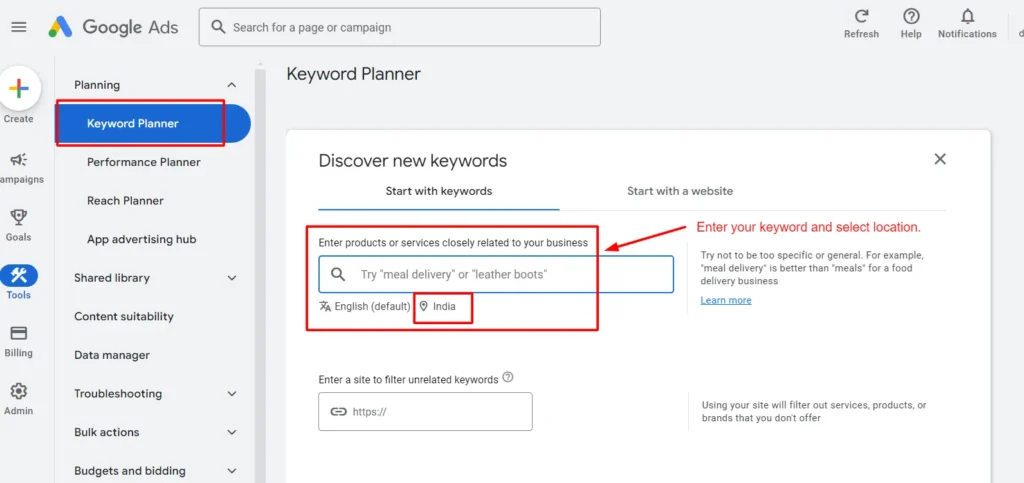
What is SEO

What is SEO? A Beginner's Overview

What is SEO

Introduction

Welcome to first lesson in our 90-day SEO course! Today we’re diving into one of the most important questions any novice entering the digital marketing world: what is SEO? Whether you’re a business owner, freelancer, or just curious about digital marketing, understanding SEO is the key to growing your online presence.

SEO, or Search Engine Optimization, is the way through which websites are found on search engines like Google. But it’s much more than just keywords and rankings. I am Deepak Sharma, a local SEO expert and founder of Digital Deep Tech, and over years, I have helped businesses rank highly and attract organic traffic across the globe. I’ve seen the best, the worst, and downright awful side of SEO, and today, I’ll write everything I learned to guide you through your journey.

By the end of this blog, you’ll gain a solid knowledge of what SEO is, but also more importantly, why it matters now more than ever to get you ahead on the web. I’ll take you through actionable ways you can begin optimizing your own site.

What is SEO?

SEO, short for Search Engine Optimization, is the improving of how a website or web page ranks in search engines by unpaid results; the words “natural,” “organic,” or “earned” are also used to refer to such results.


In the context of simpler terms, let’s think of Google as a library. Every website is considered a book in that library. When users search for something, Google determines which book is most relevant to the users for the search. In simple terms, SEO is how you make sure your “book” is at the top of the stack.


So when I started out in SEO, my initial vision was an easy one: simply use the right keywords. Boy was that wrong. SEO involves so much more than that, and with how it all built, it’s easy to see how-and why-SEO involves optimizing everything from content and structure to links and page speed, and whether or not your site is mobile-friendly at all. Each of these things tell search engines how useful and relevant your content really is and, consequently, will go on to impact your ranking.

what is search engine optimization

Why is SEO Important for Beginners?

As I was saying, SEO is the basis of visibility online. But why should beginners care? Well, think this: 93 percent of online experiences begin with a search engine. If a website isn’t optimized for a search engine, most of that potential visitor and customer audience is left unexploited.


I have worked with small businesses that were totally invisible online before we started doing SEO. For instance, one roofing company was existing for 13 years. They had never ranked for anything local.


We optimized their on-page SEO elements, ensured they were optimized in Google My Business, and secured several high-quality backlinks. They have already risen from 50 visits per month to more than 1,000 per month within six months, all without running a single paid ad. This is the possibility of SEO done correctly.

Why SEO Matters (Data-Driven Insights)

  1. 70% of marketers find SEO to be more effective than PPC, or pay-per-click advertising.
  2. 53% of all website traffic comes from organic search.
  3. 75% of users never scroll past the first page of Google search results. If you’re not on the first page, you’re virtually invisible to most of your audience.


The translation of SEO for a beginner would probably be like having a map in a foreign city. Lost in a foreign city without a map? You are lost. With a map, you know exactly where you are going and how to get there.

Key Concepts and Terms of SEO

Keywords In other words, keywords are just those terms or phrases that the users might search for when they’re looking for anything. For instance, if a user is looking for the best pizza in Sydney, then the phrase best pizza in Sydney is the keyword.

The more optimized your content is for the appropriate keywords, the more possible your site will turn up on the searches for a keyword.


  • On-page SEO: This is about optimizing the content and the HTML source code of your website. It speaks of elements such as meta tags, internal linking, URL structure, and keyword optimization. You should always tell your clients this: “Think of on-page SEO as grooming your storefront.”
  • Off-page SEO: it is an off-site practice basically focused on link building by producing backlinks from other relevant sites. The ultimate objective is that backlinks will act like a vote of confidence between websites, transmitting to the search engines that the content is worthy.
  • Technical SEO: Make the behind-the-scenes architecture of your website better. That’s when you ensure site loading speed, code clarity and error-free code. That makes such a vast difference, just as it often does in a local SEO expert like myself.
  • SERPs: Shorthand for Search Engine Results Pages, referring to the pages a search engine actually displays when a query is entered. Ranking well on SERPs is important because, according to various analyses, most users scroll only up to the first page.
  • Organic Traffic: This refers to visitors coming to your website via unpaid search results rather than via paid advertisements.
  • Backlinks: These are links from other websites to yours. A good link coming from a trusted source such as a news outlet or industry leader can boost the level of SEO on your website much.
how SEO works

My Personal Experience with SEO

I really didn’t know how crucial SEO was for business growth when I started Digital Deep Tech. At that time, the site was ranking nothing on anything, though I had a pretty good content offering. And I realized that without optimized in every one of its aspects, great content was enough.


I spent hours reading up on SEO trends, testing strategies, and watching the results. My first major victory was getting a plumber’s site ranked for highly competitive keywords such as “plumber Sydney.” Within three months, the plumbing company was getting 10 times more leads than before. From then, I knew SEO was something every business ought to invest in.

How to Begin Implementing SEO?

Alright, let’s dive right into the actions we can take to improve SEO and push ranking up in Google.

Let's Discuss Your Project

Get a free one-month consultation and share your vision for digital marketing with us.

1. Start with Strong Keyword Research

SEO starts with a good keyword selection. You can get started by finding what keywords your audience is looking for with Google Keyword Planner, Ahrefs, or Ubersuggest.

Long-tail keyword focus (3+ words) Because it’s generally easier to rank for long-tail keywords and often represents stronger intent. Take the broad term “SEO” and instead focus on “local SEO expert in Sydney.”

2. Optimize On-Page SEO

product keyword research services

On-page SEO optimization ensures that Google can read, index, and understand your content.


Use your primary keyword in title tags and meta description. It is the text that will appear in the search engine.

Split your content into Headings (H1, H2, H3), and make use of keywords within natural flow of headings.

Make your content well-structured and use conversational tone for writing. Do not stuff the keywords. Use it naturally throughout your text.

3. Optimize for Off-Page SEO

Another good way to enhance your SEO is by building high-quality backlinks originating from other different websites. Guest blogging, social media sharing, and industry influencers relationship-building can be applied.

As I often remind my clients, “Backlinks are the currency of trust in SEO.” The more quality links you get pointing to your site, the better your authority will be in Google’s sight.


wordpress speed optimization services

4. Speed and Mobile Optimizations

The Google keywords clearly state that speed and mobile optimized sites must be checked for ranking points. Check your site’s speed through the use of Google PageSpeed Insights; make sure it is responsive too.

In 2020, I optimized the website to go from 8 seconds down to under 3 seconds for one individual client. Result? Their bounce rate decreased by 40%, and they moved up in rankings for key search terms within a month.

Target Audience Keywords Research

5. Monitor Your Results and Continuously Optimize

SEO is a long-term game. So track your performance regularly using tools like Google Analytics and Google Search Console. Keep monitoring your rankings, organic traffic, and keyword performance. As I always say, “SEO is not set-and-forget; it’s a continuous process.”

Conclusion

To put it in perspective, SEO is a part and parcel of any online strategy. It will push you to a higher ranking in search results, and you will enjoy more organic traffic than ever before. In addition, ultimately, with it, your business will grow. We discuss the basic concepts of SEO, why it matters, and how you can start optimizing your website today.

Next lesson, we are going deep into keyword research, where I will show you how to find the best keywords to target for your website. Keep learning and practicing so that your online presence takes off.

FAQs

1. What is SEO?

SEO stands for Search Engine Optimization.

SEO works by optimizing various aspects of your website so search engines like Google can easily find and rank it higher in search results.

Yes! Be it a personal blog or an e-commerce store or for local businesses, SEO is important for organic traffic.

For instance, it will take 3-6 months to see the major results; however, it will depend on your type of business, as well as competition.

Do you understand what on-page and off-page SEO are? On-page SEO would be the optimization of elements within your website (content, titles, etc.). As for off-page SEO, which are factors that are external like backlinks and social signals.

Hire SEO Expert

About the Author

Deepak Sharma is the founder of Digital Deep Tech and a renowned SEO and digital marketing expert with over a decade of experience. Passionate about helping businesses enhance their online presence, Deepak specializes in creating SEO strategies that drive traffic and generate leads.

Follow me on LinkedIn —>

What is SEO? A Beginner’s Overview Read More »
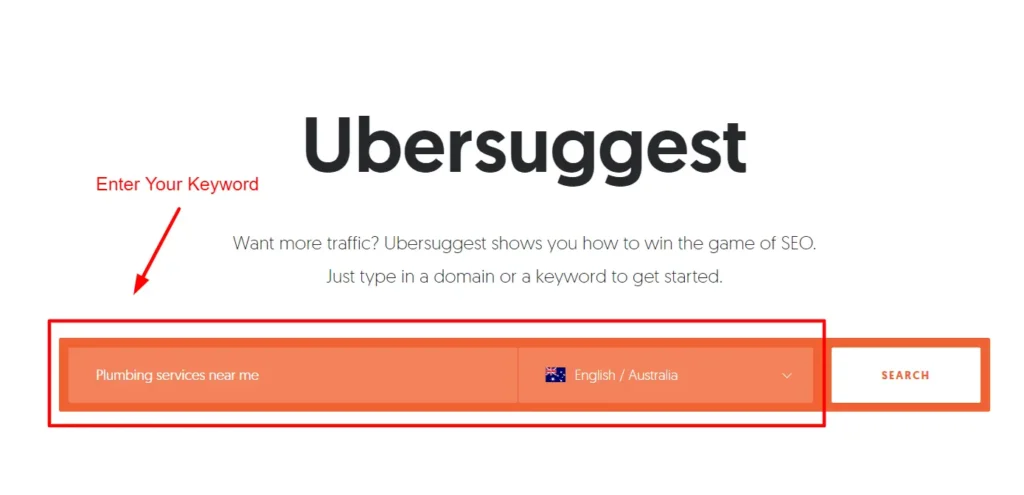
Free Keyword Research Tools

Top 6 Free Keyword Research Tools in SEO for 2025

Free Keyword Research Tools

Introduction

Keyword research is the back boned skeleton of any successful SEO campaign. You know which words and phrases your target audience is searching for, therefore, the blue print to creating relevant content that ranks higher on search engines, gets you seen more often and most importantly drives traffic to your site. Now while there are plenty of paid keyword research tools available, you don’t always have to cough up money to find good keywords.

This year you’ll learn how several affordable SEO tools help you find your best keywords for pennies on the dollar. From keyword suggestions to a sense of search volume and difficulty, they can provide everything you need to build an SEO strategy that works.

In this blog, we are going to tear down six of the best free keyword research tools you can use to improve your SEO and explain exactly how each of them works step by step. Let’s get started!

Day 10 of the Free SEO Course

Learn advanced strategies, then reach out to get online training to take your skills to the next level!

1. Google Keyword Planner

Google Keyword Planner is free from Google and one of the best places to start your advanced keyword research. It’s basically made for Google Ads, but in fact, it’s really useful for organic SEO research too.

What's Great About It

  • Accuracy: Because it is a product from Google, the data is very accurate and right from the most used search engine.


  • All the detailed info: in it, Google Keyword Planner provides keyword recommendations and search volume along with the competition for each keyword.


  • Ad Bonus: In case you are going to run Google Ads, then it comes with the bonus to directly start shifting from research to creating an ad campaign.
keyword planner

How To Use Google Keyword Planner

  1. Login to the Tool: Access [Google Keyword Planner](https://ads.google.com/home/tools/keyword-planner/). You will automatically be guided to sign in using your Google account.
  2. Target Your Goal: If you are using it for SEO, you will choose “Find new keywords”.
  1. Input Your Keywords: Let’s say you’re looking for keywords around “home cleaning services”. Input your seed keyword inside the search box and the tool will bring back to you a list of keyword suggestions which are relevant.
  1. Search Volume and Competition: Google Keyword Planner offers trends in terms of search volume and competition. Use keywords which have high search volume but lower competitions for better ranking.
  1. Filtering Results: If desired, you can filter the results by language, location, or other specified settings.
  1. Download Your Keywords: Now that you have the keywords that work for you, you can download this list to a CSV file so you can use it as your guide in creating your content.

Pro Tip

Pay attention to seasonal trends in search volume. Time your content publication when there are peak search periods for seasonal businesses like “Christmas decorations” or “summer vacations”.

2. Ubersuggest

Being owned by Neil Patel, a digital marketing expert, Ubersuggest is the all-in-one SEO tool that fits newcomers and experts in search marketing perfectly. It may offer you keywords, search volume, level of competition, and even backlink opportunities.

how to find keyword difficulty free

Why Great:

  • Easy-to-understand interface: Easy to use regardless of experience.


  • One-stop-shop Data Source: Supplies keyword suggestions, search volume, competition, and content ideas all in one.


  • Competitor Analysis: You can simply analyze the domains of your competitors to see which keywords they rank for.

Step-by-Step: How to Use Ubersuggest.

Step 1. Seed Keyword: Starting Point For instance, imagine you’re running a local pet grooming service. Now you want to determine which keywords are relevant to “dog grooming services.” Just type that in and then click your location – the United States, Australia for example.


Step 2. Break Down the Result: Ubersuggest will show you a breakdown of:

  • Searches/ Month: How much research on that keyword is done per month.
  • SEO Difficulty: How difficult it would be to rank for that keyword?
  • Paid Difficulty: How hard does it is competing for that keyword for Adwords
  • Cost-Per-Click (CPC): How much is expected to pay when a user clicks on that keyword.

Step 3: Keyword Suggestions: Scroll down the page, and you get hundreds of keyword suggestions based on the input. Each keyword indicates its search volume and competition level.


Step 4: Content Ideas: It also provides content ideas for every keyword you input in Ubersuggest. This comprises articles that have done well on that topic. This helps you get an idea of how to plan your content.


Download all this data to a CSV file to maintain your keyword strategy on check .

Pro Tip

Another feature to keep an eye on is the “Keyword Ideas” of Ubersuggest, which will produce long-tail keywords. Long-tail keywords refer to a phrase with more than three words. For example, “best dog grooming services in Sydney”. Generally, long-tail keywords have lower competition so are easier to rank for; plus, they usually yield better conversion rates because they are more specific.

3. Google Trends

But gold in keyword tracking is using Google Trends to see their trends over time. If you must keep up with the latest search trends or your content optimizes seasonally, this is for you.

Let's Discuss Your Project

Get a free one-week consultation and share your vision for digital marketing with us.

Why It's Cool:

  • Real-time Data: You get keyword trends rising up in real time, so you can snap up what’s hot now.
  •  
  • Matching Feature: Compare up to five keywords to see which one is trending higher.
  •  
  • Geographic Insights: Google Trends will tell you where interest is spiking geographically, hence tailoring content about a particular region.
Low Competition + High Search Volume The Ultimate Keyword Strategy!

How to Use Google Trends Step by Step

  1. Access Google Trends: Type [Google Trends](https://trends.google.com/trends/) in your browser and type in your keyword.


  1. Analyze the Data: Google Trends will return how popular your keyword is over a given time period for you. That’s incredibly helpful in finding seasonality in searches, for example, “Christmas gifts” spikes up in November and December every year.


  1. Compare Keywords: Click on the “Compare” button Look for the “Compare” option. The drop-down option will allow you to compare different keywords. Suppose you would like to compare “dog training” with “cat training” to determine which is more popular. The tool will give you an overview of how each keyword performs over time.


  1. Location Analysis: Scroll down to see a geographic breakdown of interest in your keyword. For example, you may have discovered that “dog grooming services” is more popular in cities but less in rural locations.


  1. Filter by: Use one of the “filter by” options to make it possible for you to narrow your results either by time period, category, or type of search-by example, web search, image search, YouTube search. This fine-tunes your data in relation to your needs.
Google Trends

Pro Tip

Use Google Trends for trending news or viral topics. Keep an eye on your industry trends and be ready to create when you see that interest is spiking.

keyword research for website

4. KeywordTool.io

When you need more keywords than what Google Keyword Planner or Ubersuggest can provide, then you are ready to check out KeywordTool.io. The site aggregates data based on Google Autocomplete-a suggestion service based on real user behavior.

keyword research services

Cool Features

  • Autocomplete Data: KeywordTool.io comes with Google Autocomplete, which gives you keyword suggestions from exactly what users are searching for.


  • Look for Keywords on Multiple platforms: Search for keywords on Google, YouTube, Bing, Amazon, Instagram, and many more.


  • Question-Based Keywords: KeywordTool.io also gives you popular questions people ask about your keyword. That’s really cool in creating FAQs or blog posts.

How to Use KeywordTool.io Step by Step:

keywordtool io

Step 1: Access KeywordTool.io: Open KeywordTool.io and input your keyword .


Step 2: Select a Platform: You shall search for keywords on other platforms, Google, YouTube, Amazon, and Instagram. Make sure you have selected the preferred choice on which to rank.


Step 3. Interpretation of Results: Keyword Tool will generate the long-tailed keywords using Google Autocomplete data. For example, if one types in a keyword like “yoga,” it may come up with the following long-tailed keywords: “yoga for beginners,” “yoga poses for weight loss,” among others.


Step 4. Find Related Questions: Scroll down to see a list of questions people are asking about your keyword. These could be solid ideas for content that would answer a specific question, putting you into the running for those very coveted featured snippet rankings.


Step 5. Export Suggestions: You can export keyword suggestions to a CSV file for later.

Pro Tip

The “Questions” tab will bring questions to the surface, which are keywords that you want to target in your content. These are fantastic ideas for blog posts or FAQ sections. Head-on answering of questions increases the chances of ranking in voice since voice assistants tend to pull answers from FAQs and question-based content.

5. Ahrefs Free Keyword Generator

Ahrefs is such a popular suite of programmatic SEO tools, among many others, but somehow, many fail to know that they also offer a free keyword generator with access to their enormous database. You don’t pay a subscription fee to get keyword ideas from this tool-it’s perfect for beginners and small businesses.

Ahref

Why It's Great

  • Powered by Ahrefs Data: Ahrefs hosts one of the world’s biggest SEO databases and this free tool allows you access to some of that data.


  • Keyword Difficulty: It supplies an SEO difficulty score for every keyword such that you will have an idea of how hard or easy it will be to rank for.


  • Global and Country Search: You can search for keywords globally, and also at a country-specific level.

How to Use Ahrefs Free Keyword Generator

    1. Open up Ahrefs: Visit the free Ahrefs Keyword Generator and enter your keyword.


    1. Choose the country: Select the country you want for the keyword suggestions, since keywords are different based on the location.


    1. Look at the results: Ahrefs will generate up to 100 keyword ideas, together with the search volume and keyword difficulty.


    1. Result Analysis: Find high volume keywords with relatively lower difficulty so there might be a possibility of higher ranking. You can also sort from high volume or low difficulty for promising keywords.


    1. Questions to Answer: Just like KeywordTool.io, Ahrefs Free Keyword Generator offers many of the keywords in the form of questions generating content answering some of the most frequently asked questions.

Pro Tip

Focus on low-competition keywords. Yes, those high-difficulty keywords might bring you in more volume, but you are much more likely to get quick wins by focusing on those less competitive terms first.

6. AnswerThePublic

AnswerThePublic is a niche tool that visualizes keyword data through questions, prepositions, and comparisons. It helps you particularly know what questions people ask about a specific topic so that you could craft content answering their needs.

Why Great:

Answer the public
  • Visual Keyword Data: It creates a map of questions and phrases used by people in searching for a specific keyword. There is nothing quite like coming up with ideas for your blog post or quiz questions for your FAQs from real user queries.


  • It’s free and easy to use: you get lots of free searches per day so great for small businesses as well as individual bloggers.

How to Use AnswerThePublic: Step-by-Step

    1. Visit AnswerThePublic: You simply go over to [AnswerThePublic](https://answerthepublic.com/) and type in your keyword.


    1. Analyze the Visualization: AnswerThePublic will create a visualization of questions, prepositions, and comparisons using your keyword. This means, for instance, if you input “SEO,” you will have questions on how SEO works and what SEO is.


    1. Download the Data: You can download your keyword data in a CSV file or simply use the visual map to brainstorm ideas for your content.

Pro Tip

Use the “Questions” and “Comparisons” sections as inspiration for your articles. Google searches are based on questions, so answering those questions throughout your writing gives you more chances to rank.

Comparisons can help you write articles comparing two topics, such as “SEO vs. SEM.”

Conclusion

Keyword research is one such area that survives in a holistic digital marketing strategy. The tools mentioned above give us an overall view of search behavior, marking up the areas that need optimization. Free keyword research tools thus help you discover high-potential keywords driving targeted traffic to your site, improving your content strategy, and boosting your ranks on search engines.

With the rate at which one goes through the year 2025, one will keep track of every trend and change in the shift in user behavior to stay ahead competitively.

Use the tools with your inclusion in your SEO strategies to get your content come alive and effectively communicate to your audience, which goes about meeting their changing demands. Equipped with the right keywords, you could tackle all battles and emerge victorious in the field of SEO.

Frequently Asked Questions (FAQs)

1. What is keyword research in SEO?

It is finding and analyzing the words or phrases that people use while searching online for content, products, or services. This will give you an understanding of what to target in your SEO strategy for the right audience.

Keyword research, you’ll understand helps you know the in-demand terms that your target audience is searching for. Then strategically place them throughout your contents and maximize the visibility of your website in most search engines, which would consequently result in increased traffic; it might even translate to increased conversions.

Find keywords with good balance of having a high search volume and low competition. Pay special attention to long tail keywords, that is, more specific words with potential conversion rates better.

You can rely on the help of tools from Google Keyword Planner, Ubersuggest and Ahrefs.

They contain at least three words. Long-tail keywords are often longer than short-tail keywords and often come with lesser volume in the search. However, their intent is comparatively higher. For example: “best dog grooming services in Sydney” is a long-tail keyword.

Keyword difficulty is the metric that measures how hard it’ll be to rank for a given keyword. More keywords equal more competition; fewer keywords equal fewer websites competing for the term. You have a much better chance of getting onto a first page if you choose low-difficulty keywords.

Keyword research should always form part of an SEO strategy. Refresh your keyword strategy every few months to keep up with the moving trend and find new content-creation opportunities.

Another common error should be highly generic, extremely competitive keywords. Applying long-tail keywords and not considering the intent of the user was also dubbed as common mistakes. Another common error is keyword stuffing, which leads penalties from search engines sometime.

Absolutely yes, and you can target more than one keyword within the same content. What you need to remember is that that the content flows nicely without being optimized for just the sake of keywords. First and foremost, focus on what value you bring for the reader.

There are many different avenues to track keyword performance, including Google Analytics, Google Search Console, and even dedicated SEO platforms like Ahrefs and SEMrush. They will tell you where your content is ranking for certain keywords and the traffic those keywords send.

SEO keywords are utilized to optimize natural ranking in a search engine, while Pay-Per-Click keywords are utilized for paid advertising. Unlike SEO keywords, which consist of keyword research, PPC campaigns will focus more on the keywords having a high commercial intent and higher competition.

Hire SEO Expert

About the Author

Deepak Sharma is the founder of Digital Deep Tech and a renowned SEO and digital marketing expert with over a decade of experience. Passionate about helping businesses enhance their online presence, Deepak specializes in creating SEO strategies that drive traffic and generate leads.

Follow me on LinkedIn —>

Top 6 Free Keyword Research Tools in SEO for 2025 Read More »
How to Write Meta Descriptions

How to Write Meta Descriptions for Higher Click Rates

How to Write Meta Descriptions

Introduction

A clear and an effective meta description remains one of the most important SEO factor in this hyper-digitally competitive world. Since then, I have known pretty well as a local SEO expert and founder of Digital Deep Tech how a rightly written meta description can immensely contribute to your click through rates (CTR).


In this comprehensive article “How to Write Meta Descriptions for Higher Click Rates”, I am going to lead you through the process step by step guide. We discuss how to improve the CTR by using overall SEO strategy.

Day 17 of the Free SEO Course

Learn advanced strategies, then reach out to get online training to take your skills to the next level!

Why Meta Descriptions Matte

The challenge is to stand out where search results for a single query top thousands. When searching for something related to your contents, your meta description is the first touch. If your meta description is unappealing or irrelevant, you would likely be overlooked in favor of more appealing pages.

Effects of Poor Meta Descriptions

A poor meta description can be really a disaster. Here are three looses:


  • Poor CTR: A vague or uninteresting description does not encourage users to click on your link. That may lead to lower CTR. It directly affects your relevance because of which the search engines make an estimate of relevance regarding your content.


  • Low Organic Traffic: Missed potential traffic and the potential subsequent conversions every time a visitor avoids your site because the description is weak.


  • Brand becomes invisible: If visitors are constantly ignoring your posts, then your brand fades out of mind, and you find it difficult to become authoritative and eventually trustworthy in your niche.

Learn the Consequences

Effects of avoiding meta descriptions are way much more than just a missed click:

Short-term and Long-term Impact

  1. Higher bounce rates: In case the users feel that your content does not provide what the meta description offered for them, then they will bounce very fast. This will increase your bounce rates and also affect your reputation with search engines.
  2. Broken Trust and Credibility: A user expects that any information he reads in your meta description is reflected correctly on your page. If his expectations are not met because he feels misled, then what you have done is broken his trust towards your brand.
  3. Wasting of Resources: Quality writing takes time and resources. Should that quality writing fail to attract visitors because of inappropriate meta descriptions, then what you have invested is wasted.

The Emotional Cost

Sometimes, the frustration level is too high: looking at how other people’s content is doing great and you are trying everything while nothing works. I was there; it hurts to waste efforts. The good news is that this cycle can be broken if you learn the art of writing effective meta descriptions.

How to Write Meta Descriptions That Convert

Step 1: Know the Basics of Meta Descriptions

What a meta description is and how it is used is not known before you start writing interesting meta descriptions for SEO:


  • Definition. Meta description is an HTML attribute summarizing the content of a webpage. Meta descriptions are shown in search results beneath the page title in most search engines.


  • Purpose: The most important purpose is to convince users to click through to your website by giving them a short, attractive preview of what they’ll probably find.

Step 2: How Long Should a Meta Description Be?

How long should a meta description be?


  • Word Count: Meta descriptions should be around 150-160 words, the study shows. It will ensure your description reads fully on most of the search engines without getting cut off.


  • Keyword Placement: By chancing on placing your target keyword inside this word count, it can give relevance and visibility to your target keyword

Step 3: The Nitty-Gritty of Writing Good Meta Descriptions

Now that we have the dos, let us get down to the how-to compose good meta descriptions:


  1. Action-oriented words

Inform your search audience to do something about your website page. Using action words like “discover,” “learn,” or “find out” can make your users click.

  • Example: “Discover how to write effective meta descriptions that boost your CTR today!”
  1. Use Your Focus Keyword

Using your focus keyword, such as “how to write meta descriptions,” on your meta description can drastically increase your visibility in SERPs.

  • Example: “Learn how to create click-driving meta descriptions and leverage your SEO now.”
  1. Unique Selling Points

What’s unique about your content? This is going to be the value you will offer users when they click.

  • Example: “Receive practical knowledge on writing meta descriptions that sends users in and traffic your way.”
  1. Relevance

Make sure your meta description is accurate to what’s on your page. A misleading description can get readers to bounce and harms your credibility.

Step 4: Tactical Tactics for Writing Meta Descriptions

Now that you know what meta descriptions are, let’s jump right into some tactical tactics that you can implement today.

A Step-by-Step Guide

  1. Find Competitors: Look at how competitors are writing their meta descriptions. This may highlight some best-practice strategies and even give you places in your own descriptions where there might be room for improvement.
  2. Provide Value: Research on some key takeaways you’d like your meta description to convey: What is it about this content that’s valuable for readers?
  3. Compose several drafts and drafts of variations: You are free to test different words and calls to action-what really resonates with an audience.
  4. Monitor CTR: Once you have implemented, make sure to monitor CTR in Google Analytics. Notice which descriptions work better and calibrate from there.

Step 5: How to Change Meta Descriptions on WordPress

how to add meta description in wordpress

Changing meta descriptions is quite easy if you are on WordPress. Here is how you do it:

  1. Access the Post/Page: Click on the post or page that you intend to edit. Use Yoast or RankMath plugin to easily update meta descriptions, shown in above screenshot.
  2. Scroll down to SEO Settings: You are likely to find this in any one of the sections for your meta description just below the post editor.
  3. Description Change: Just write the new meta description that you want to insert inside the given space. Do your best to keep it straightforward and interesting.
  4. Update Your Page: Just click the update button after saving your changes. Just make sure that everything checks out so that your description is appearing as intended.

Step 6: Checking Meta Descriptions of any Website

There are quite a few ways through which one can check the meta description of any webpage.

  1. View Page Source: Click the right button on the page and select “View Page Source.” Now you will be able to find the <meta name = “description” content = “>. This is the meta description of that page.
  2. SEO Tools: Moz, SEMrush, or Ahrefs will give you the meta description data of any page. They’ll let you know how optimized they are.

Step 7: Monitor and Optimize

Always be prepared to update your meta descriptions:


  • Periodic Reviews: Review your descriptions periodically to ensure they remain relevant and effective. If changes are happening in the user behavior or search trends, then it is the time to adapt.


  • Trend Changes: If the search words or keywords trend is changing, then you should adjust your descriptions to fit in relevance meeting the trends.

Meta Description Important Terms

Knowing key terms will also help you improve the quality of your meta descriptions. A few key terms are:


  • CTR: It’s a percentage term that refers to how many of the users clicked on the link after they look at the link in the search result page. The high rate for CTR shows that your meta description is well effective.


  • SEO (Search Engine Optimization): This is a range of techniques and processes intended to make you more visible to an engine. Good meta description is part of much much larger strategy of SEO.


  • SERP: This is the page returned by a search engine to provide an answer to the question being asked. It is where your meta description will be appearing and thus decides whether people click on your link.

Additional Tips to Write Great Meta Descriptions

To further enhance your meta description skills, here are some tips:

  • Avoid Keyword Stuffing: As keywords have become a primary part of the meta description, this alone is enough to make descriptions unnatural and not appealing to the eye of the user.
  • Create a Sense of Urgency: Words of urgency – like “limited time only,” “today only,” or even “exclusive” words – provoke an impulsive call to action.
  • Use Numbers and Lists: Adding numbers catches the eye and makes content seem more digestible. For example, “5 Tips for Writing Meta Descriptions That Work” will be more exciting than some general statement.
  • Personalize When Possible: When possible, use meta description copy to resonate with targeted audience segments. This tells them that you understand what they want.
  • Voice: All the written material should be in the brand voice. Consistency is one of the major characteristics of branding.

Let's Discuss Your Project

Get a free one-week consultation and share your vision for digital marketing with us.

Conclusion

Effective writing of meta descriptions is part of the scope for improving the overall level of visibility of your site with an increased click rate. Understanding the logic as to why a meta description is used, knowing how a meta description should be appropriately used, and periodically helping improve it gives you an online footprint that is maximal.


Try using these strategies and fine-tune your meta descriptions. Don’t forget, SEO is a continuous journey, and each click matters. Keep that engagement; keep on learning; and take that digital presence to new heights!


Book your one-on-one appointment here: +91 9780668174 for online SEO training. You must share this topic on your social profiles.

Frequently Asked Questions (FAQs)

1. What is a meta description?

A meta description is a summary of what’s on a page of content and appears in a search result.

Ideally it is between 150 and 160 characters.

To ensure you are including the keyword, it is often a good idea to get creative with the language as it will likely be imperative for an action-oriented writing, and explain what reader can expect to gain by going to that page of your website.

To check page source or for SEO tools and many other things to come across meta description.

Yes; Use the Yoast SEO SEO plugin, then it becomes easy to change your meta descriptions.

If it is beyond the size of the maximum characters then you will probably end up losing some words over a search engine. Must be between 150 to 160 characters.

Have keywords that could help a page come up in a search engine.

This can be done with Free SEO tool: Google Analytics; your performance is seen as guidance to the changes you make to your descriptions.

Use action language while including keywords and reflecting that which is on your page.

While meta descriptions in themselves do not influence rankings, they might improve your click-through rate and, consequently, enhance your SEO performance with time.

Hire SEO Expert

About the Author

Deepak Sharma is the founder of Digital Deep Tech and a renowned SEO and digital marketing expert with over a decade of experience. Passionate about helping businesses enhance their online presence, Deepak specializes in creating SEO strategies that drive traffic and generate leads.

Follow me on LinkedIn —>

How to Write Meta Descriptions for Higher Click Rates Read More »